((
#$*&#,$*4("('"
56
TRIG
in
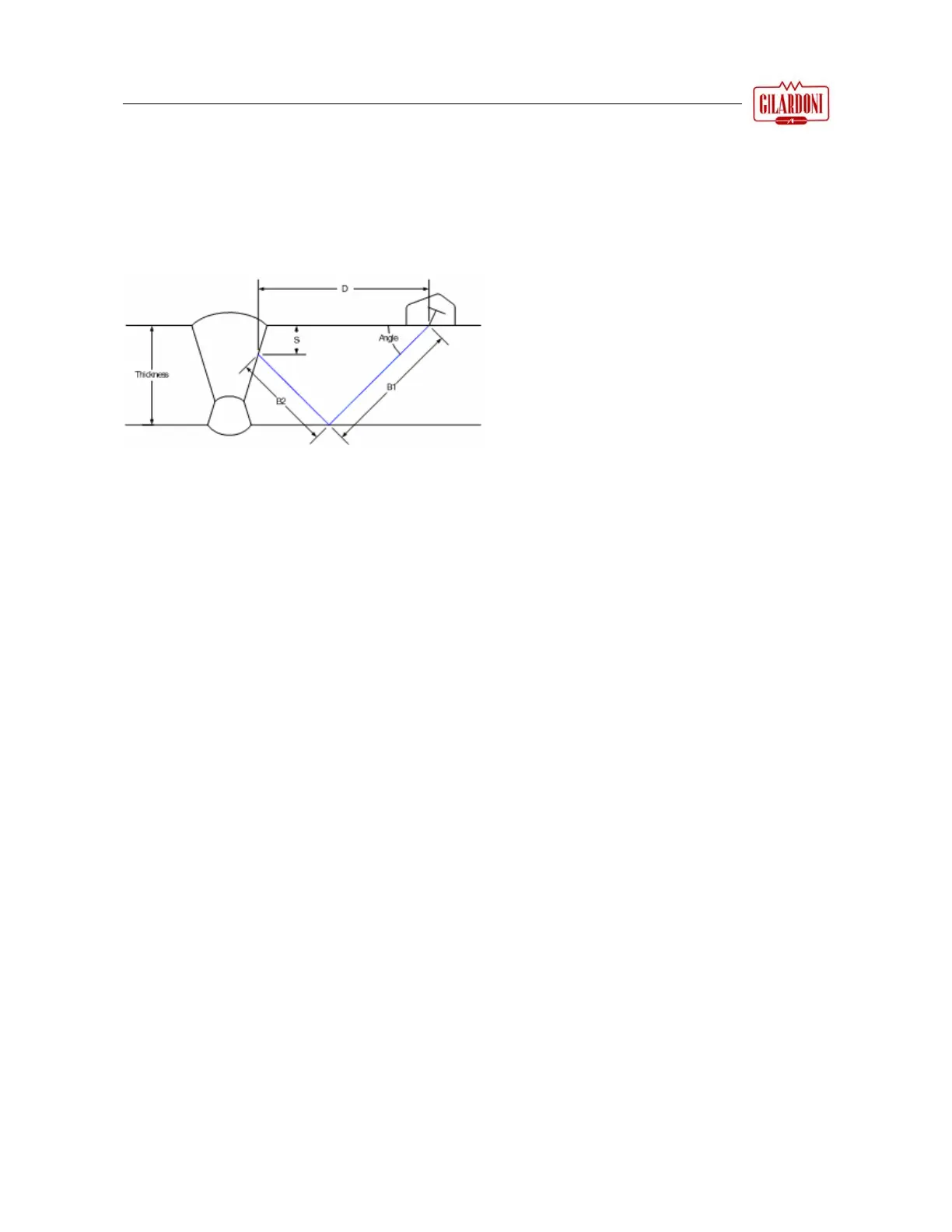
spections to calculate three parameters based on the echo position: the
beam path (:), distance (:) and depth (:). The height of the echo
(H:) is also displayed. If the AVG curve is enabled, the amount of
equivalent flaw (E:) is displayed instead of the echo height.
THICK
Sets the thickness of the material to test to take into account the multiple
paths of the ultrasonic beam in the specimen.
11.
4.2 CSC Menu (Curve Surface Correction)
This menu lets the operator configure the Curve Surface Correction (CSC) parameters. This option is
normally used to test pipes or other curved surfaces. For this correction to give exact results, the correct
thickness needs to be selected in the THICKNESS field of the TRIGON menu.
Use of the CSC function
8. Go to the MEAS item of the main MEAS menu;
9. Set the trigonometric function TRIG in the MODE box;
10. Adjust the THICK parameter until its value matches the specimen thickness;
11. Access the CSC menu;
12. Set the type of surface to test, either CONCAVE or CONVEX;
13. Set the curve radius;
14. Select the MODE window and set it on ON: in the lower left of the display words appear confirming that
the CSC function is enabled with the set curve radius highlighted.
For example: CSC On – 50.00
MODE
Enables and disables the CSC option
SURFACE
Used to select between '&'*.( internal surfaces) and '&.(- (external
surfaces).
RAD
Selects the radius of the curve.
:
beam path (B in case of single beam or
B1+B2 in case of double path)
: distance D
: depth S



 To Next Page