((
#$*&#,$*4("('"
56
11.2 M
ain Menu
After the information screen disappears, the options for menu selection are displayed on the right part of the
screen. To select one of the menus press the key located on your right. You can return to the main menu
selection at any time by pressing the key.
11.2.1 Main menu selection
CAL
Used to select the Calibration Menu options: CAL AMP TX
1
GATE1
GATE2 A_CALandIFT
2
MEAS
Used to select the Measurement Menu options: MEAS CSC PROBE DAC
AVG TCG
1
AWS andAPI
UTIL
Used to select the Utility Menu options:UTIL VIDEO MISC BEA
1
AGC
PRINT P_O/PandORE
MEMORY
Used to select the Memory Menu options: P
ANEL A-LOG REF T-LOG
andT-FN
1
Only RDG700 and RDG800
2
Only RDG800
N.B.: TheREF)GAINbox is always displayed on the lower right of the screen and the related values can be
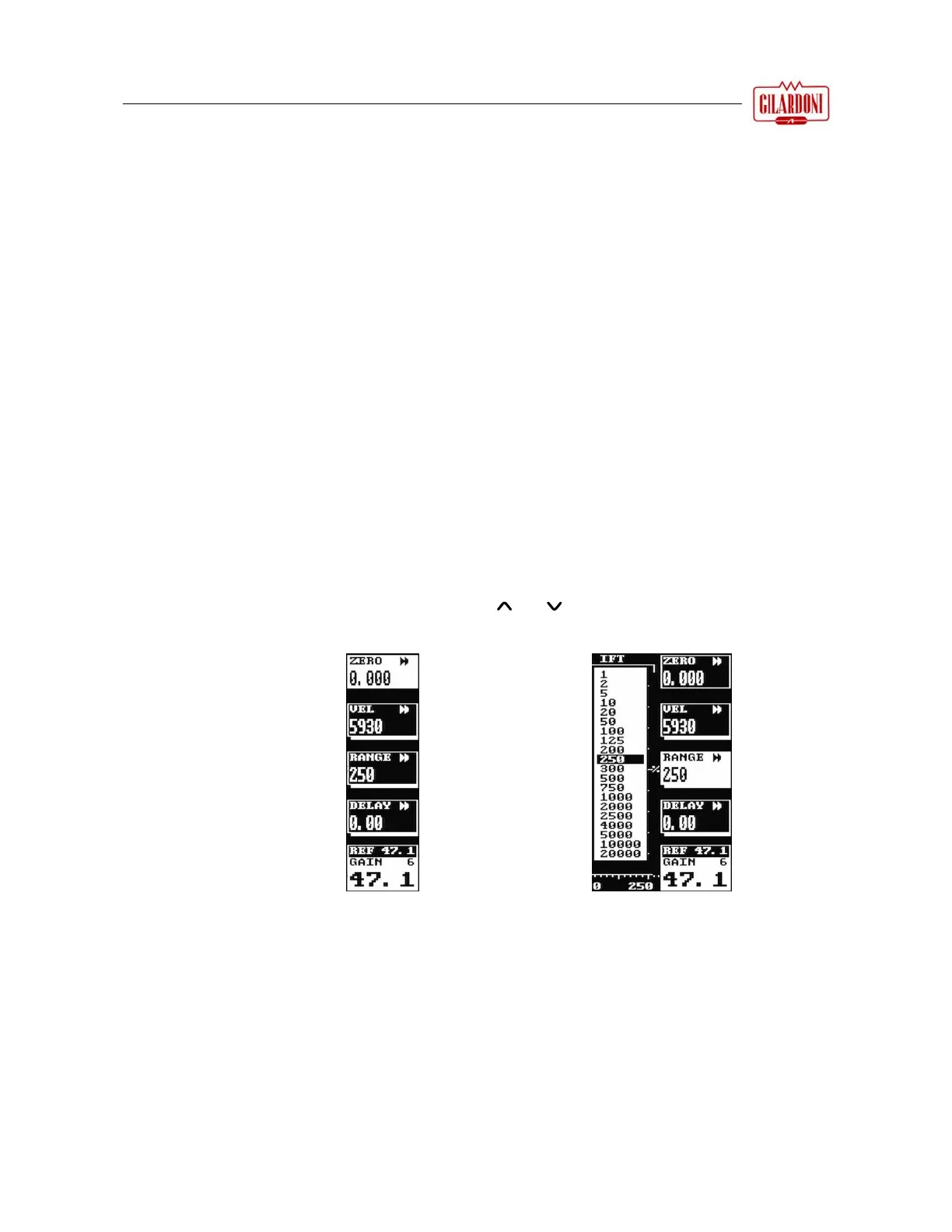
changed using the and keys as well as
a
nd
S
ome menus
have parameter
boxes with a
thick line below
them as shown in
the figure on the
side:
B
y pressing the key
adjacent to one of
these parameter
boxes a dropdown
list is displayed as
shown in the figure
on the side.
Press the same key
again to remove the
dropdown list after
selecting the
required value.



 To Next Page