14PowerUp Installation and Operation Manual
Preparation
After removing the PowerUp charger and the accessories kit from the packag-
ing, you must first create an opening to allow you to route the AC power wires
into the system:
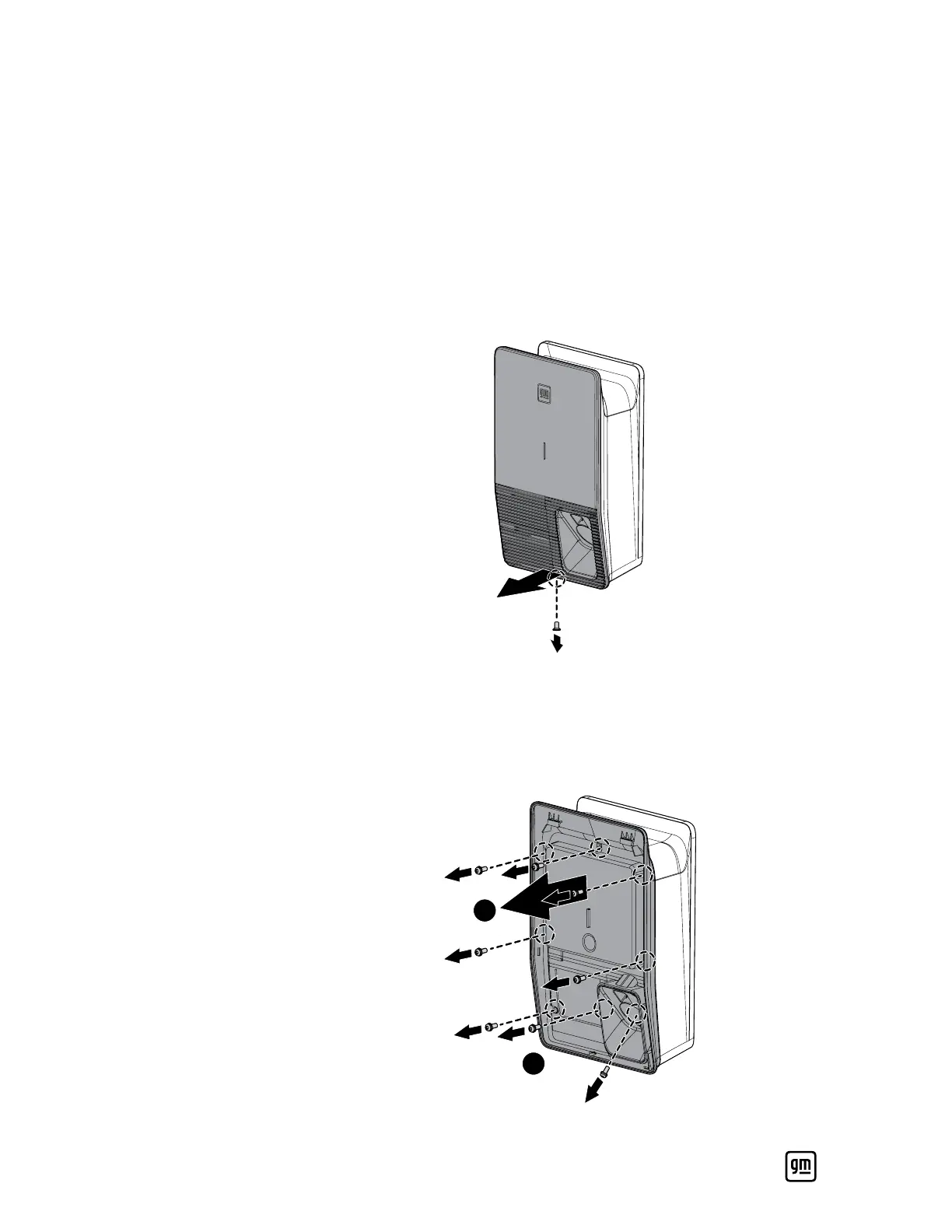
1. Remove the cosmetic cover.
a. Remove the single T20 Torx screw from the bottom.
b. Pry open the bottom of the cosmetic cover.
c. Remove the cosmetic cover from the unit.
2. Remove the middle cover.
a. Remove the eight T20 Torx screws from the sides of the middle cover and
the center of the plug holder.
b. Remove the middle cover from the unit.
2
1


 To Next Page