24PowerUp Installation and Operation Manual
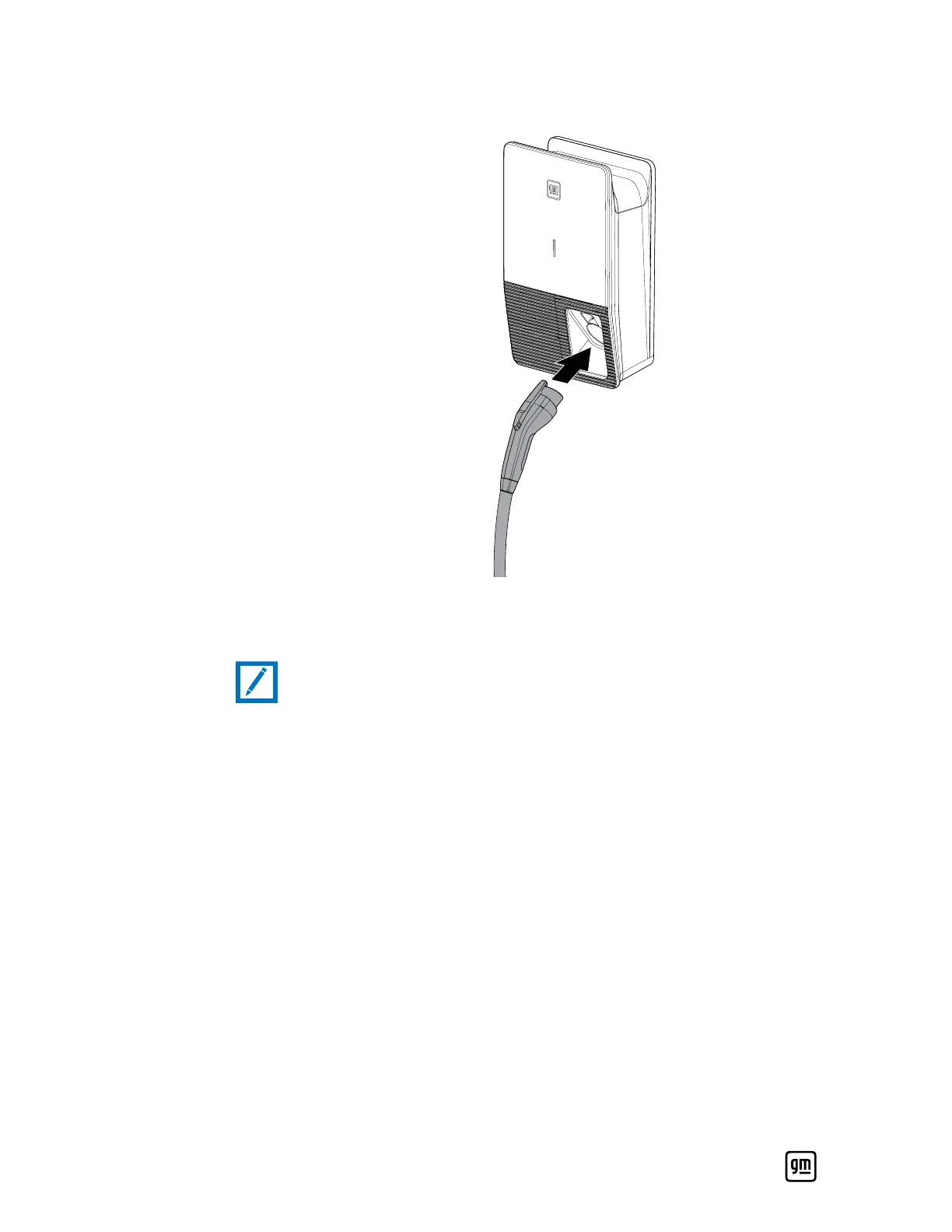
3. Place the charging cable and coupler onto the plug holder properly.
4. Power the unit by switching on the breaker, then verify that the LED lights
up solid white indicating that the PowerUp installation is complete.
Note:
• If the LED displays a red, white, and green solid pattern, it indicates the DIP
switch setting is not complete.
5. To complete the PowerUp charger setup, follow the steps below to connect
your charger to Wi-Fi and the app on your mobile device.
Wi-Fi and Mobile App Setup
If you haven't already, download your vehicle's mobile app (myChevrolet, my
Buick, myGMC, or myCadillac) and log in to the system using your vehicle
account credentials.
1. On your home screen tap Add Product.
2. Choose Charger from the list of products.
3. Select Your Charger Model ("PowerUp 2") from the list of chargers.
4. The app will then take you through the setup steps to successfully connect
your charger to your local Wi-Fi router.
For any issues with charger setup please call our Support Center at
1-833-64POWER.


 To Next Page