23PowerUp Installation and Operation Manual
Completing the Installation
Once you have finished configuring the DIP switches, double-check that all
the prior instructions have been followed correctly, and then proceed with the
steps below to complete the installation:
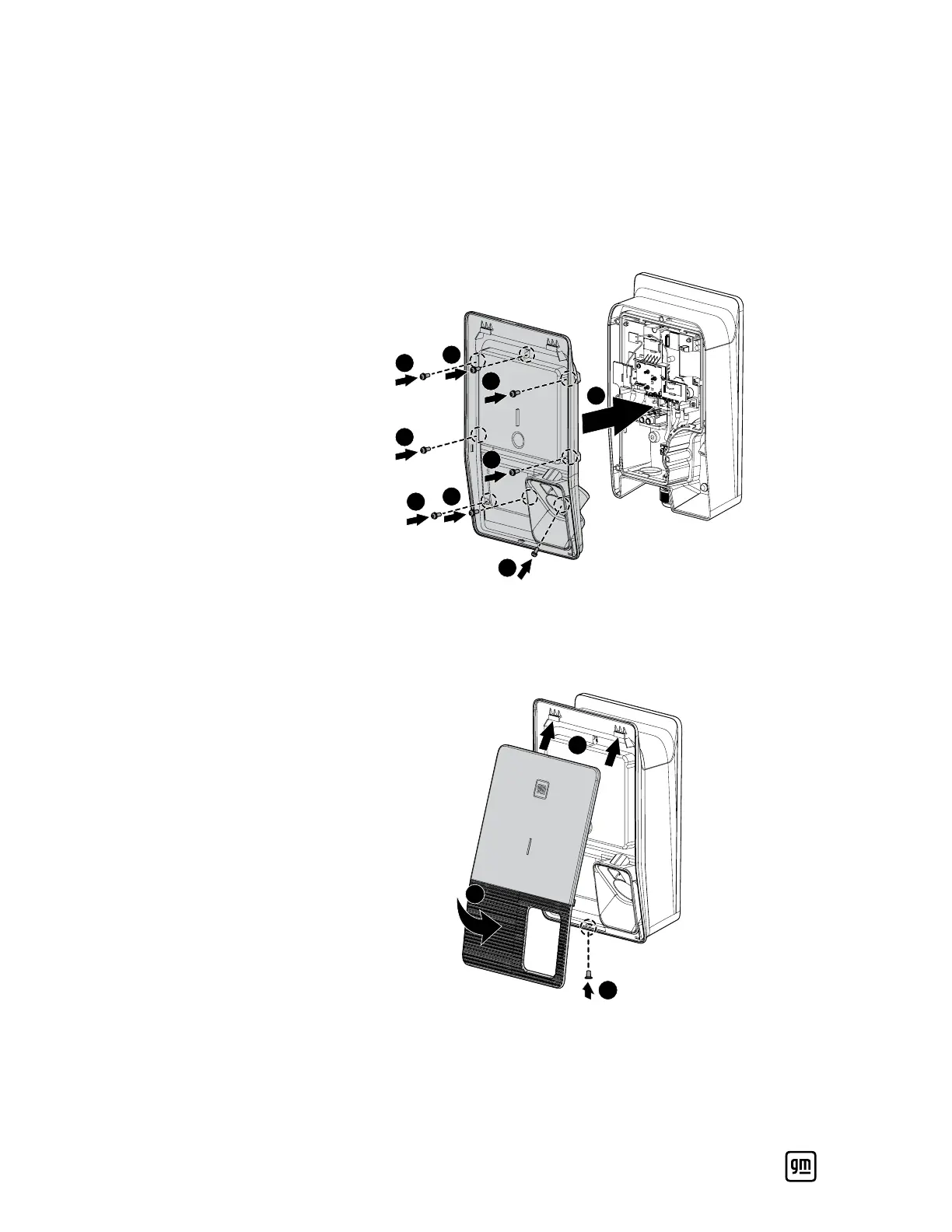
1. Put the middle cover back and fasten the eight screws securely (torque:
10.5 ± 0.9 in-lbs / 1.2 ± 0.1 Nm).
6
1
2
3
4
8
7
5
9
2. Install the cosmetic cover onto the system so that the hooks on the top
side are inserted into the corresponding notches on the system first, then
push the cover into place, and fasten the single screw securely (torque:
10.5 ± 0.9 in-lbs / 1.2 ± 0.1 Nm).
1
2


 To Next Page