EasyManua.ls Logo

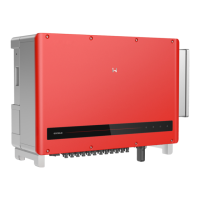
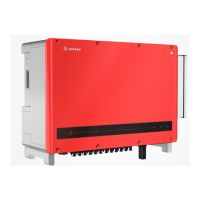
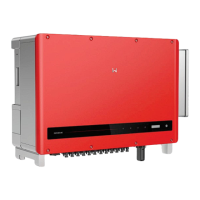
Goodwe HT Series - User Manual

Goodwe HT Series
59 pages
Print Icon
To Next Page IconTo Next Page
Loading...
User Manual
Grid-Tied PV Inverter
HT Series
(73-136kW)
V1.1-2022-07-20

Questions and Answers

  • M
    Michael NicholsonSep 12, 2025
    Why is my Goodwe HT showing 'BUS-start Fail'?
    • J
      Jasmine JonesSep 12, 2025
      If your Goodwe Inverter is showing a 'BUS-start Fail' error, it could be due to the output power of the PV string being too low, or an abnormal control circuit. Try disconnecting the AC output switch and DC input switch, waiting 5 minutes, and then reconnecting them. If the problem persists, contact your dealer or after-sales service.
  • P
    pcamachoSep 12, 2025
    What to do if my Goodwe HT Inverter displays 'DC-SPD'?
    • E
      Emily BridgesSep 12, 2025
      If your Goodwe Inverter shows 'DC-SPD', it indicates that the inverter was struck by lightning. As a first step, improve the lightning protection around the inverter. Then, disconnect the AC output switch and the DC input switch, wait 5 minutes, and reconnect them. If the problem continues after these steps, contact your dealer or after-sales service.
  • B
    Brenda RobinsonSep 9, 2025
    What does 'Night BUS Fault' mean on my Goodwe Inverter?
    • J
      Jonathan HooperSep 10, 2025
      If your Goodwe Inverter displays the 'Night BUS Fault' message, it means there is a problem with the utility grid power or the AC cable is disconnected, or the AC breaker is off. To attempt a fix, disconnect the AC output switch and DC input switch, wait 5 minutes, then reconnect them. If the issue persists, contact your dealer or after-sales service.
  • E
    Emily RichSep 8, 2025
    What to do if my Goodwe Inverter displays 'Relay Fail'?
    • M
      Miranda BarrettSep 8, 2025
      If your Goodwe Inverter is showing a 'Relay Fail' error, it could be due to several reasons: the relay itself is abnormal or short-circuited, the control circuit is malfunctioning, or there's an issue with the AC cable connection, such as a loose connection or short circuit. To resolve this, disconnect the AC output switch and DC input switch, wait 5 minutes, and then reconnect them. If the problem continues, contact your dealer or after-sales service for further assistance.
  • J
    Jennifer BeasleySep 7, 2025
    Why does my Goodwe HT Inverter show 'Fac Fail'?
    • A
      Anthony CruzSep 7, 2025
      If your Goodwe Inverter displays 'Fac Fail', it indicates a utility grid exception where the grid frequency change rate doesn't meet local standards. If this happens occasionally, the grid may be temporarily abnormal, and the inverter should recover automatically once the grid returns to normal. However, if it occurs frequently, verify that the grid frequency is within the permissible range. Contact your local power company if the grid frequency is outside of the allowed range. If the frequency is within range, contact your dealer or after-sales service for assistance.
  • N
    nweaverAug 23, 2025
    What to do if my Goodwe HT shows a Utility Loss error?
    • A
      Adam WeberAug 23, 2025
      If you're experiencing a 'Utility Loss' error with your Goodwe Inverter, it could be due to a failure in the utility grid power supply or disconnection of the AC cable, or the AC breaker might be off. Once the grid power is restored, the alarm should clear automatically. Ensure the AC cable is properly connected and the AC breaker is turned on.
  • C
    Cody LopezSep 5, 2025
    What does CPLD Error mean on a Goodwe Inverter?
    • N
      Nicholas CampbellSep 5, 2025
      A 'CPLD Error' on your Goodwe Inverter can be caused by a temporary abnormality due to environmental factors or damaged internal components. Disconnect the AC output switch and DC input switch, then connect them again after 5 minutes. If the problem continues, further assistance may be needed.
  • F
    frances29Sep 4, 2025
    Why does my Goodwe HT show a PV Voltage Low error?
    • N
      Natalie RobinsonSep 4, 2025
      A 'PV Voltage Low' error on your Goodwe Inverter indicates that sunlight is weak or changing abnormally. If this occurs occasionally, it may be due to abnormal sunlight, and the inverter will recover automatically. If it occurs frequently, further assistance may be needed.
  • R
    Robert CrawfordSep 3, 2025
    What causes SPI Comm Fail on Goodwe HT?
    • R
      Robin CooleySep 3, 2025
      A 'SPI Comm Fail' error on your Goodwe Inverter could be due to the chip not being powered on or a wrong chip program version. Disconnect the AC output switch and DC input switch, then reconnect them after 5 minutes. If the problem persists, further assistance may be needed.
  • L
    louis22Sep 2, 2025
    What does BUS-start Fail mean on a Goodwe Inverter?
    • J
      James CraigSep 2, 2025
      A 'BUS-start Fail' error on your Goodwe Inverter can occur if the output power of the PV string is too low or if the control circuit is abnormal. Disconnect the AC output switch and DC input switch, then connect them again after 5 minutes. If the problem continues, further assistance may be needed.

Summary

About This Manual

Applicable Model

Lists supported inverter models with their power and voltage ratings.

Target Audience

Specifies that the manual is for trained and knowledgeable technical professionals.

Symbol Definition

Explains the meaning of different hazard levels (Danger, Warning, Caution, Notice) used in the manual.

Updates

Lists version history and updates for the manual.

Safety Precaution

General Safety

Provides general safety guidelines and precautions for using the inverter.

DC Side

Details safety precautions related to the DC side of the inverter.

AC Side

Details safety precautions related to the AC side of the inverter.

Inverter Installation

Covers safety precautions specifically for the installation of the inverter.

Personal Requirements

Outlines the necessary qualifications and training for personnel handling the equipment.

Product Introduction

Application Scenarios

Describes the intended use of the HT inverter as a three-phase PV string grid-tied inverter.

Circuit Diagram

Presents the circuit diagrams for different HT inverter models.

Supported Grid Types

Illustrates the various grid structures (TN-S, TN-C, TT, IT) supported by the inverters.

Appearance

Details the physical components and layout of the inverter.

Check and Storage

Check Before Receiving

Lists items to check before accepting the product from the supplier.

Deliverables

Shows all the items included in the product package.

Storage

Provides guidelines for storing the inverter safely and appropriately.

Installation

Installation Requirements

Details environmental and location requirements for inverter installation.

Inverter Installation

Step-by-step guide for physically installing the inverter.

Electrical Connection

Safety Precautions

Essential safety rules to follow during electrical connections.

Connecting the PV Input Cable

Steps for connecting the DC input cables from the PV array.

Connecting the AC Output Cable

Guide for connecting the AC output power cable.

Communication

How to connect communication cables for data logging and monitoring.

Equipment Commissioning

Check Items Before Switching Power ON

Checklist of items to verify before powering on the inverter.

Power On

Step-by-step guide on how to safely power on the inverter.

System Commissioning

Indicators and Button

Explains the inverter's indicators and buttons for system status.

Setting Inverter Parameters via LCD

Guide for configuring inverter settings using the LCD interface.

Setting Inverter Parameters via App

Instructions for setting inverter parameters using a mobile application.

Monitoring via SEMS Portal

How to monitor inverter performance and status using the SEMS portal.

Maintenance

Power Off the Inverter

Steps to safely power off the inverter before performing maintenance.

Removing the Inverter

Procedures for safely detaching the inverter from its mounting.

Disposing of the Inverter

Guidelines for the proper disposal of the inverter according to regulations.

Troubleshooting

Common faults, their causes, and suggested solutions for the inverter.

Routine Maintenance

Schedule and methods for regular maintenance tasks.

Technical Parameters

Input

Specifications related to the inverter's DC input characteristics.

Output

Specifications related to the inverter's AC output characteristics.

Efficiency

Details on the maximum and European efficiency ratings of the inverter.

Protection

Lists various integrated and optional protection features of the inverter.

General Data

General specifications like temperature range, humidity, and altitude.

Goodwe HT Series Specifications

General IconGeneral
Max DC Input Voltage1100V
MPPT Voltage Range200-1000V
Max AC Output Power3.6kW to 10kW
Number of MPPTs1 or 2
Max PV Input Voltage1100V
MPPT Range200-1000V
AC Output Frequency50/60Hz
CommunicationRS485, Ethernet
Operating Temperature Range-25°C to 60°C
Protection LevelIP65

Related product manuals