765041938 Rev. 002 18
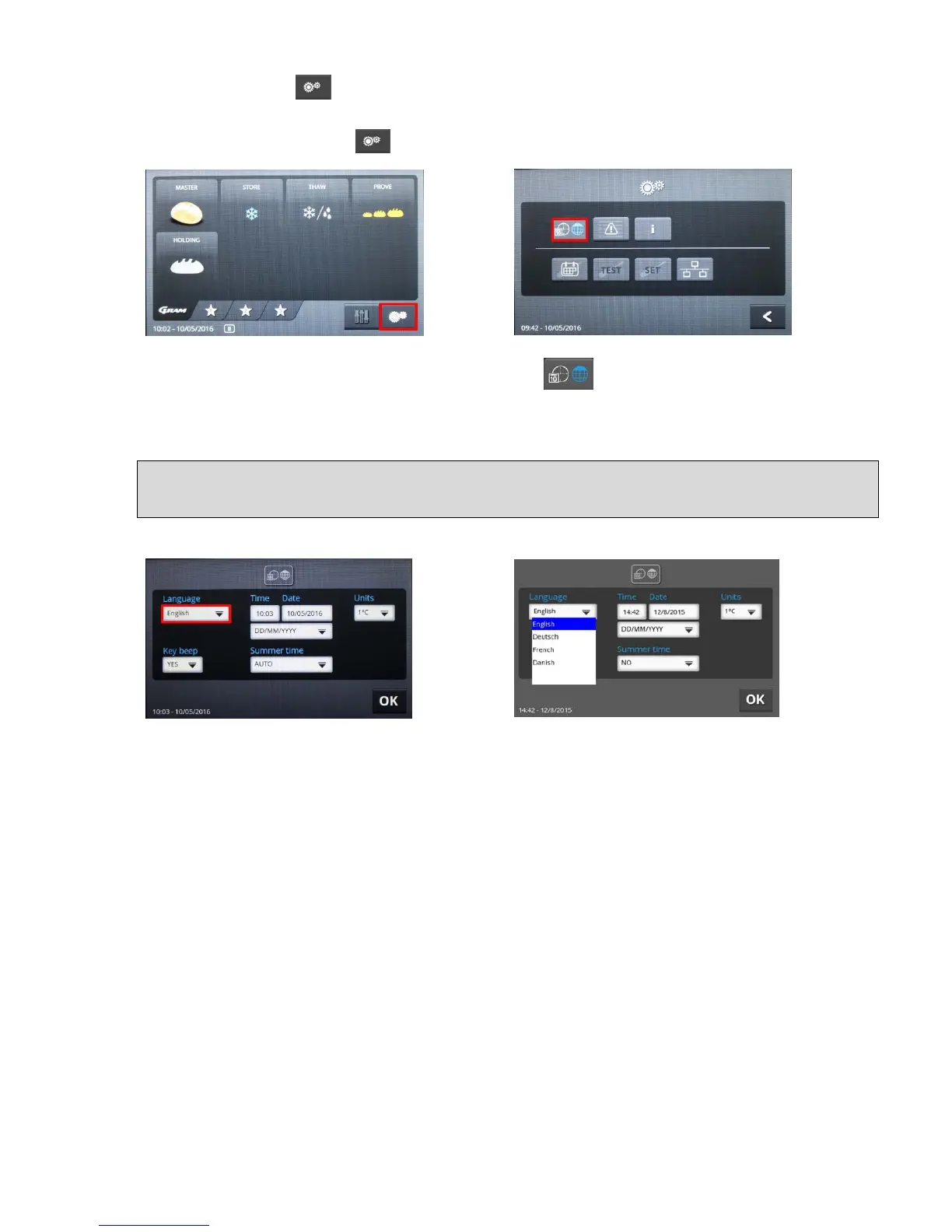
In order to change the settings for the date, time, formats, units or menu language, you need
to press the button on the keyboard (machine symbol) in the lower right corner of the
screen (fig. 3). The factory setting for the language is English.
When you press the button , the menu for settings for the unit opens (fig. 4):
Fig. 3 Fig. 4
To set the date, time or language, press the button . The settings menu then opens
with the associated fields (fig. 5):
Selection of language
Fig. 5 Fig. 6
When you touch the fields, the pull-down menus are opened and the possible values
displayed. Fig. 6 shows the language selections. The desired language can be selected by
touching it.
It is important to restart the controls to ensure that this change has been performed for all
areas.


 To Next Page