765041938 Rev. 002 33
Manual programs
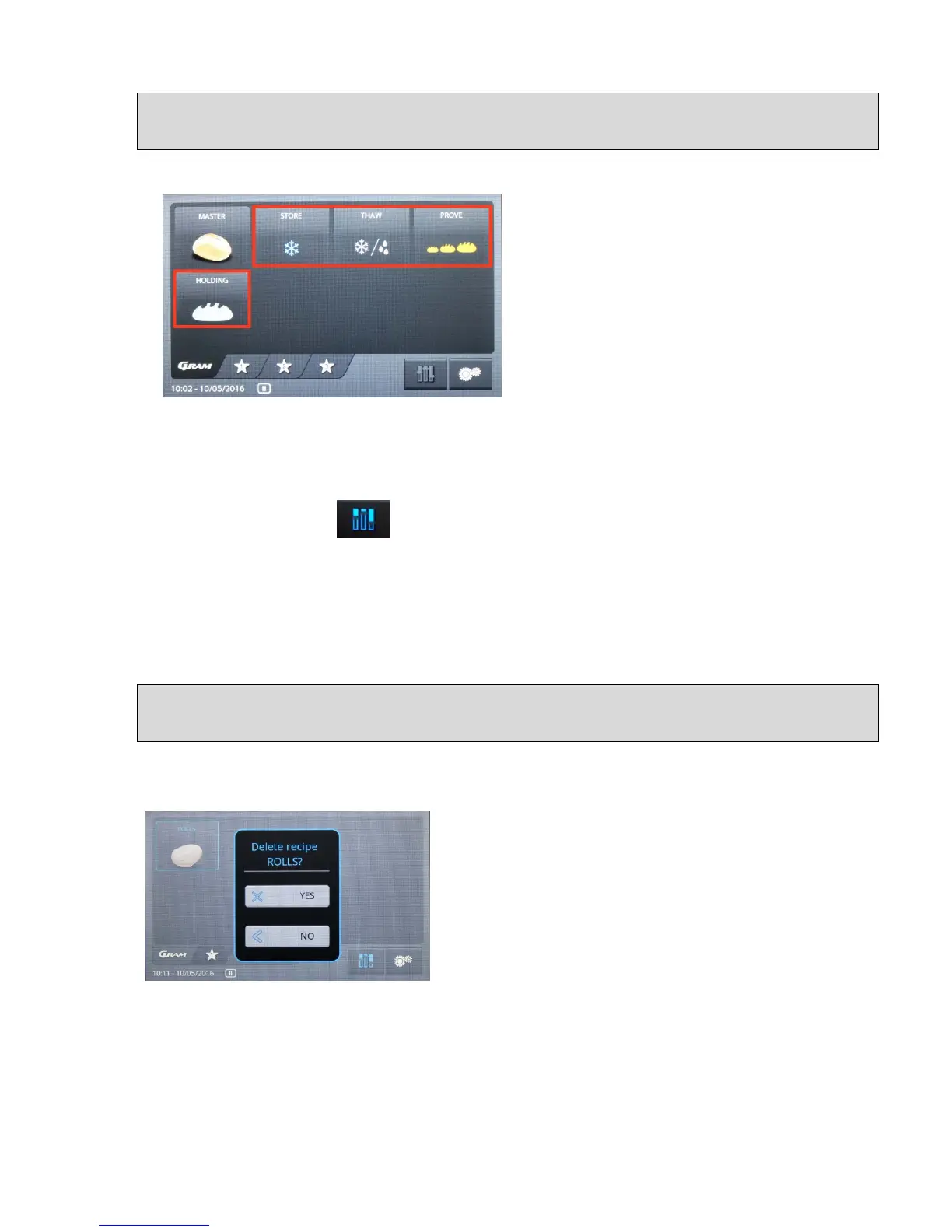
The display start page (fig. 48) will save up to
four different symbols. You can activate each
one of these program phases separately to
for example use the unit as a storage freezer
or solely as a proving machine.
Fig. 48
Procedure at the start of the phases:
Select the desired program, and press once, until a blue frame is displayed.
Then press the symbol at the bottom to the right, and set the settings accordingly
(white fields).
Exit the menu with the symbol OK. For further steps in connection with execution, storage
and interruption, please see page 29.
Exit the menu without saving with the button "<".
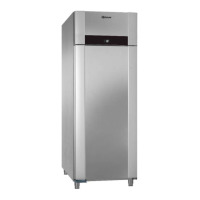
Deletion of a specially created program
Select program, blue frame is displayed, after which you continue to press until a new menu
item is displayed, (fig. 49).
Fig. 49
You can now select "YES" or "NO" for deletion. The program is deleted by selecting "YES",
whereas it continues to be available by selecting "NO".


 To Next Page