765041938 Rev. 002 24
Changing of established date and ending time for the program
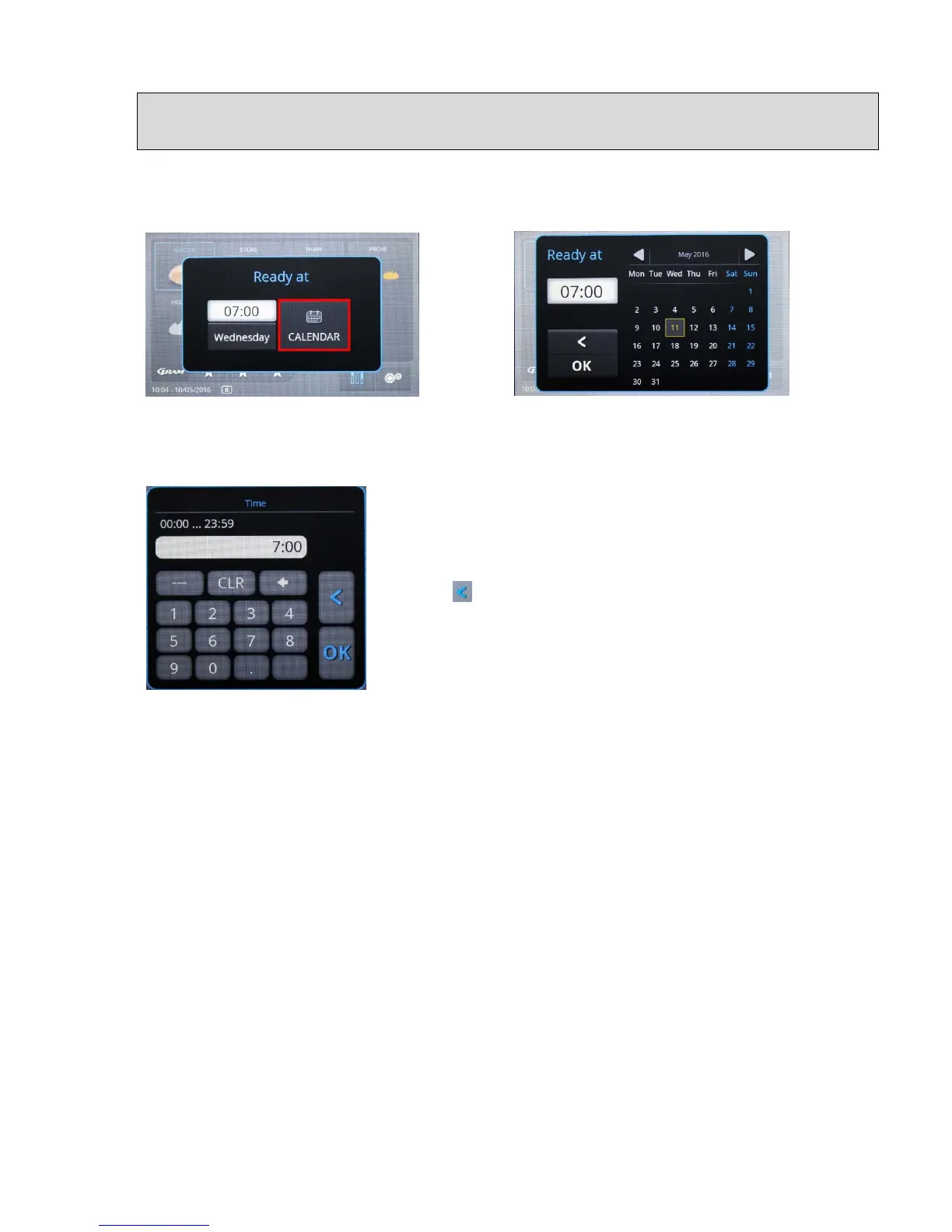
To do this, press on the "Calendar" field (fig. 26)
Fig. 26 Fig. 27
The calendar menu (fig. 27) will be displayed. Here, the date
can be changed by touching the date fields. Selections for
changing the time can be opened by touching the time window.
Here, the time can be entered and then saved with "OK". By
selecting you exit the menu without making any changes.
With "OK" you exit the menu and start execution of the
program.
Fig. 20


 To Next Page