765041938 Rev. 002 22
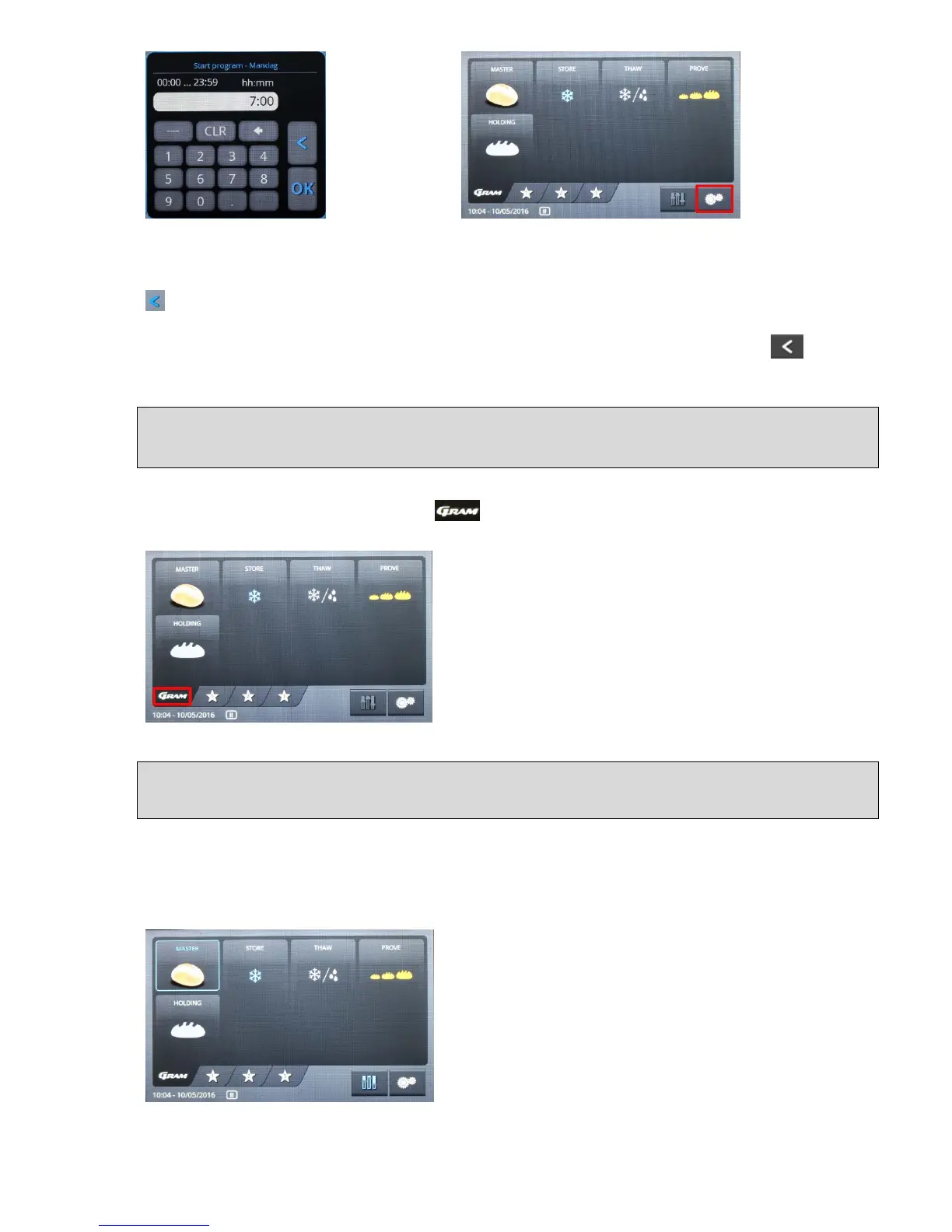
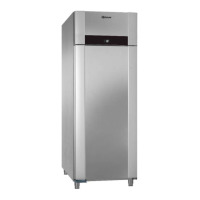
Fig. 20 Fig. 20a
Enter a time. In order to jump over a day, the symbol „---„ (fig. 20a) needs to be inserted on
the desired day. With "OK", you save what you entered for this weekday, or you can return
to the weekly overview (fig. 19) without saving.
Once all the changes have been made, you return to the start menu by pressing twice,
(fig. 20a).
Preconfigured programs
There are five preconfigured programs stored in the controls, which can be selected directly
in the start menu under the overview (fig. 21). These programs cannot be deleted or
overwritten.
Fig. 21
Selection and start of a program
In order to start a preconfigured program without changing the settings, you press on the
button on the keyboard with the symbol Master. The selected symbol is shown with a blue
edge, and the "Settings" button (symbol for the sliding button) is shown in blue, which means
that it has been activated (fig. 22).
Fig. 22


 To Next Page