765041938 Rev. 002 29
Interruption of the currently running program
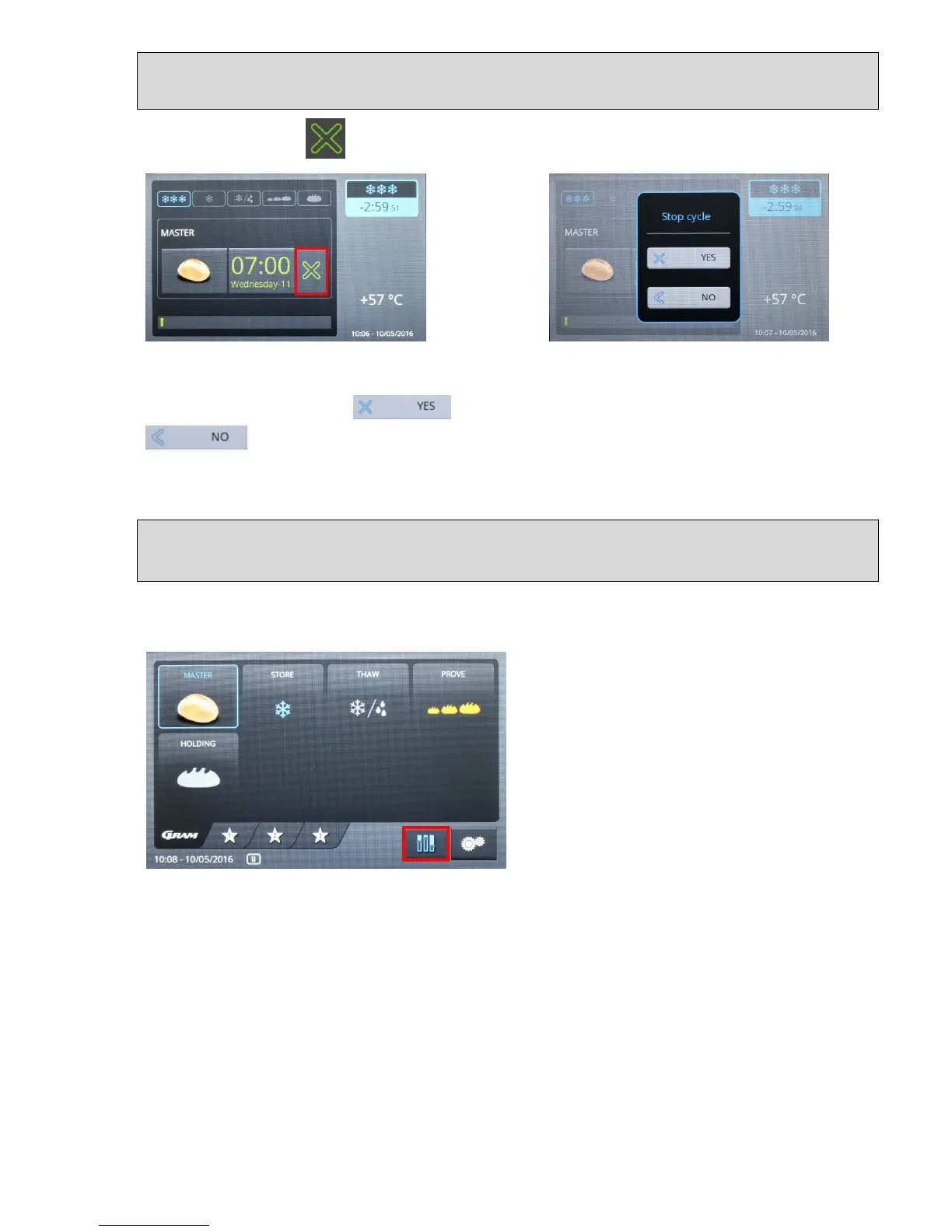
Touching the button causes the currently running program to be interrupted (fig. 36).
Fig. 36 Fig. 37
A window opens where for verification purposes you are asked whether the program should
really be halted (fig. 37). If ("YES") is selected, the program is stopped. If
("Back") is selected then interruption of the program is interrupted, i.e. you
return to the currently running program without any action being taken.
Storage of user-defined (own) programs
In order to change a predefined program and save it as your own program, touch the button
on the keyboard with the symbol (here, for example, Master). The selected symbol is
displayed with a blue edge, and the
"Settings" button (symbol with sliding button)
is shown in blue, which means that it has
been activated (fig. 38). Touching the
"Settings" button (symbol with sliding button)
displays the settings menu with the five
program phases (fig. 39).
Fig. 38


 To Next Page