765041938 Rev. 002 23
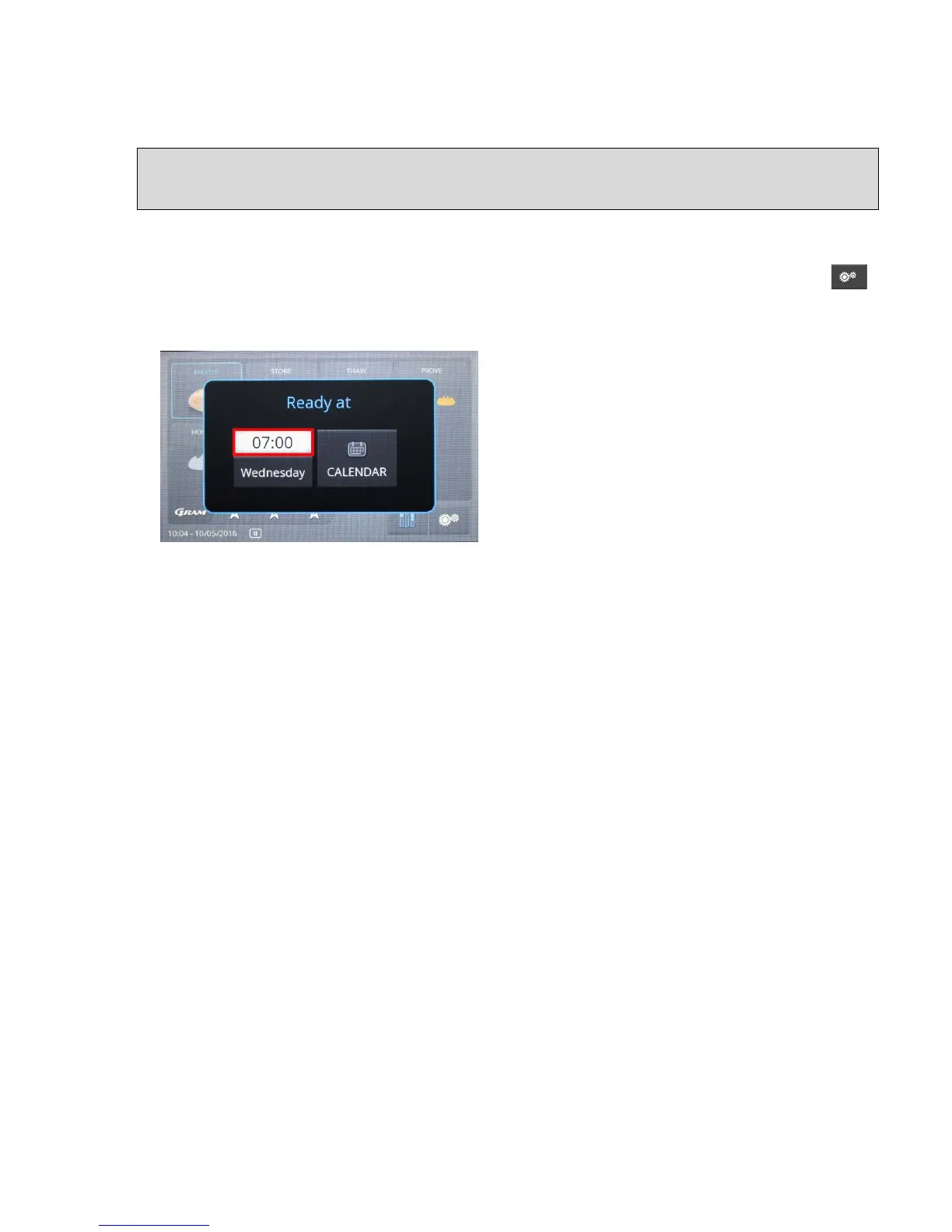
Further touching of the Master symbol opens a window with an ending time for the program
(ready at) on the following day.
Selection of ending time for the program
A menu is opened in which the ending time for the program is selected, and the default -
setting of "Weekday" must be confirmed (fig. 23).
The usual ending time for programs can be established in the menu Settings for the unit
as a default value for each weekday (see the section entitled "Default ending times for
programs for each weekday", page 21).
If the ending time established for the program is
correct, then the program can be started by
choosing "Weekday" (Monday, Tuesday, etc.).
The program only starts if there is sufficient time
remaining between the time for the starting and
ending times for the program for the sum of the
programmed program sections (phases).
Otherwise, the earliest possible ending time for
the program is shown (fig. 23).
To switch out of the display, press on "Ready at".


 To Next Page