765041938 Rev. 002 34
Alarms/error messages
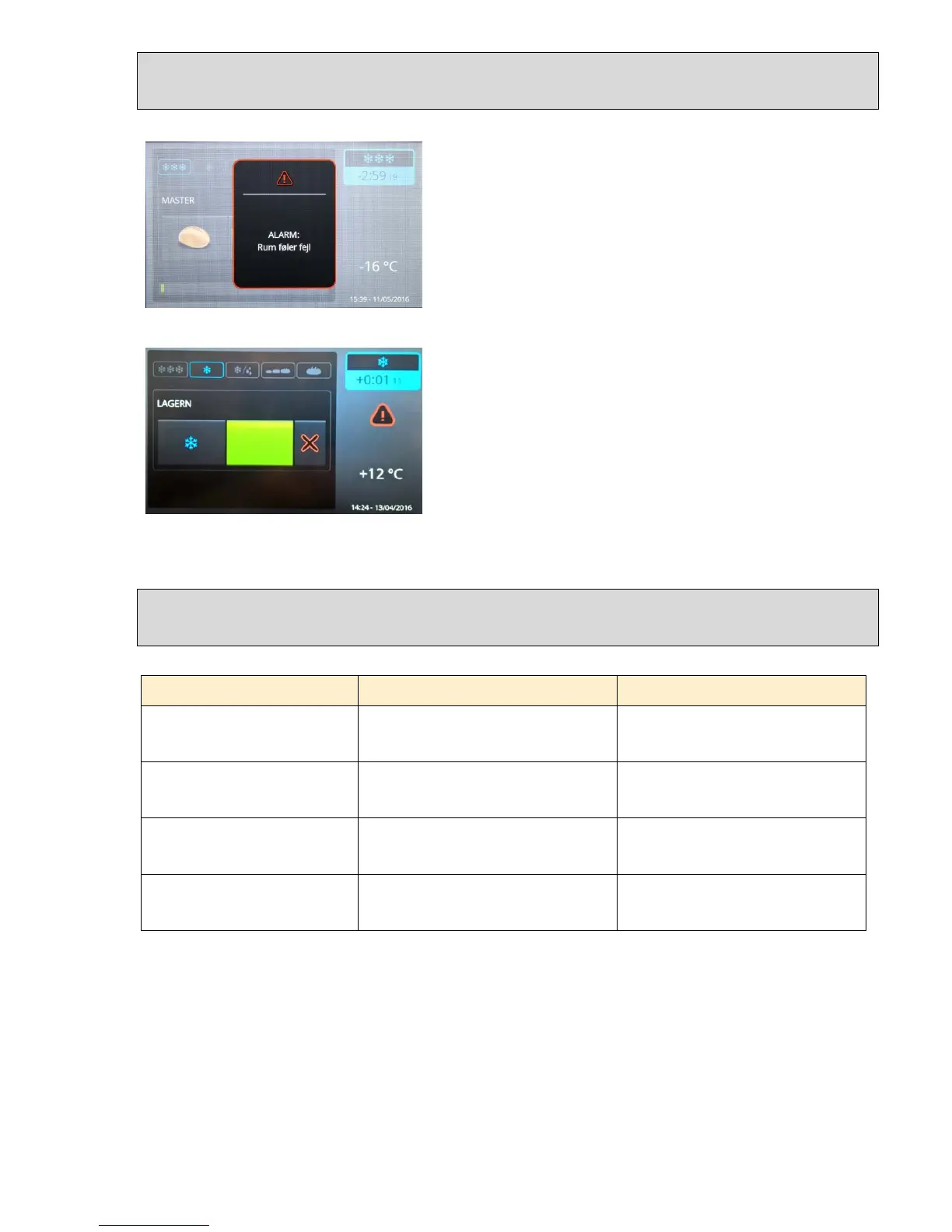
If an error arises, an error message window
is displayed on the screen, for example a
room sensor error, and an acoustic alarm is
issued.
In order to acknowledge this alarm, you
must touch the alarm window (the area with
the black background).
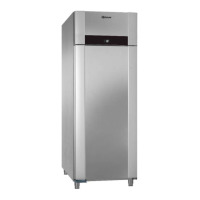
Then a red triangle is shown on the display
for the currently executing program until the
error is remedied.
Depending upon the priority of the error, the
program will continue with an emergency
program, or it will be interrupted.
Temperature alarms
Error message Description System reaction
Alarm high temperature
The temperature around the room sensor
has been above the alarm value for longer
than the alarm delay time
none
Alarm low temperature
The temperature around the room sensor
has been below the alarm value for longer
than the alarm delay time
none
Condenser temperature high
The temperature around the evaporator
sensor has been above the alarm value
for longer than the alarm delay time
none
Too many consecutive evaporator
temperature alarms
The evaporator temperature alarm is
occurring more frequently than the setting
for repetition counts
The compressor is disconnected, and
the evaporator fan runs with 100%
power.


 To Next Page