765041938 Rev. 002 25
Changing of further settings before program start
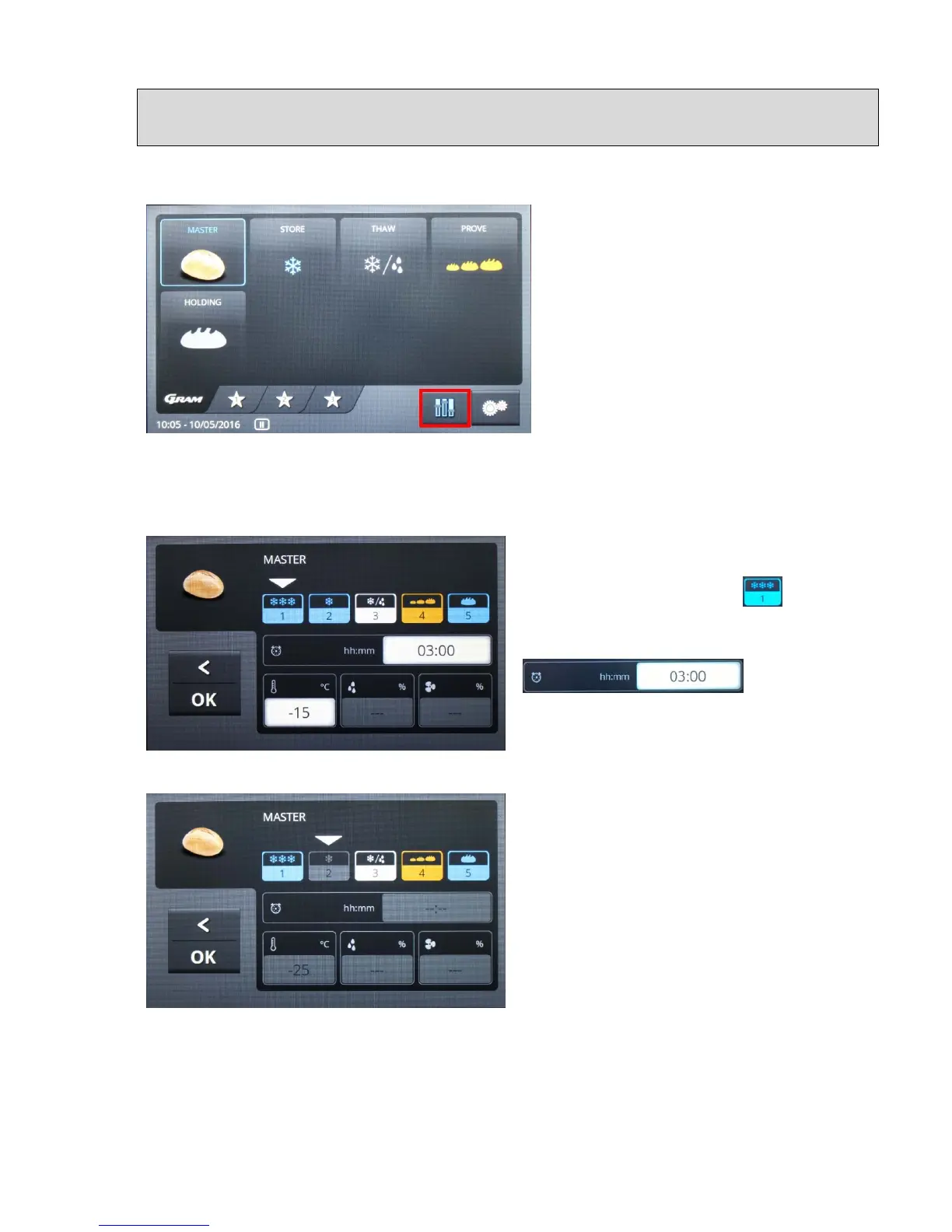
In order to adjust a preconfigured program, touch the button on the keyboard with the Master
symbol. The selected symbol is displayed with a blue edge, and the "Settings" button
(symbol with sliding button) is shown in
blue, which means that it has been
activated (fig. 28).
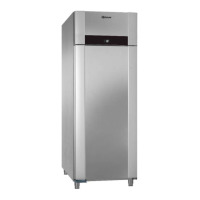
Touching the "Settings" button (symbol
with sliding button) displays the settings
menu with five program phases:
Freezing, Storage, Thawing, Proving,
Holding (fig. 29).
Fig. 28
Fields are shown below that contain the values for duration, temperature and relative
humidity for the respective program phase.
By touching the field for the respective
program phase, for example , you
select it to have its values set. The fields are
then opened, for example
, by touching
them (white fields). The data entry menu is
shown, for example time, "Duration" (fig. 30).
Fig. 29
Fig. 30
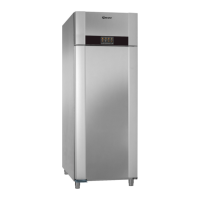
In order to deactivate a program phase, the symbol must be selected, after which you press
on it until the field "GREY" has been saved. In order to reactivate the program phase, you
must press on it again, until the symbol has its original colour. If goods are placed in the unit
that have been refrigerated in advance, and the program is started with storage, then under


 To Next Page