765041938 Rev. 002 32
Touching the program symbol (fig. 43) shows a selection of symbols for your own programs
(fig. 44). Choose a symbol by touching it, and navigate back and forth between further
symbols with "<" or ">". Change for example the picture from to or exit the
menu without changes with "<".
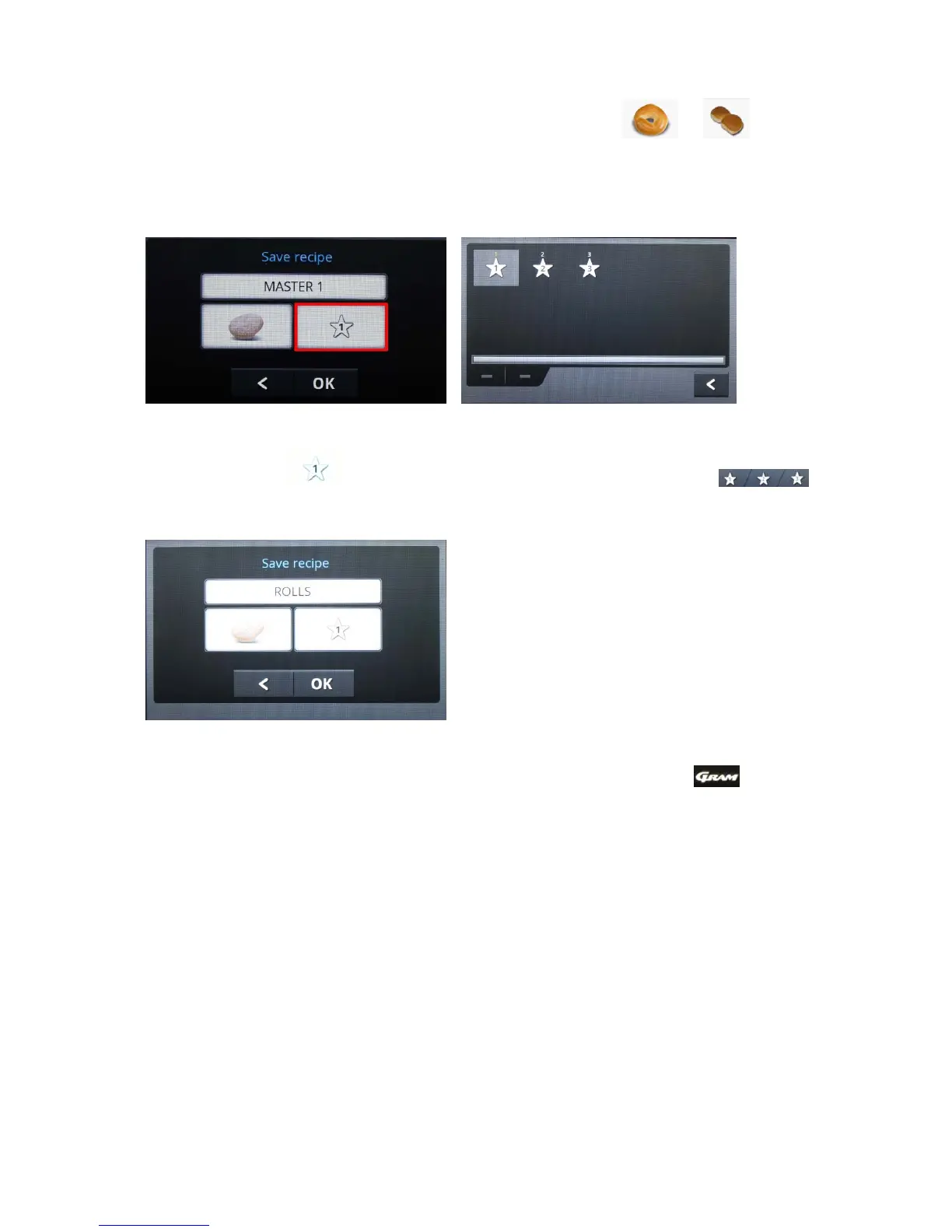
The storage menus will be displayed.
Fig. 45 Fig. 46
Touching the field selects the memory location in one of the folders in the
start menu.
Fig. 47
Select a folder, or exit the menu without changes with "<".
Bear in mind that the preconfigured programs themselves in the folder cannot be
overwritten.
When all settings have been adjusted, you can save your program with "OK".


 To Next Page