765041938 Rev. 002 31
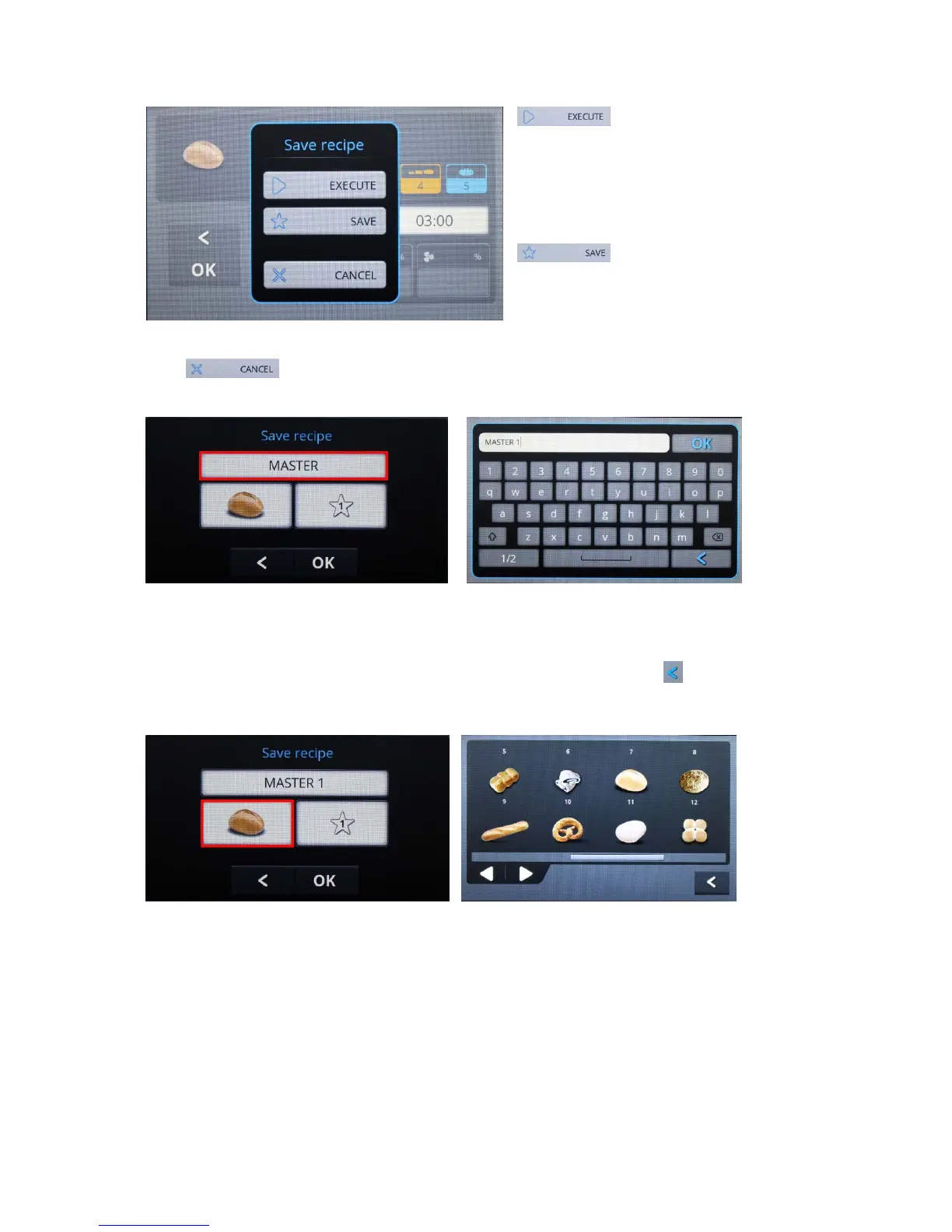
With "OK" the values are accepted and the menu closed. The selection menu "Save recipe
?" is then shown (fig. 41)
Saves the entered values
temporarily and runs in a corresponding
manner the commenced program sequence
1 x.
Means that the menu is exited
without changes.
Fig. 41
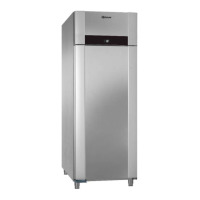
With the settings made are saved in a special user-defined program. The
storage menu is displayed.
Fig. 42 Fig. 43
When touching the field with the program name (fig. 42), a window with an alphanumeric
keyboard is displayed for entry of a special program name (fig. 43). Enter a name for the
program, and press "OK", or exit the window without changes with .
The storage menu is then displayed again.
Fig. 43 Fig. 44


 To Next Page