Software Version:1.0.0.9 Document Version:0.2
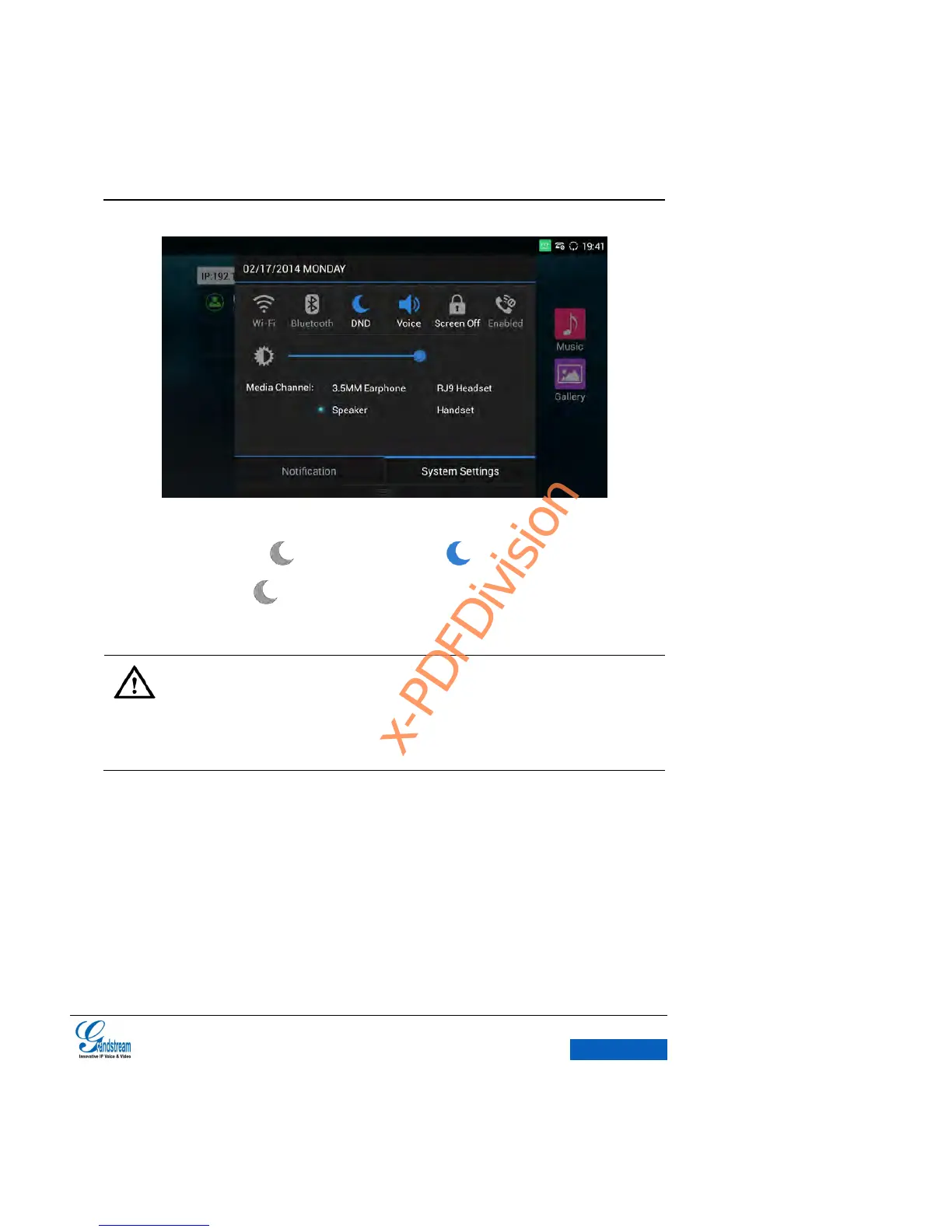
Figure 40 GXV3275 Drop-down Status Bar-System Settings
3. Touch the DND icon to turn it on/off. The icon indicates the DND is on; tap the
DND icon again, indicates DND is off.
Note:
When DND is on, the active call will not be affected, all the calls after to the registered
accounts will be blocked.
When DND is on, the incoming calls to the GXV3275 will not be saved in the call
history but in the blacklist.
MISSED CALLS
A pop-up dialog will remind users if there is a missed call, close it by
clicking the X in the upper-right corner of the dialog. Users could tap on the missed call to view all
the call records of a certain missed call.


 To Next Page
 Loading...