CHAPTER 3. CRAFT ROBO CONTROLLER 3-11
PREFACE
CH 3. CRAFT ROBO CONTROLLER
CH 1. PRIOR TO USE
APPENDIX A
CH 2. CONNECTION AND PREPARATION
INDEX
CONTENTS
CH 4. CUTTING DATA SAVED ON SD CARD
PREFACE CONTENTS CH 1. PRIOR TO USE
CH 2. CONNECTION AND PREPARATION
INDEXAPPENDIX A
CH 4. CUTTING DATA SAVED ON SD CARD
CH 3. CRAFT ROBO CONTROLLER
<Other>
Thick Media:
Select this parameter when using Kent paper (inkjet, laser or similar paper).
Thin Media: Select this parameter when using standard paper.
Pen: Select this parameter when a ballpoint pen has been mounted in the Craft
ROBO. The ballpoint pen is primarily used for test plotting before cutting.
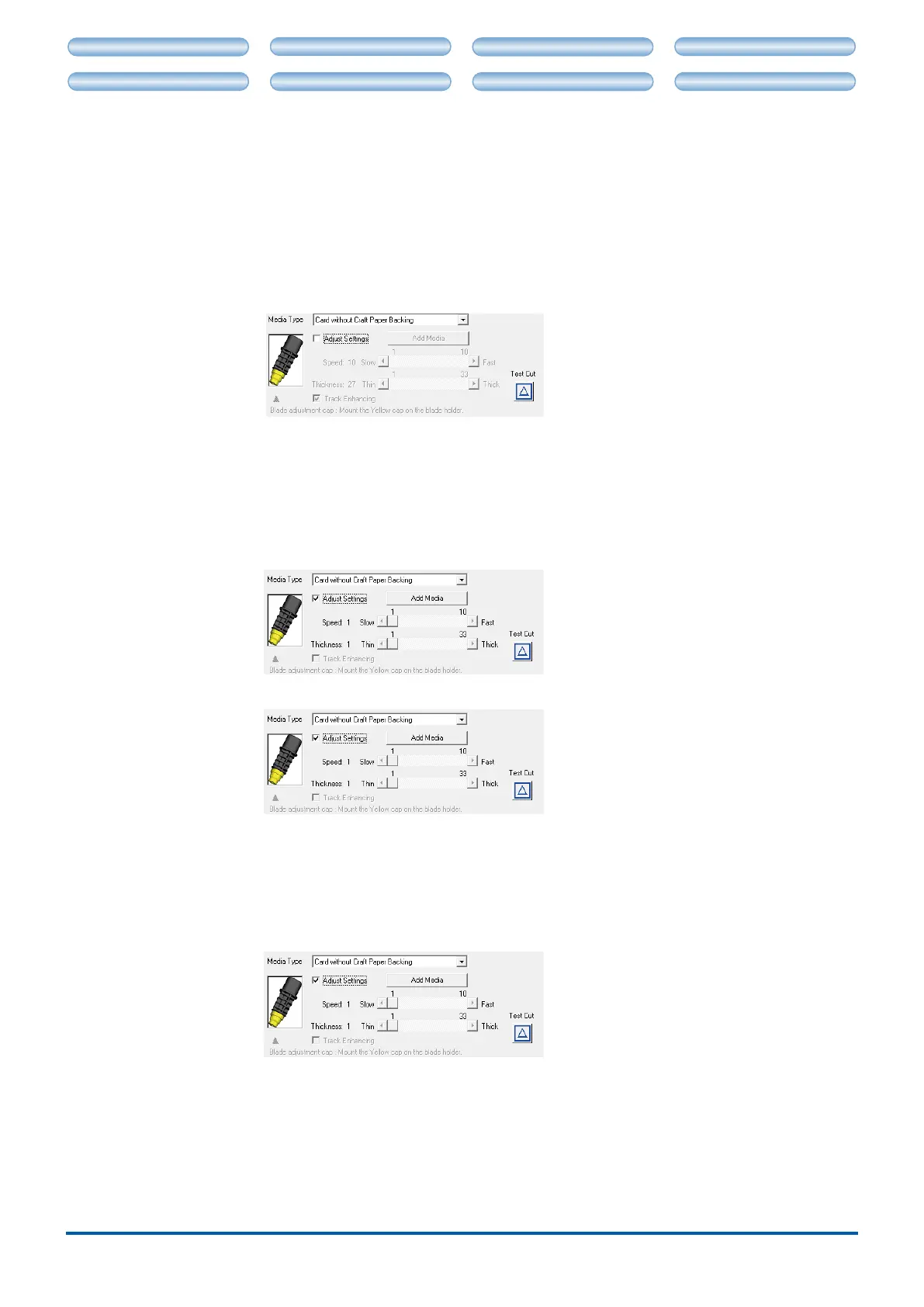
Blade Adjustment Cap
.. The Blade Adjustment Cap indicator shows the most suitable blade adjustment cap
color for the media that has been selected from the "Media Type" drop-down box.
Attach the blade attachment cap in the color shown to the blade plunger before
cutting that media.
Only the tip of the blade protrudes from the blade plunger. The blade adjustment cap
color controls the blade length (the protruding length varies according to the color of the
cap). The color selection is mostly determined by the thickness of the media to be cut.
Adjust Settings ............. If the results of the test cutting indicate that the conditions need to be adjusted,
select the "Adjust Settings" check box. As shown in the screen below, "Speed",
"Thickness", "Test Cut" and "Add Media" are displayed. These parameters are
disabled when the "Adjust Settings" box is not checked.
Speed ............................. Species the cutting speed.
Selecting "Fast" increases the cutting speed, and selecting "Slow" reduces the
speed. The slower the cutting speed, the higher the cutting quality. The speed can
be adjusted in 10 steps for the CC330-20, and 7 steps for the CC300-20.
Note: Ifavalueof31orhigherhasbeenspeciedfor"Thickness",thespeedwillbe
reduced in order to maintain an acceptable quality level.
Thickness ...................... Species the thickness of the media to be cut.
33 levels can be specied.
Note: Ifavalueof31orhigherhasbeenspeciedfor"Thickness",thespeedwillbe
reduced in order to maintain an acceptable quality level.
Track Enhancing ........... Track enhancing refers to the action of moving the media back and forth several
times before cutting is started to improve the quality of cutting. It is performed
automatically when the thickness exceeds a certain value.
•
•
•











 To Next Page