81
EN
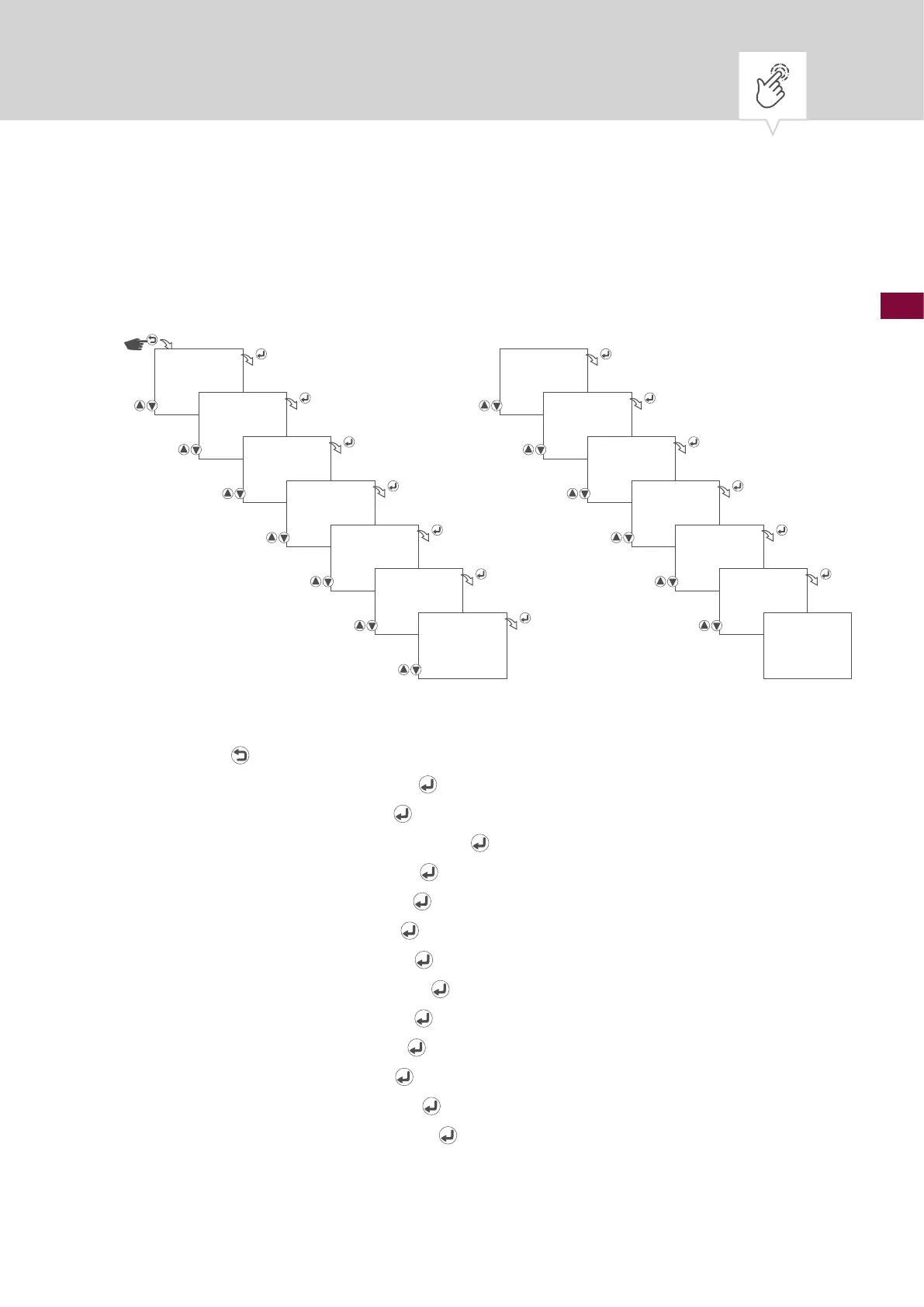
Setting customer-specic summer time
The change is carried out in accordance with the set date and time. The offset range (corrective value)
can be set from 1 minute to 2 hours.
Fig. 15: Setting customer-specic summer time
1. Press the button.
2. Select
CLOCK and conrm with the button.
3. Select
DST and conrm with the button.
4. Select
CUSTOM DST and conrm with the button.
5. Set start month and conrm with the
button.
6. Set start week and conrm with the
button.
7. Set start day and conrm with the
button.
8. Set start hours and conrm with the
button.
9. Set start minutes and conrm with the
button.
10. Set end month and conrm with the
button.
11. Set end week and conrm with the
button.
12. Set end day and conrm with the
button.
13. Set offset hours and conrm with the
button.
14. Set offset minutes and conrm with the
button.
15. The settings will be adopted.
CLOCK
DST
CUSTOM DST
START MONTH
04
START WEEK
01
SUNDAY
START HOUR
02:00
START MINUTE
02:00
END MONTH
10
END WEEK
5
SUNDAY
OFFSET HOUR
01:00
OFFSET MINUTE
01:00
SAVED











 To Next Page