83
EN
Selecting the operating mode
In this menu, different operating modes can be activated or deactivated. The last entered setting has the
top priority.
When the operating modes are deactivated, the clock timer is in automatic mode.
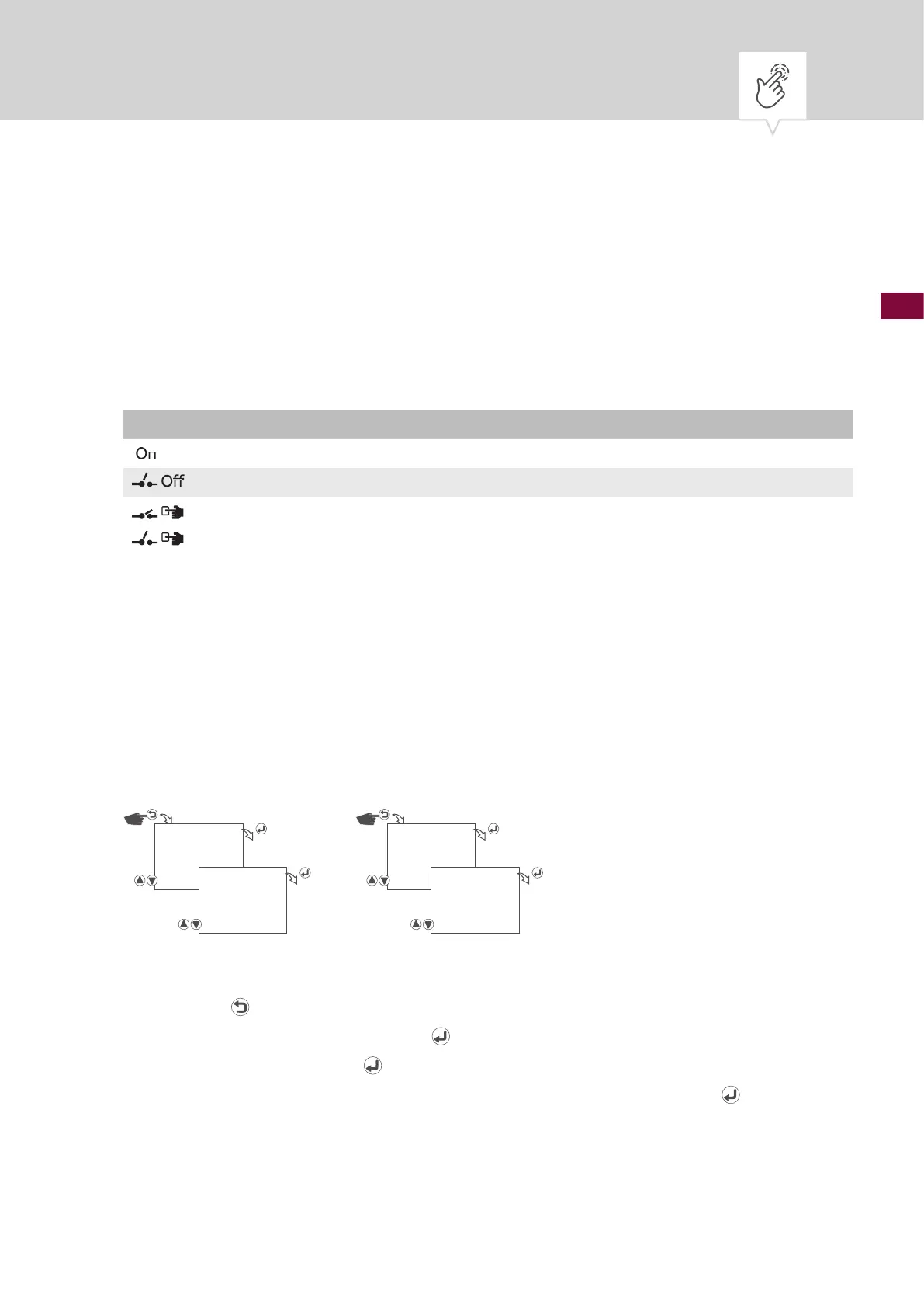
Possible settings
Permanently ON Channel is permanently switched on.
Permanently OFF Channel is permanently switched off.
Override mode ON In override mode, the current program is temporarily overwritten.
• Start a program early that is set to start later with “Override mode ON”.
The override function only applies to the current program and remains active
until the next automatic command. Then the device returns to automatic mode.
Example:
A daily program switches the device on every day from 8:00 a.m. to 5:00 p.m.
If, however, you want the device to be on at 6:00 a.m. on a certain day, use the
override mode.
Permanently ON
Fig. 17: Permanently ON operating mode
1. Press the button.
2. Select
MANUAL and conrm with the button.
3. Conrm
PERM ON with the button to start the permanently ON operating mode.
4.
To end the permanently ON operating mode, conrm STOP PERM ON with the button.
MANUAL
PERM ON
MANUAL
STOP PERM ON











 To Next Page