86
EN
Deleting the operating hour counter
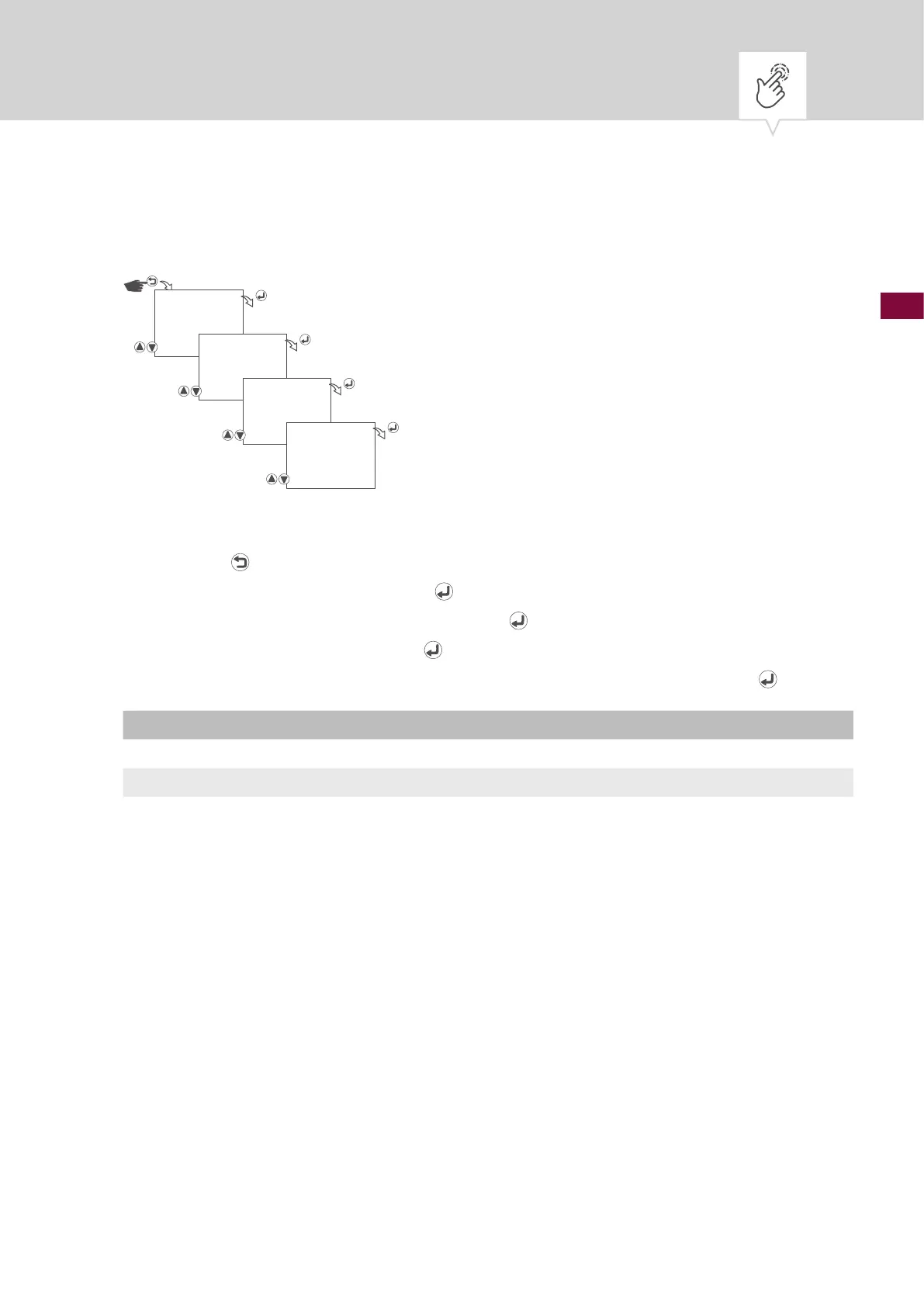
Fig. 21: Deleting the operating hour counter
1. Press the button.
2. Select
OPTIONS and conrm with the button.
3. Select
OPERATING HOUR and conrm with the button.
4. Select
DELETE and conrm with the button.
5. Select whether or not the operating hour counter is to be deleted and conrm with the
button.
Setting Effect
NO The operating hour counter continues to count.
YES The operating hour counter is reset.
OPTIONS
OPERATING
HOUR
DELETE
DELETE ?
NO/YES











 To Next Page