NOTICETECHNIQUEGAMMEM40
M40RANGETECHNICALMANUAL
Date:June2009From
AftersalesTechnicalSupport
Ref.M40GB/FF‐Vers.1.0
Page - 34
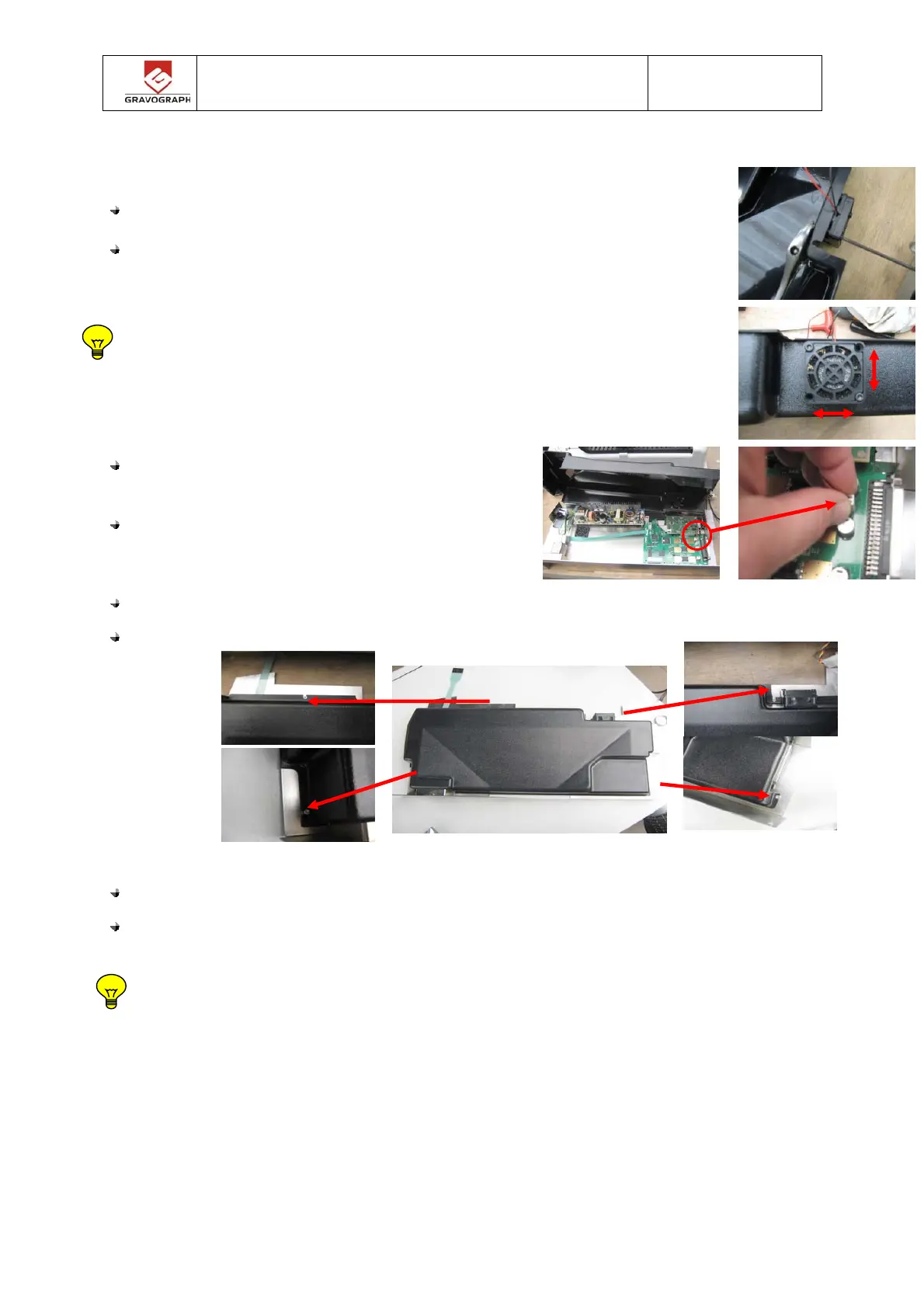
Put and tighten the 2 fixing screws / nuts.
Positionner et serrer les ensembles vis / écrous de fixation.
Check that it is aligned correctly.
Vérifier qu’il soit correctement aligné.
Connect the fan connector on the board and put
back the protective housing.
Reconnecter le connecteur du ventilateur sur la
carte et replacer le carter de protection.
Tighten the 4 screws of the protective housing.
Resserrer les 4 vis du carter de protection.
Put back the electronic rack in the machine see chapter M40- 005
Replacer le rack électronique dans la machine. voir chapitre M40-005
This operation is finished, proceed to an engraving test.
Opération terminée, effectuer un test de gravure.


 To Next Page