57
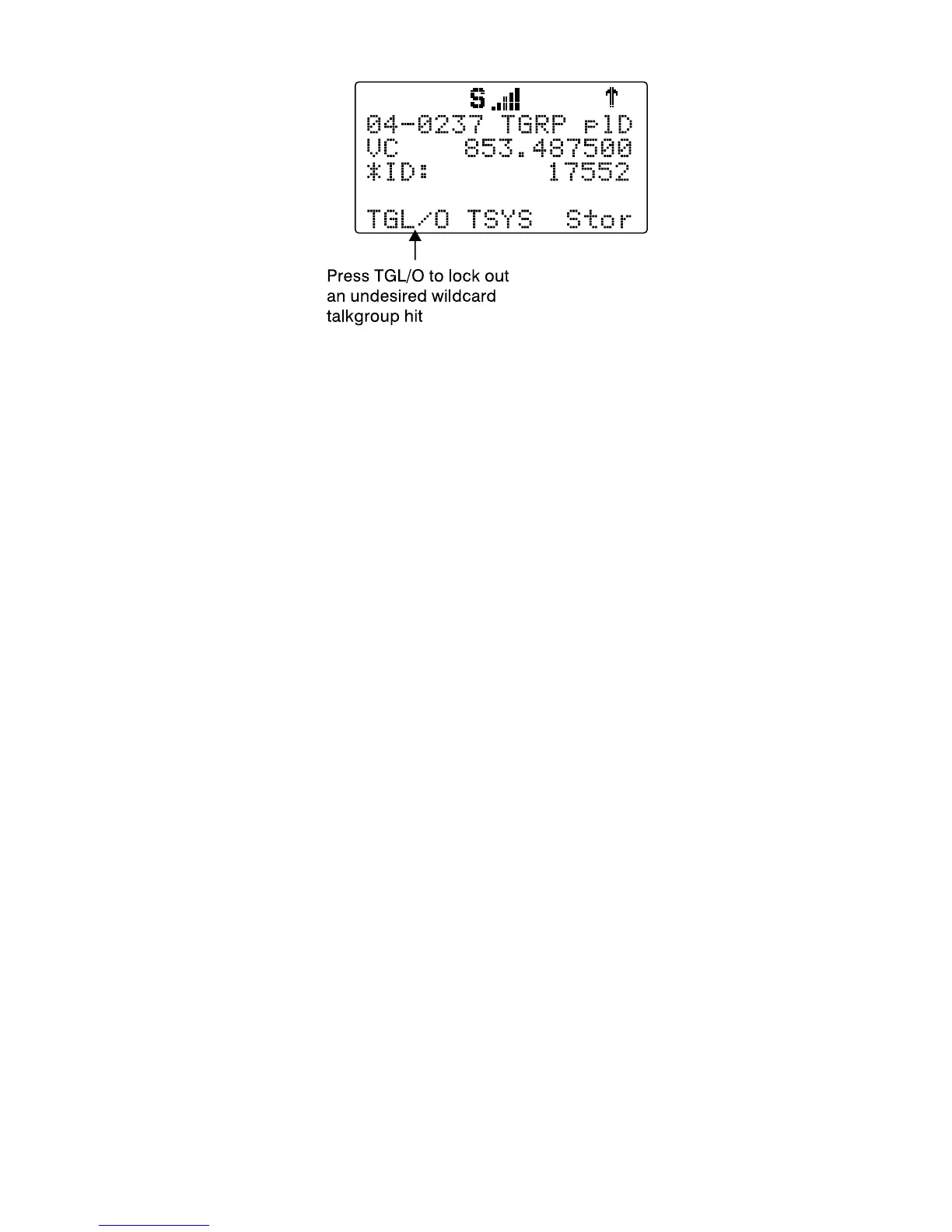
Applying wildcard lockout to an undesired talkgroup creates a new TGRP
object in the same Scan List as the wildcard TGRP, then applies permanent
lockout to the new TGRP object, so that will be ignored in the future by the
scanner when scanning the wildcard talkgroup. To unlock or edit talkgroups
locked out using the wildcard lockout feature, press PROG, then navigate
to the object using the 5-way pushbutton pad. Press FUNC, then L/OUT to
remove permanent lockout from the talkgroup. Press FUNC, then CLR to
delete the TGRP object from the scanner. Press the
EDIT
, then the
CURR
softkey to edit and save the TGRP object.
Setting the Default Scan List
By default, your scanner will store all new objects, and objects found during
Search, Tune, and Sweeper as mapped to Scan List 01.
You can easily change the default Scan List to any Scan List you specify,
including the special FAV and SKYWARN Scan Lists.
Press PROG, then the
GLOB
softkey, and use the
6
key to scroll down
until the
Dflt ScanList
item appears in the middle of the display.
Enter a new Scan List number to use as the default Scan List. The following
numbers are valid:
0: The “not scanned” (ns) Scan List - objects that have no Scan List
mappings can be found here
1-20: The twenty normal Scan Lists
21: The FAV Scan List
22: The SKYWARN Scan List.
Press ENT or the
D o n e
softkey to store your new default Scan List
value, then press the
SAVE
softkey to save your changes to the radio's
configuration memory.



 To Next Page