Hermiankatu 6-8G, 33720 Tampere, Finland
©2019 Grundium. All rights reserved.
17.2 CREATE A NEW TEAM WHEN OCUS® HAS ALREADY BEEN TAKEN INTO USE
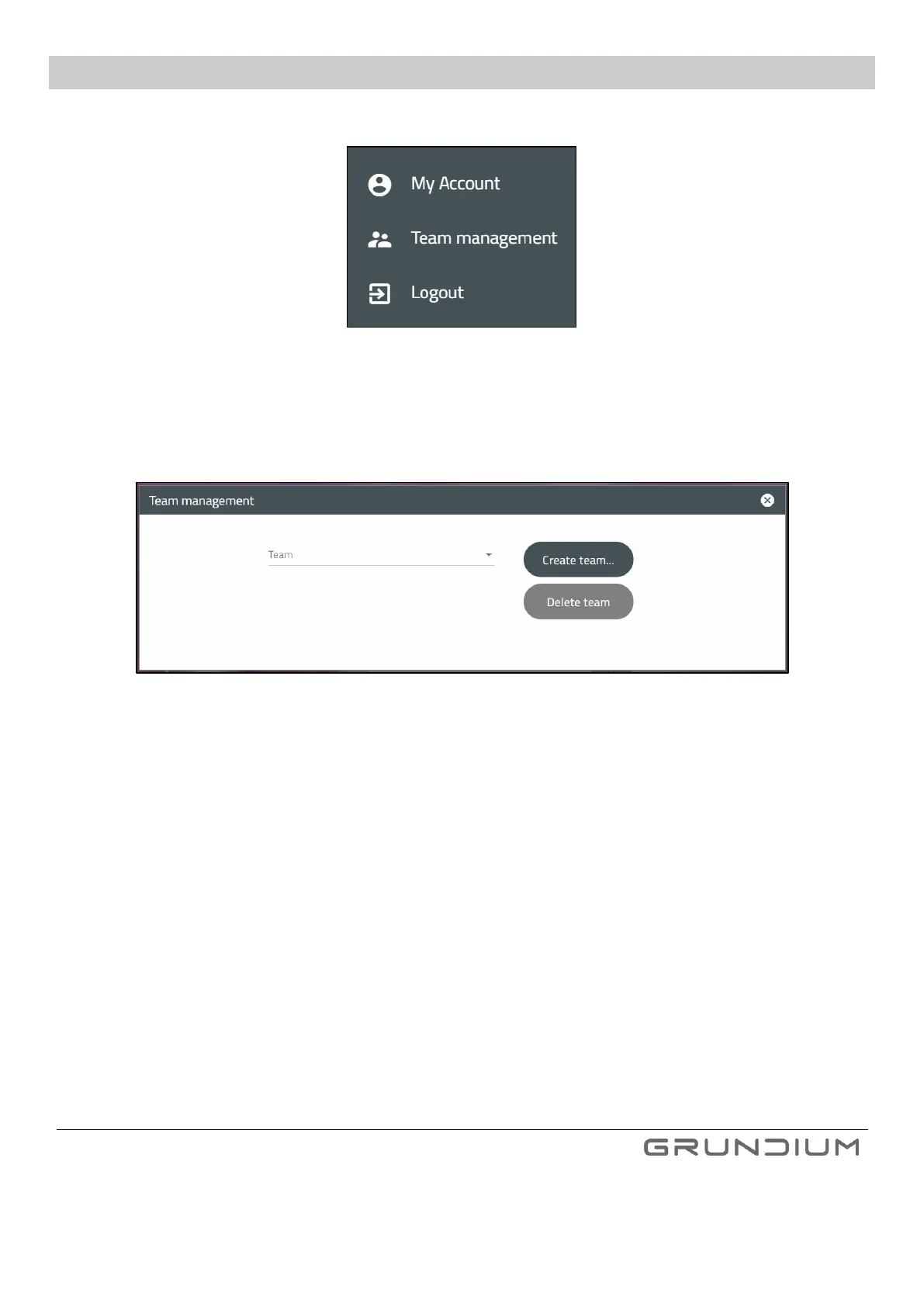
1. Select Team management from the menu under your name in up right of the screen.
Image 22 To create a new team, click Team management from a menu.
2. Click Create team…
Give team a name. Name must be in small characters and cannot include special marks or spaces.
Image 23 To create a team, you need to give it a valid name.
3. Add users to the team from the menu or create new users by clicking Add. Required information of a user is
an e-mail address. Select devices to be used from the menu. All available devices should appear in the menu.


 To Next Page