GRUNDIUM OCUS® USER GUIDE
Note: This user guide is for Ocus with software version 2.0 onwards. In case you need user guide for older software
versions, please contact your distributor or support@grundium.com.
2 TO USE THE OCUS® SCANNER, YOU ALSO NEED
o Computer or tablet
o Internet connection
o Grounded mains outlet (recommended to use UPS device in critical operations)
o Browser (recommended Chrome, Firefox, Safari) – Internet Explorer not supported
It is recommended to use the latest available browser version. The functionality of Ocus® has been verified with
these versions:
o Google Chrome (73.0)
o Mozilla Firefox (67.0) and
o Apple Safari (12.0 & 12.0 Mobile)
3 INTRODUCTION TO THE OCUS® PORTABLE WHOLE SLIDE IMAGE SCANNER
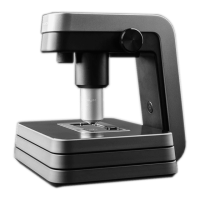
Grundium Ocus® is a professional imaging instrument for digitizing microscope slides. The device is used in in vitro
diagnostics, which aims to gather information about the physiological or pathological state of the patient based on
the specimens derived from the human body. The device produces image data, which medical professionals can use
as input information when making patient diagnosis or therapeutic measures.
Grundium Ocus® is CE marked according to EU 2017/746 regulation for in vitro diagnostic (IVD) medical devices.
Ocus® technology has been granted U.S. Patent No. 10,341,551.
Important Notice: In the USA, Grundium Ocus is for research use only (RUO) and not for use in diagnostic
procedures.
Important Notice: The functionality of the scanner must be verified every time before critical operation. The
scanner intended usage flow, including the connectivity, scanning and exporting, must be verified. It must be
verified that the user’s slide preparation process produces slides suitable for scanning with Ocus®. Image quality
must be verified with known sample. Also, there must be a back-up solution for critical operations.


 To Next Page