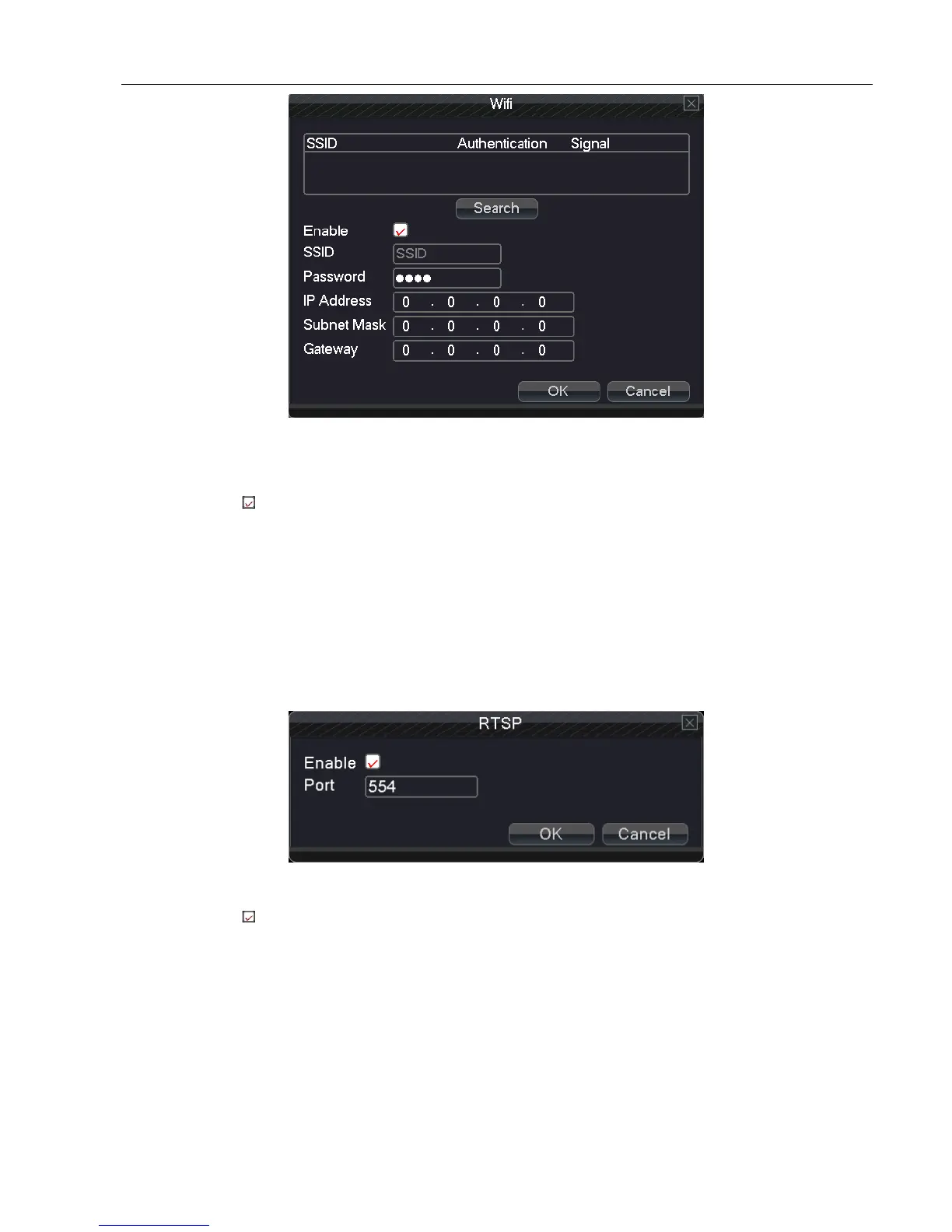
Picture 5.3.10 Wi-Fi
Search: Click “search” button to get available wireless network.
Enable: Select , enable the Wi-Fi function
SSID: Name of wireless LAN automatically fitted the connected wireless device
Password: Wireless network password
IP address: Set the IP address. Default: 192.168.1.10.
Subnet mask: Set the subnet mask code. Default: 255.255.255.0.
Gateway: Set the default gateway. Default: 192.168.1.1.
【RTSP】
RTSP protocol
Picture 5.3.11 RTSP
Enable: Select , enable the RTSP function
Port: Set RTSP server port number
5.4 Alarm
Alarm function includes: Motion Detect, Video Blind, Video Loss, Alarm Input, Alarm Output and Abnormality.



 To Next Page