function is setted as follows :when starting recording, the “detection recording” state is on. The
video file type is “M”.
Alarm:Trigger the external alarm signal in the setted time section.The above alarm function is
setted as follows :when starting recording, the “detection recording” state is on. The video file
type is “A”.
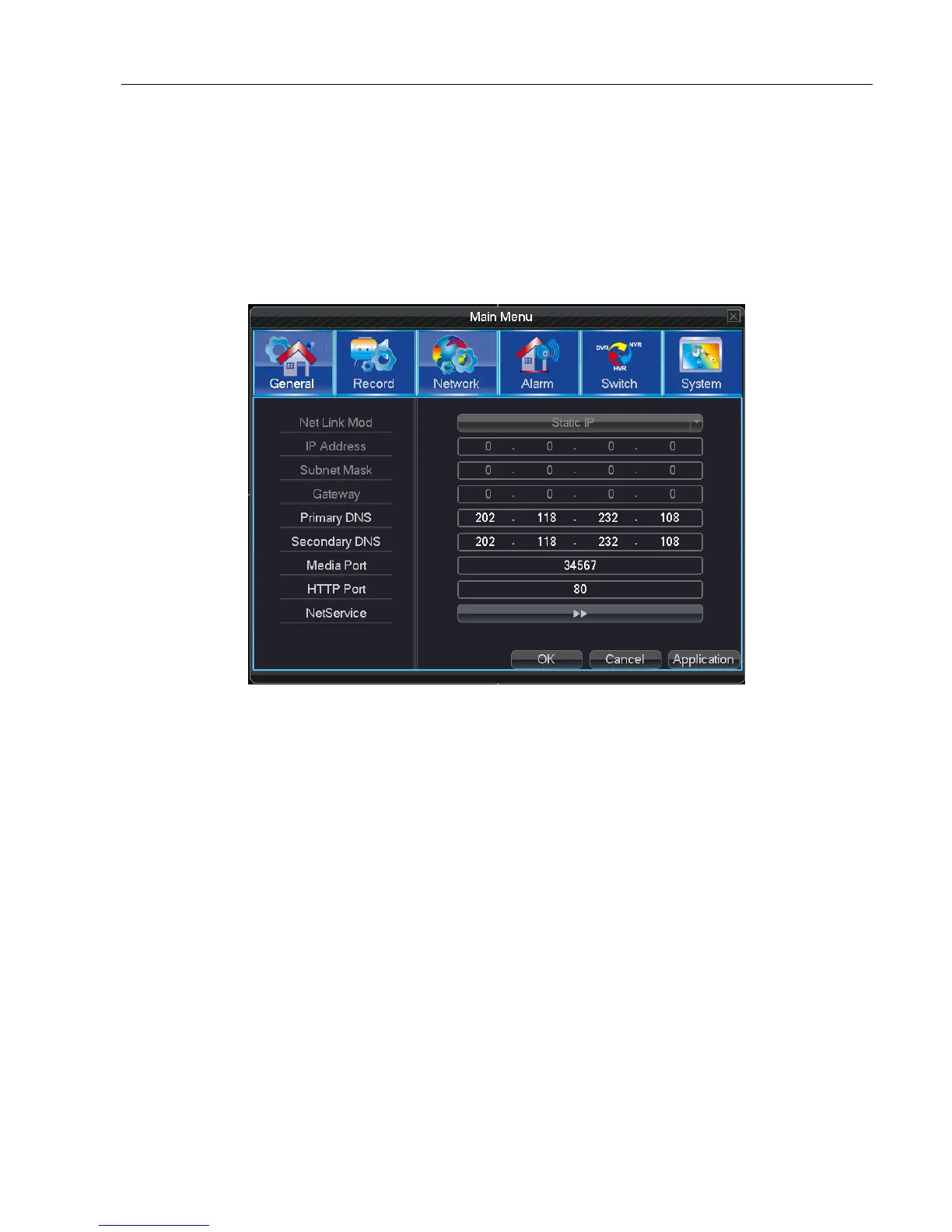
5.3 Network
4.6 Network Setting
Net Link Mod: Set automatically to get or manually to enter IP address
IP address: Set the IP address. Default: 192.168.1.10.
Subnet Mask: Set the subnet mask code. Default: 255.255.255.0.
Gateway: Set the default gateway. Default: 192.168.1.1.
Primary DNS: Set Preferred DNS
Secondary DNS: Set spare DNS
Media port: Set port for recording network transmission
HTTP port: Default: 80.
Net Service: Set all network service. Please refer 5.3.1 network service to know setting details
Advanced network functions in the configuration, double-click the Net Service button to enter the Picture 5.3.1
interface, first choose the Network Services to entry and click the Settings button, or double-click the service parameter
configuration items.



 To Next Page