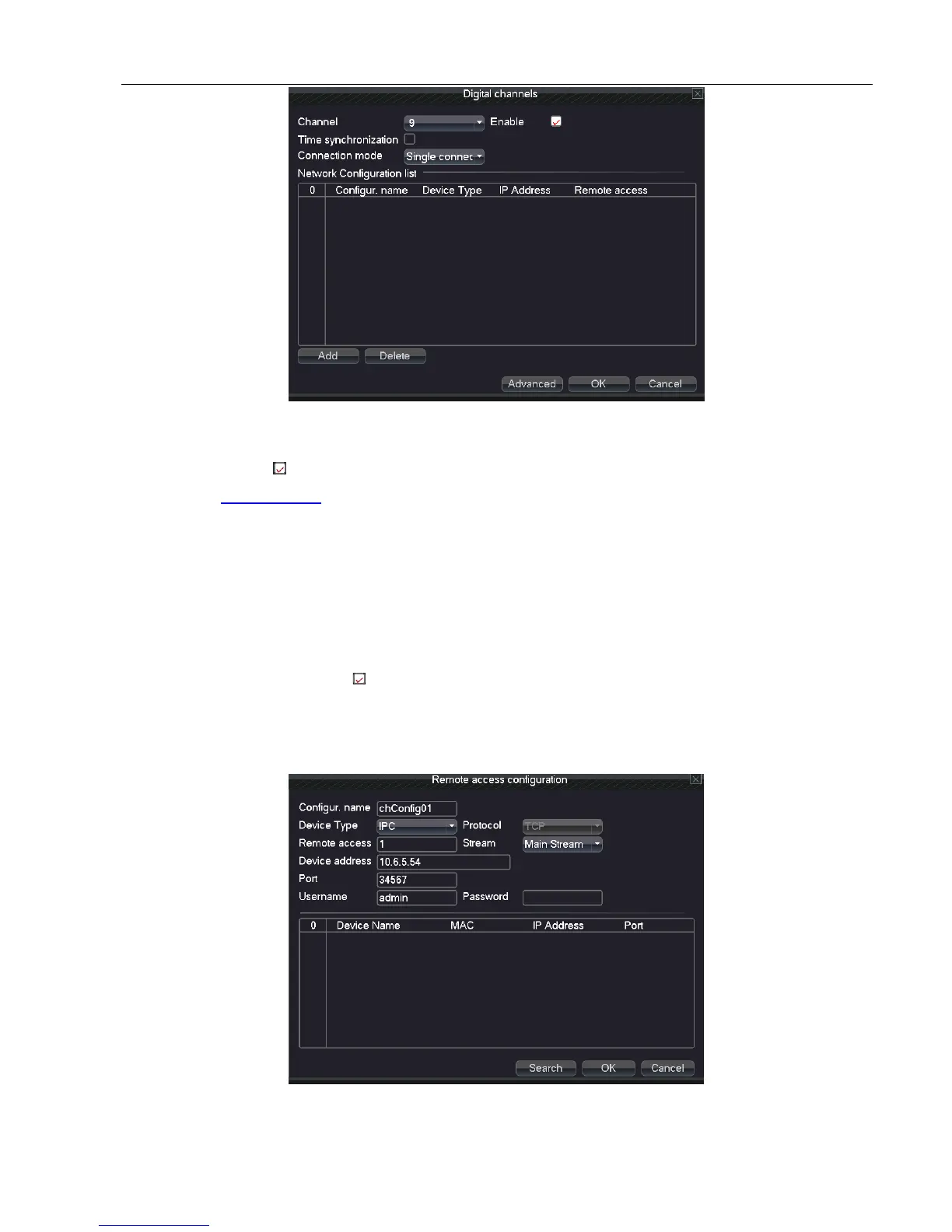
Picture 5.6-3 Digital Channel
Channel: Choose the channel number which needs to be bound
Enable: Select , enable this function
Time synchronization: Set local device time to be synchronized with bound device
Connection mode:
Single connection: only can bind one network device to display that channel
Multi-connections: can bind many network devices to tour the channels. After choosing
connection, you also can set interval between tours of different network devices.
Network configuration list: Shows added all network device name, type, IP address, remote channel
information of the channel
Note: Network device be chosen in network configuration list, ,which stand for device was bound with this
channel; conversely, it means unbinding (it needs to bind many network devices under multi-connection type.)
Add: Add new network device for this channel (show as picture 5.6-4)
Delete: Delete network device which is unnecessary to be bound
Picture 5.6-4 remote access configuration



 To Next Page