【remote access configuration】
To configure remote network device name, device type, channel, address, port, user name and password
Configuration name: Set device name of network
Device type: Set network device type
Remote access channel: When device type is DVR or NVR, you need to set specified signal from which channel
number of DVR or NVR. When device type is IPC, default “1”
Stream: Set main stream or sub stream to connect the network device
Device address: Set IP address of the network device
Port: Set port number of the network device
User name:Set user name to login the network device
Password: Set password of network device
Search: System automatically search available network device in LAN (which is convenient to add new network
device)
Note: when binding signal to all digital channels, need to make sure resolution of the bound network device is lower
than the maximum resolution of the digital channel, otherwise the images can’t be displayed.
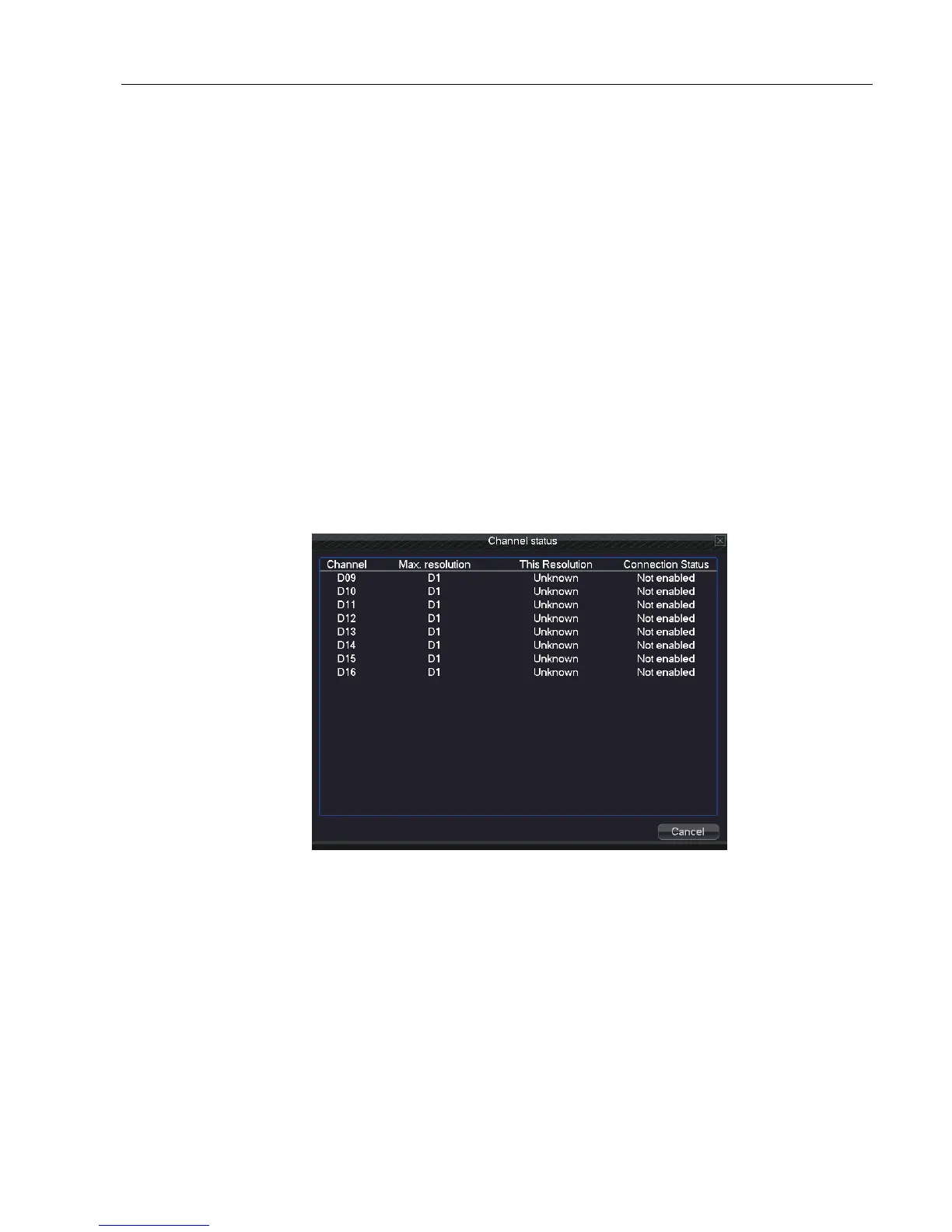
【Channel status】
Show the maximum resolution of all digital channels, connected signal resolution and connection status. (5.6-5)
Picture 5.6-5 channel status
5.7 System
Set the system parameters such as HDD Manage、PTZ Config、GUI Display、Backup、Account、Device Info、
Restore、Auto Maintain、Upgrade and Import/Export.



 To Next Page