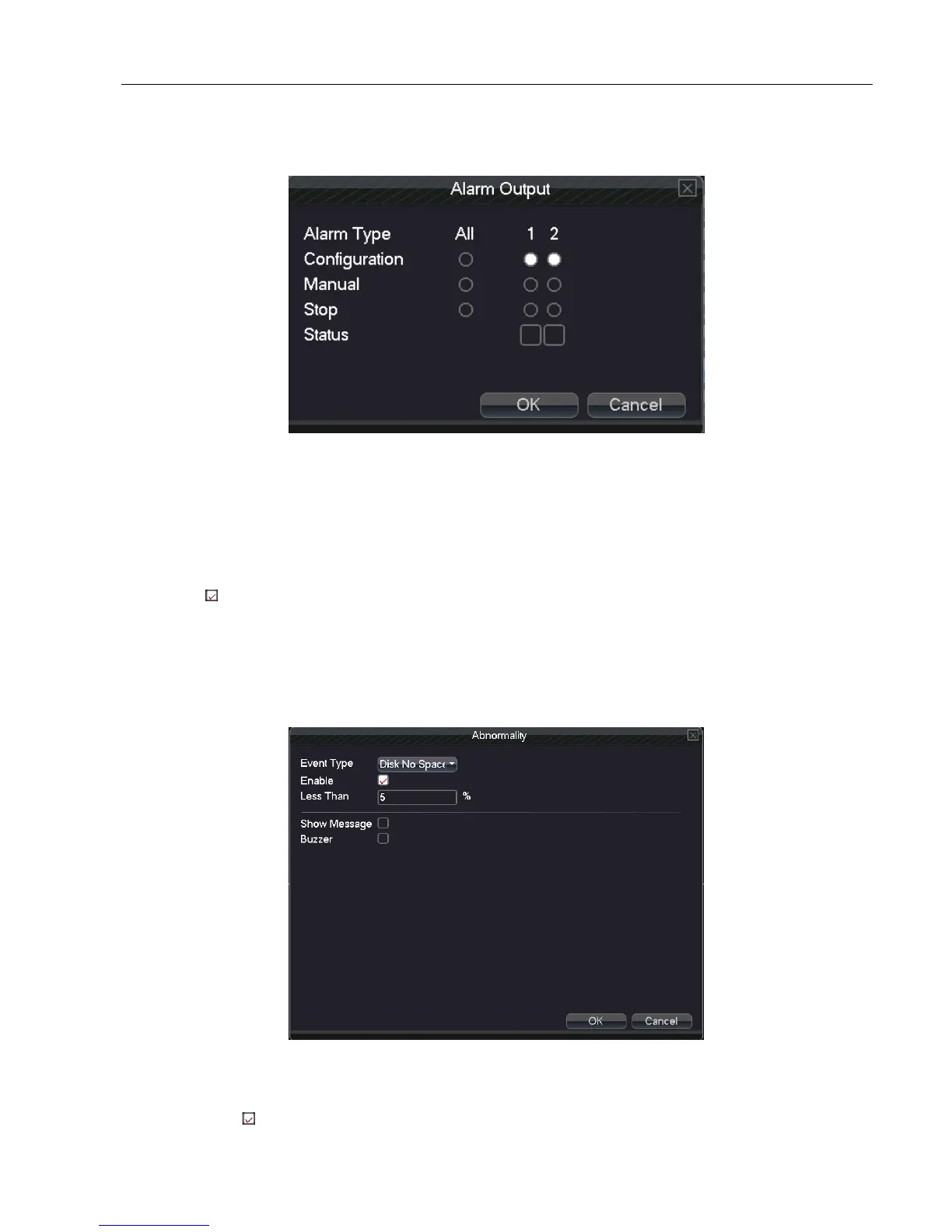
5.4.5 Alarm output
Control alarm output state of all channels
Picture 5.4.5 alarm output
Configuration: Alarm signal outputs according to the configuration. All: Click the all button and the according
channel is alarming whatever state of the channel is
Manual: Whatever state of the channel is , the related channel output alarm signal after choosing manual button
Stop: Click the stop button and the according channel stops alarming whatever state of the channel is .
Status: means this channel has alarm output, otherwise without.
5.4.6 Abnormality
It will buzz and appear screen prompts once no disk, HDD wrong, disk full, network cut, IP conflict and other events,
which is convenient for customers to know DVR abnormality.
Picture 5.4.6 Abnormality
Event Type:Choose abnormality type, support five events
Enable: Select , enable these three settings



 To Next Page