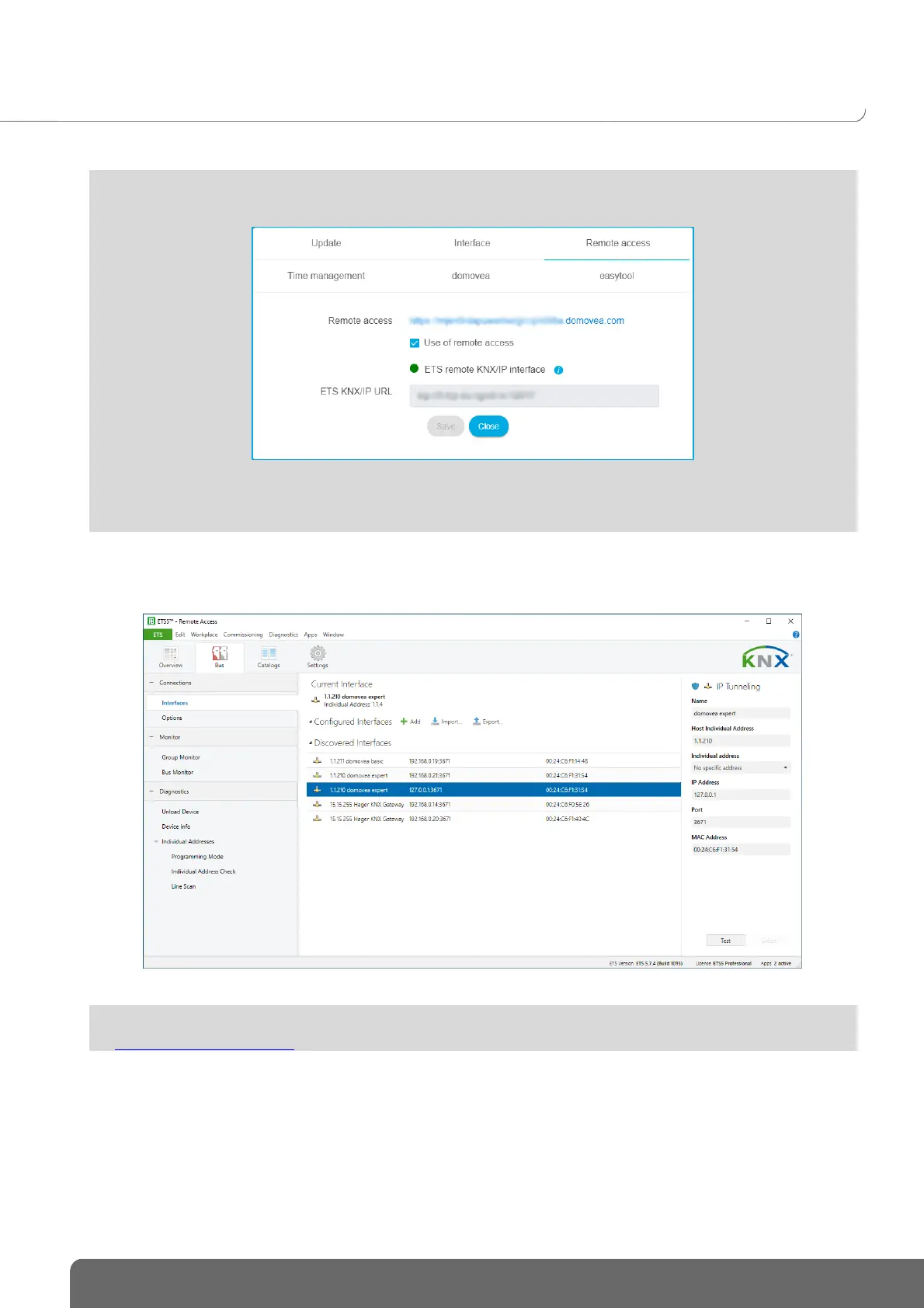
To complete the connection, make sure that the connection to the remote interface is valid.
On the Interface tab, you can reset the settings for the KNX connection by clicking on Reset KNX/IP
interface . If the KNX IP Secure process was performed before the reset, simply reload the participant at
ETS level to recover the service.
For more information, please see tutorial 2-Connect domovea expert to ETS using KNX IP tunneling
at www.hager.com/domovea.


 To Next Page