TJA670 domovea Basic
TJA470 domovea Expert
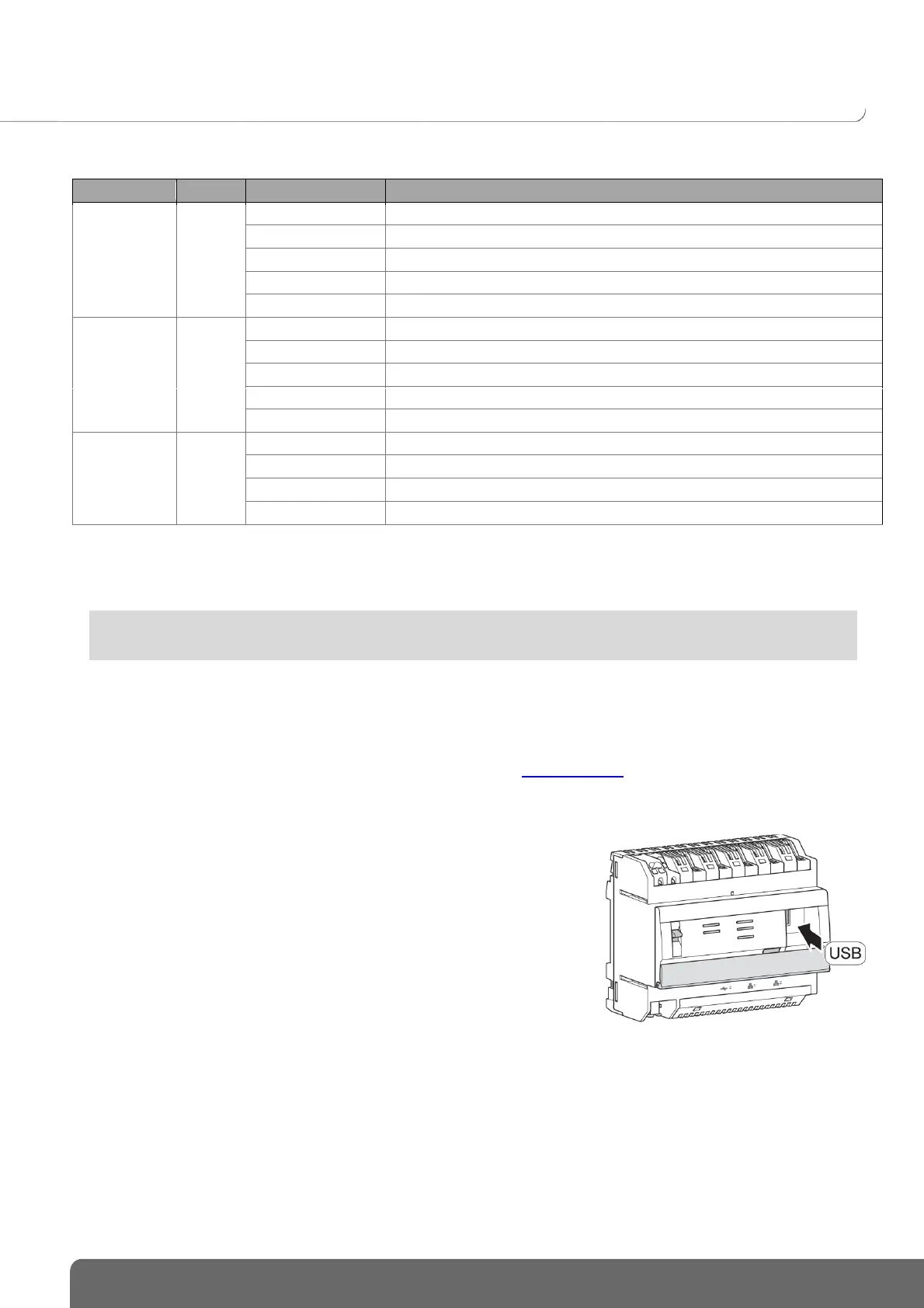
The following table summarises the meaning of each LED
Product powered by reserve (10 s. max.)
No network (or operating on power reserve (10 s. max.))
No DHCP server detected, operating on fallback IP address
Network detected and IP address allocated
Waiting for IP address allocation
No remote connection (deactivation via software)
Attempt to establish remote connection
Remote connection operational
Error in establishing remote connection
2.4.2 Software version update for the domovea server
It is mandatory to update the domovea server software version before any first use.
There are 2 ways to update:
Configuration tool connector in an Internet box. Connection to the network and the remote server is
made automatically for the update (see Chapter 5.2.1.1 Update)
The update file is available on the Hager site.
To update the domovea server software version:
- Take a blank USB key.
- Copy the update file to the USB key,
- Insert the USB key into the USB ports of the
configuration server. The "OK" LED flashes for
approximately one minute then remains on.
- Remove the USB key.
The server is updated with the new software version.


 To Next Page