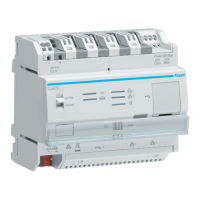
TJA670 domovea Basic
TJA470 domovea Expert
3 FIRST USE
After selecting the server and during first use, there are 3 ways of starting the installation:
• by creating a new project,
• by importing a backup file,
• by relearning the installation,
3.1 New project
This enables the creation of a new installation authorising a manual configuration of domovea.
• click on New project,
• enter the name of the project
Note: As an option, information related to the installation can be entered by clicking on Client information
For more information, please see tutorial 3 - Create a new domovea project using Hager Pilot and
the easytool at www.hager.com/domovea.
3.2 From a backup file
This enables the creation of a new installation from a backup file.
There are 5 file formats:
Installation configured with Easytool (TXA100)
Installation configured with the TX100 configuration tool
Installation configured with ETS (KNX configuration software)*
* Using the Easytool configuration tool is no longer possible.
• click Import,
• select the backup file.
For more information, please see tutorial 4 - Import a .hbox project in domovea with Hager Pilot at
www.hager.com/domovea.
3.3 Using relearning
This enables the creation of a new installation when there is no installation backup. This is possible by performing
relearning on the installation.
Note: Only products known to the Easytool configuration tool will be included.
• click on Relearn.


 To Next Page