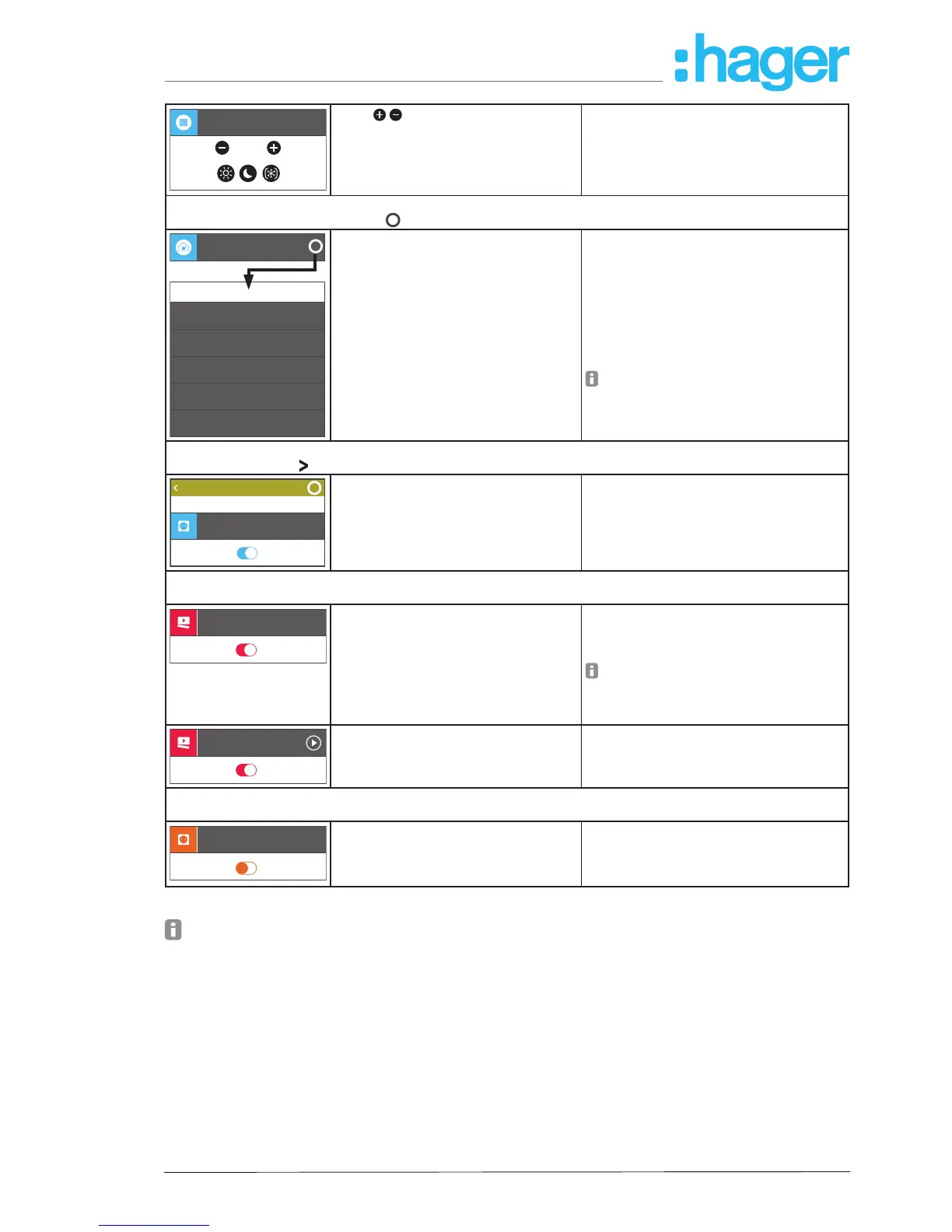
Heating childr...
23,5°C
21,5°C
Touch /
increase/decrease value
Touch on symbol
change operating mode
Display of the measured temperature
Heating control:
- Adjust setpoint in 0.5°C increments
- Select operating mode Comfort, Night
Reduction, Frost Protection
My devices (Information):
Open the display in setting mode via
i
on the corresponding devices line
i
21,9°C
Weather stat.
Temperature
35%
513 ppm
21,3°C
50 dB
1028 mBar
Humidity
CO2
Sound meter
Pressure
measurements
Display the measured sensor values with
number and measuring unit
Physical sensors:
Measured values of a weather station, such
as:
- Indoor temperature
- Relative humidity indoors
- CO
2
content of the indoor air
- Volume in the room
- Air pressure indoors
With other modules the corresponding
data must be read off from outdoor sen-
sors.
My groups:
Selection by touch on
in the corresponding group line
i
my devices
Eat-in kitchenBack
Wall light living r...
On
All devices of the group are displayed as
under My devices and can be operated
as described above.
Calling up a device list with a touch, for ex-
ample:
- all lights on the ground oor
- all loads in the living/dining/kitchen area
My covigrams:
Open/close the display by touch in the corresponding Covigram line
Outdoor light
Touch
activate/deactivate
Operate several loads simultaneously,
event-driven, for example:
- Switch on all outdoor lights at twilight.
If the event has already occurred when
activating a covigram, the stored action
is not executed. The covigram must be
activated before the event occurs.
All off
Touch
manual triggering of a scene
- Switch OFF all loads when leaving the
house.
My favourites:
Open/close the display by touch in the corresponding favourites line
Wall light living r...
On
All devices of the favourites list are dis-
played as under My devices - but in
orange - and can be operated as descri-
bed above.
Operate the most-used devices grouped in
a list each with a touch
Table 4: Operating concept
The smartbox can be used in the local environment even without an Internet connection pro-
vided that no applications have to be controlled, which only function online, such as remote
access, notications or the Netatmo display of measurement data.



 To Next Page