RE 15409, Version 08.2022, Bosch Rexroth AB
Commissioning | CMp 57/64
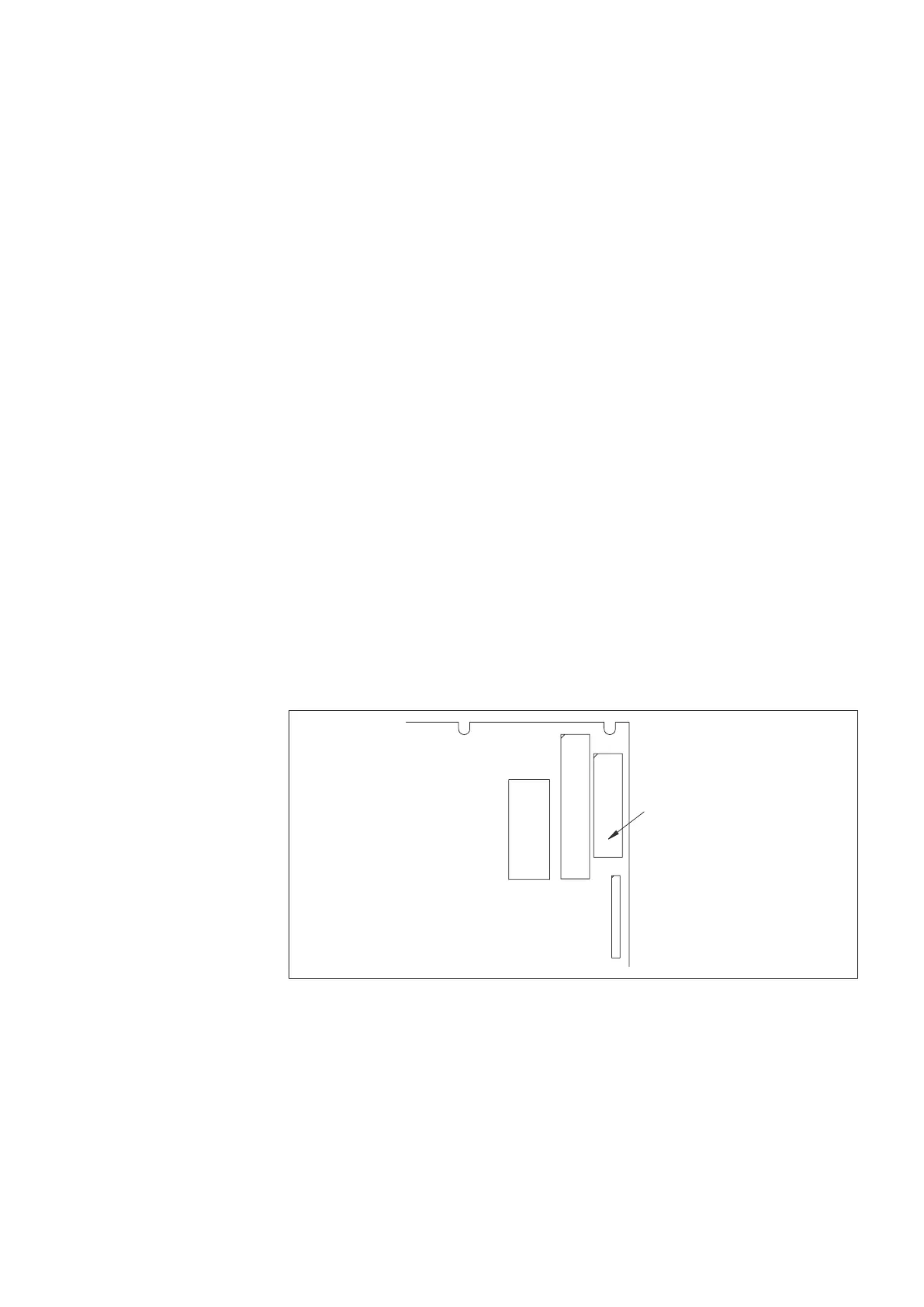
Memory card
connection
Main card
P23
Fig. 64: Memory card connection
• Remove the 3pcs M3 nuts with a 5,5mm hex nutdriver
• Remove the card from the pins and assemble the new card
• Tighten the 3pcs M3 nuts and connect the memory card cable to the main board
• Switch on power to the control unit
The information text “WARNING EEPROM READING FAILED” will be presented on
the local control panel display as the new card is empty. This will be solved at first
parameter update.
Start SpiderCom software and check that the communication works. For detailed in
-
formation, see SpiderCom users manual EN665-8.
8.3 Parameter download
Spider control unit functionality is set by configurable parameters with customer
specific combination to fit the installation needs. At an update of the firmware, the
parameters will be reset to default and a reconfiguration is required.
Download the parameter settings from the control unit with Parameters – Receive in
SpiderCom software.The parameter settings must be updated for the new firmware
version manually and this work can be done off-line. Existing system parameters are
shown and can be updated with SpiderCom software, see manual EN665-8. All pa
-
rameters indicated with (*) as described in chapter 4 - Parameter edit must be set
equal to original configuration to achieve the right system functionality.
8.4 Memory card
The memory card of the Spider control unit is placed inside the control unit cabinet,
mounted on threaded M3 pins under the roof. The serial number marked on the PC
board must be checked before updating the software. Required version must have a
marking 3395 or higher.
For exchange to a card with right configuration (item number R939003962):
• Download the parameter conguration le from the control unit, see 8.3:
Parameter download
• Switch off power to the control unit
• Disconnect the memory card cable from the main board, see Fig. 64: Memory card
connection
DD00078735



 To Next Page