20
Operation
2.5 Sweeping operation
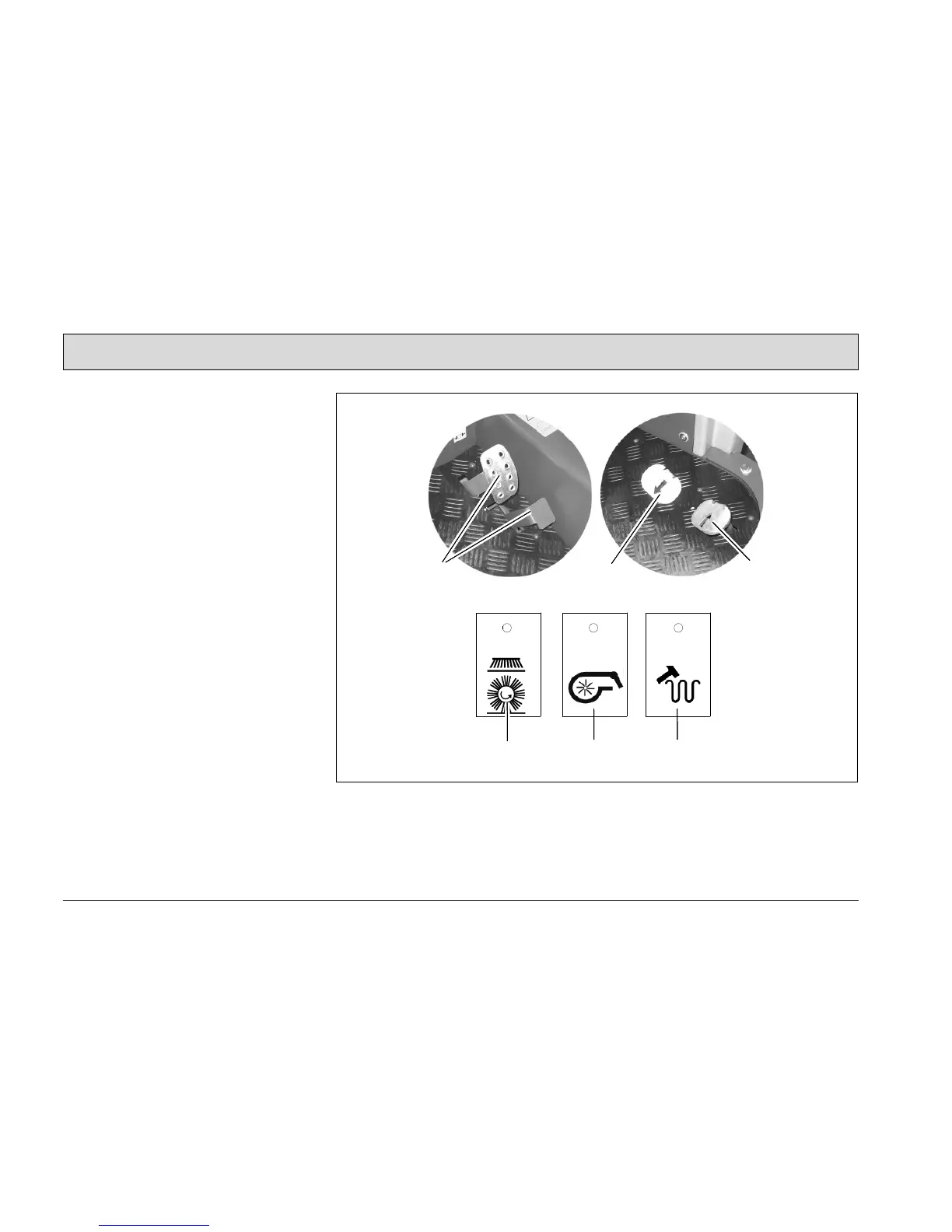
1. Check the vehicle, refer to Section
2.2.
2. Start the vehicle, refer to Section 2.3.
3. Switch on the sweeping function with
the button (Fig. 6/A). The rotary
brush, side brush and suction turbine
are activated.
4. In the case of damp waste, switch
the suction turbine off with the button
(Fig. 6/B).
5. Release the parking brake (Fig. 6/2)
to its end position.
6. Slowly press the accelerator
(Fig. 6/3) until the required driving
speed is reached.
7. It is recommended to clean the filter
regularly. To do this, actuate the but-
ton (Fig. 6/C).
8. Check the contents of the dirt hopper
regularly. Empty the dirt hopper as
necessary.
Fig.6



 To Next Page