21
M.A.R.V.E.L. Installation Operation & Maintenance Manual
MARVELIO&M/022009/rev1/EN
Balancing Damper Actuator Removal/Replacement
To remove and replace the actuator on the balancing damper, follow these steps:
Remove exterior metal cover by removing the 6 mounting screws around the
1.
perimeter.
Remove the actuator cover by removing the 1 screw on the side.
2.
Disconnect the power to the actuator.
3.
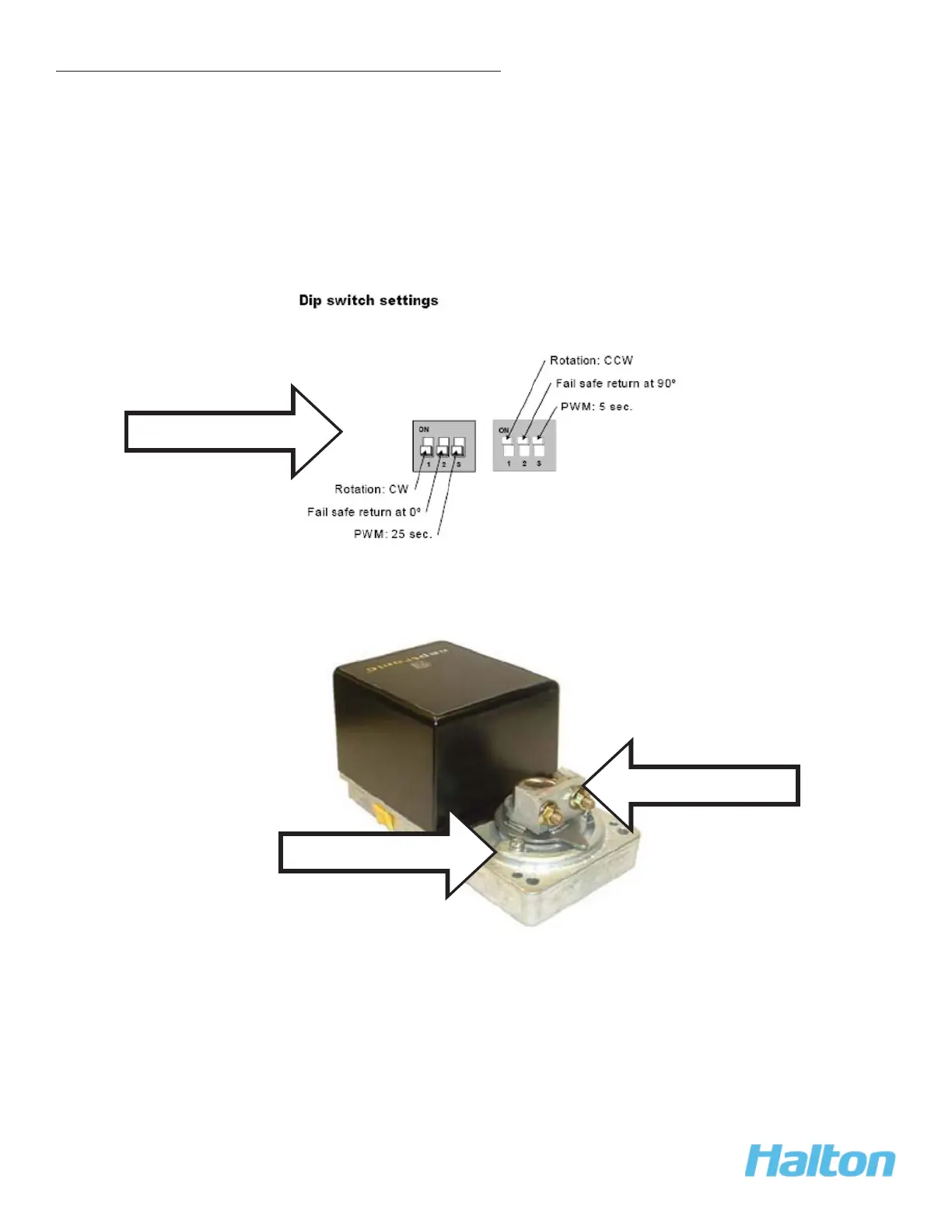
Record the DIP switch values, located in the red holder on the bottom of the actuator.
4.
Note the position of the stop screws.
5.
Remove the U-bolt that attaches the actuator to the balancing damper shaft. Refer to
6.
the Actuator Specifi cation and Installation instructions with the replacement part.
Record DIP Switch settings
Stop screws
U-bolt on shaft



 To Next Page