Wash Card
• Select
• Select
• Select
• Select
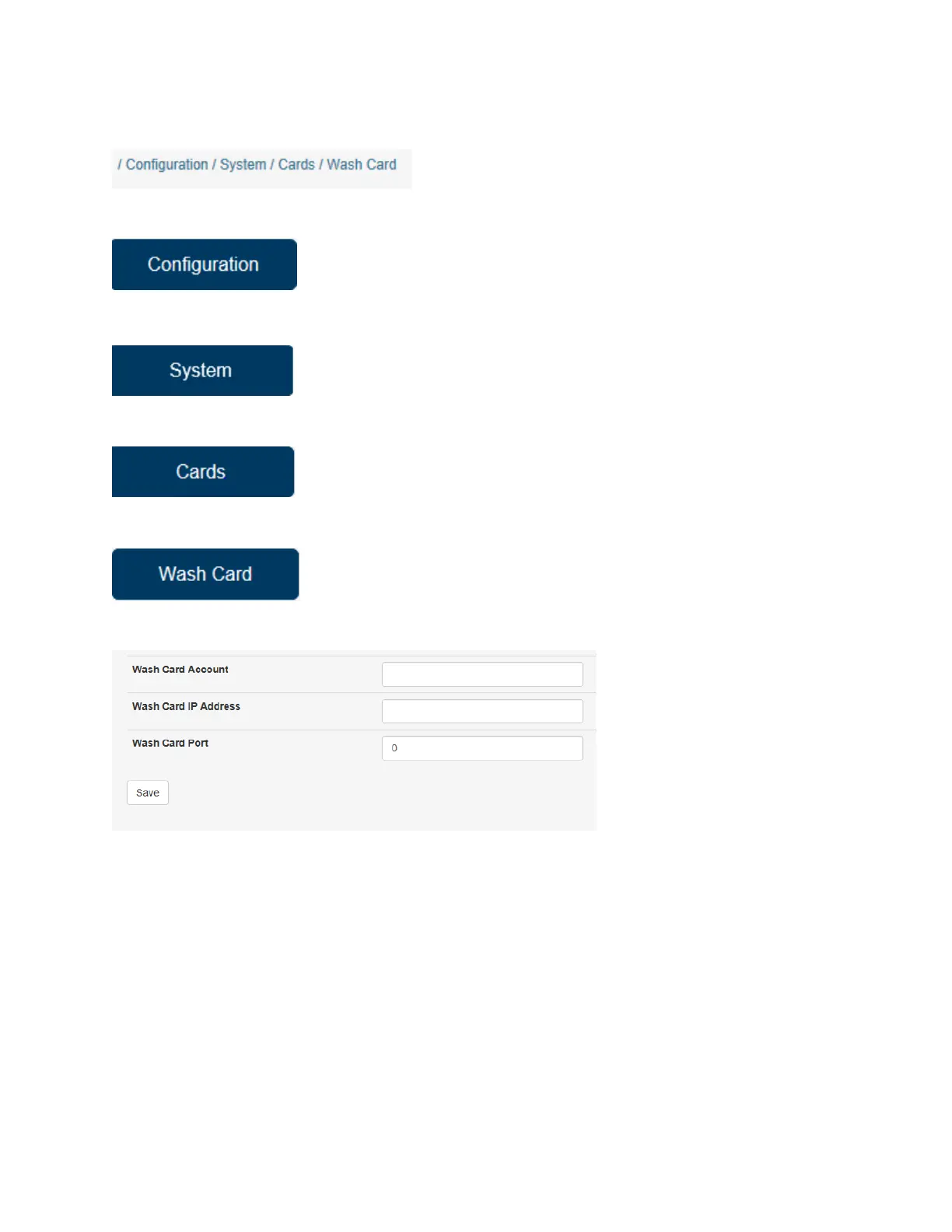
The screen should look like this:
Wash Card Account: This is where you will put your Wash Card Account number.
Wash Card IP Address: This is the web address you will enter from Wash Card.
Wash Card Port: This is the port you will put in from Wash Card.
*NOTE: All information for this section should be provided by Wash Card Systems.
Once you have completed these settings, click activate changes to save the settings. Then click the back
button to the previous page. Continue to click Back until you are at the page you need.


 To Next Page