Microlab
®
STAR User Manual
610766/02 Page 53 of 225
Carrier definitions are stored under ...\hamilton\labware\ML_star. Files defining carrier
templates have the extension *.tml. A carrier features a varying number of locations for the
placement of labware, such as tip racks, microplates, etc.
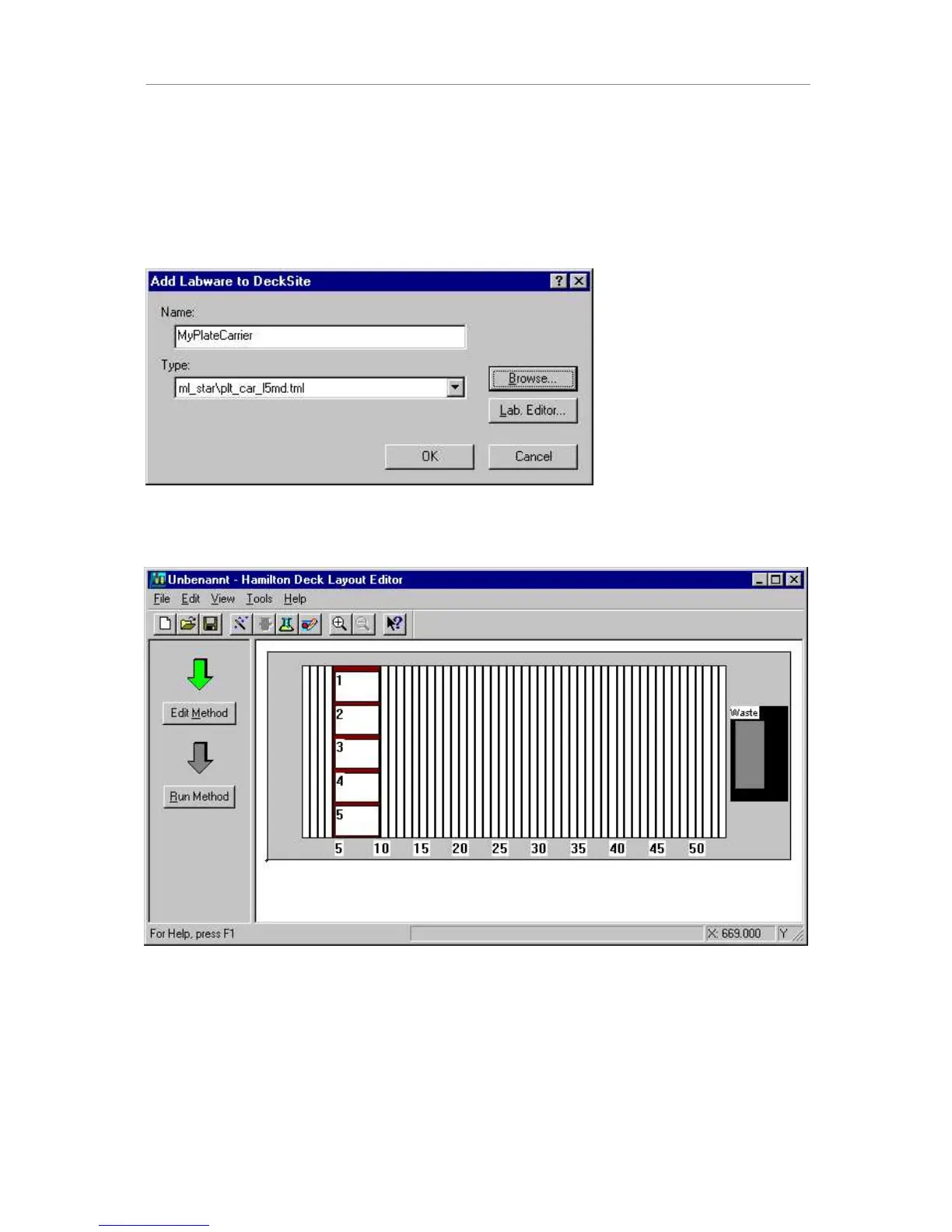
To add a carrier to the deck layout, simply double-click on the appropriate track position. The
“add labware” dialog box opens up. Type in a name for the carrier and click browse to select
the PLT_CAR_L5MD from the \labware\ML_star directory. Click OK in the “add labware”
dialog.
The carrier is now added to the deck layout.
The next step is to add a plate to this carrier. The corresponding labware (plates, tip racks,
etc.) is sorted by manufacturer and stored within the Labware directory. Standard plates from
almost every major manufacturer are available:
- Nunc
- Falcon
- Greiner, etc.



 To Next Page