Pro-Stcher Lite for the HQ Simply Sixteen Installaon Instrucons | 33
Care for the Pro‑Stcher Lite Tablet
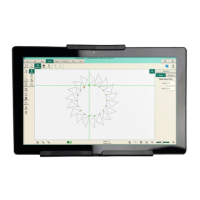
The Pro‑Stcher tablet is what powers your Pro‑Stcher system. To help extend the life of your tablet,
please follow the ps listed below:
Keep your tablet at room temperature. Avoid high or low temperatures.
• For best tablet performance, keep your tablet in environments between 50° and 80° Fahrenheit.
• Tablet baeries are easily and quickly weakened in unfavorable temperature condions.
• When your tablet overheats, it may weaken its baery life. Do not keep your tablet in a hot car or
other hot locaons.
• Charging the tablet at lower temperatures will lead to longer charging mes. Charging the tablet at
higher temperatures will have an adverse impact on the baery’s performance.
Keep your baery between 40% and 80% for the best longevity results.
• Do not keep your longarm machine powered on when it is not in use. Your tablet charges when your
longarm is turned on. Turn your longarm o when you are not using it to help maintain your tablet’s
baery life.
If the tablet is stored for an extended period, check the charge every 2–3 months and recharge the baery
before use.
• Turn on your tablet on every 2–3 months to check the baery level. This can be done by turning on
your tablet only (not the longarm machine), selecng Cancel when the Pro‑Stcher pop‑up appears,
and looking at the baery icon in the lower‑right corner of the tablet screen.
• If the baery is charged at 50% or less, connect the tablet to a power source, either by turning on the
longarm machine or connecng the tablet to the wall charger. For best results, use only the charger
that came with your tablet.
Don’t drain your tablet’s baery daily.
• Do not deplete the baery to the point where your tablet shuts down or hibernates automacally. If
you completely drain your tablet’s baery daily, you will noce a slight reducon in its ability to hold a
charge. To avoid this, keep the tablet connected to your longarm machine.
Remember the baery life should be 2–5 years.
• Baeries lose capacity over me, regardless of whether they are used or in storage. Aer ve years,
the baery chemistry can become unstable. Using the tablet beyond this range is not recommended.
Look for signs of a worn-out baery.
• The tablet shuts down, stang a low baery when it should have plenty of runme le.
• The baery percentage meter drops randomly.
• Charging nishes prematurely, even though the baery did not accept much power.
• Sudden power capacity drops without warning.
• The self‑discharge rate soars and is oen uneven.
• The baery gets very hot during charging. (Somemes the charger shuts down due to this.)
• The baery starts bulging.
If your tablet is running slowly, is constantly running on a low baery, is showing signs of wear, or was
purchased more than 5 years ago, you may want to think about replacing your tablet.


 To Next Page