32 | Pro‑Stcher Lite for the HQ Simply Sixteen www.ProStcher.com
Power On and Shut Down Pro‑Stcher Lite
Check that the power cord is plugged into the power supply located at the back of the carriage and into an
operaonal wall power outlet. The tablet power connecon will be plugged into the quilng machine.
NOTE: If the Pro‑Stcher Lite power cable is unplugged from the carriage or wall outlet, the tablet
will connue to run on baery power unl the charge has be used up.
Power on Pro‑Stcher Lite
• Press the power switch on the Pro‑Stcher Lite carriage.
• Press the power switch on the HQ Simply Sixteen.
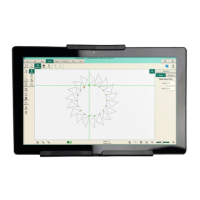
• Press the power switch on the tablet.
Shut Down Pro‑Stcher Lite
• Choose the File Tab. Then choose the Shut Down buon. Choose Shut Down from the drop‑down
menu. This shuts down both the Pro‑Stcher Lite soware and the tablet.
• Press the machine power switch o.
• Press the Pro‑Stcher Lite carriage power switch o.
 IMPORTANT: If you don’t see the Shut Down buon, press the power switch on the tablet
computer to connue shung down the Pro‑Stcher Lite computer.
 IMPORTANT: If you leave the Pro‑Stcher Lite tablet powered on with the power cord unplugged,
the tablet will begin running o baery power. The tablet will shut down when no baery power
remains.
 IMPORTANT: If the Pro‑Stcher Lite computer is le on for a long period of me, the screen may
turn black and enter a sleep mode. Tap the screen to turn on the screen again. It may be necessary
to drag a nger upward on the start‑up screen to access Pro‑Stcher Lite.


 To Next Page