Pro-Stcher Lite for the HQ Simply Sixteen Installaon Instrucons | 23
Installaon on the HQ Lile Foot Frame
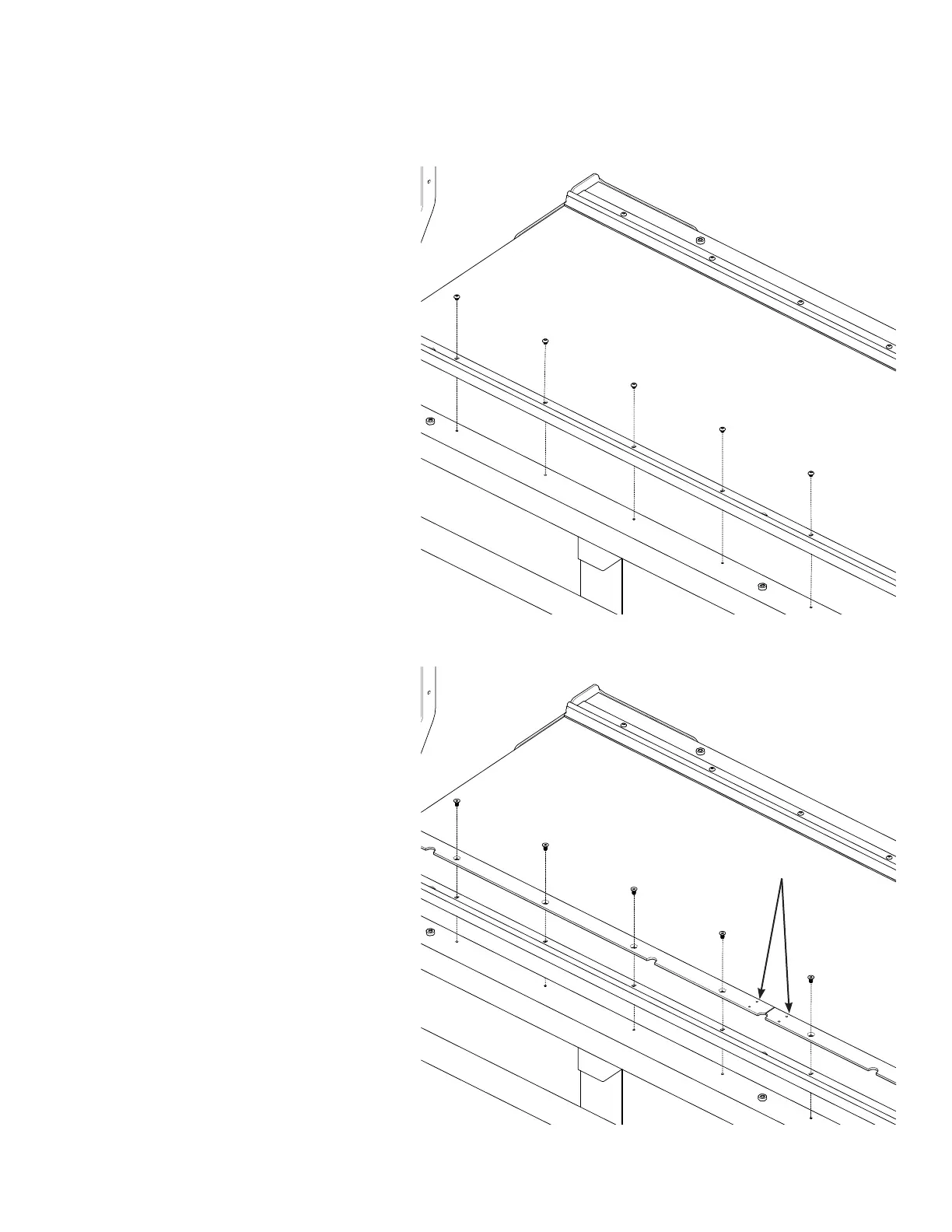
Installing the Flexirack Mount
(For installaon instrucons on the HQ
Lo Frame, go to page 18.)
1. Remove the buon‑head screws
holding the track support to the front
white adapter rail base and set them
aside; they will not be reused.
2. Place the Flexirack mount (see Parts
List, item X) over the track and align
the screw inserts. Place the new
socketed at head screws through the
mount, through the track support, and
into the threaded inserts in the white
adapter rail base.
NOTE: The track is sandwiched
between the Flexirack mount and
the white adapter rail base.
3. Align the two pieces of the mount
to be straight with each other and
ghten the socketed at head screws
rmly.
Flexirack mount
socketed at head screws
back
front
front
back


 To Next Page