38 | Pro‑Stcher Lite for the HQ Simply Sixteen www.ProStcher.com
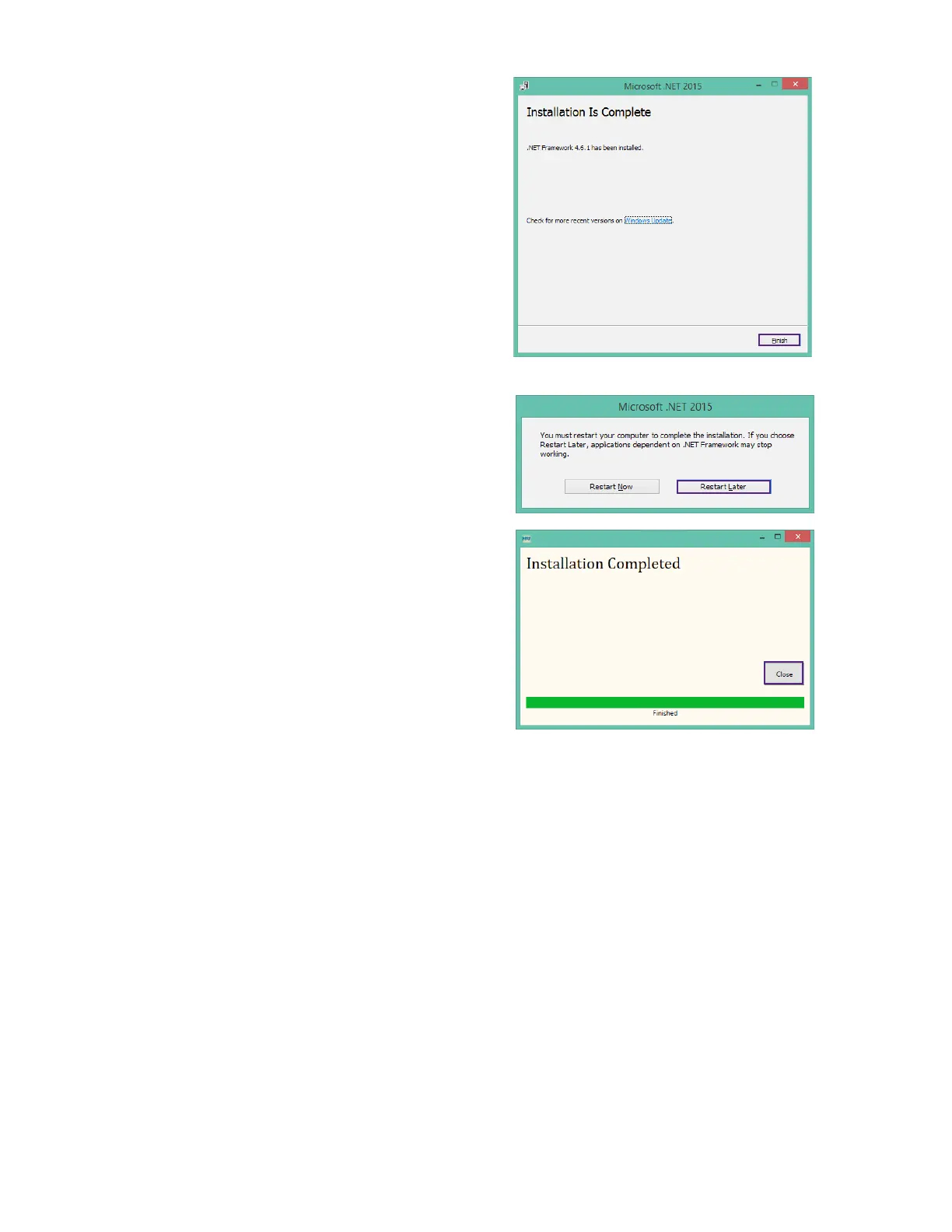
12. Press Finish when the installaon is complete.
13. When prompted to restart the computer, select
Restart Later.
14. When you see the “Intallaon Completed”
message, press the Close buon.
15. When the pop‑up screen closes, the
Pro‑Stcher Lite soware will automacally
start.
16. Reboot the tablet to complete the installaon
process. To restart the tablet from Pro‑Stcher
Lite, select File, Shut Down, and then Reboot.
To restart the tablet from the Windows desktop,
access the taskbar and select the Power icon,
and then select Restart.


 To Next Page