4 - System Setup
75
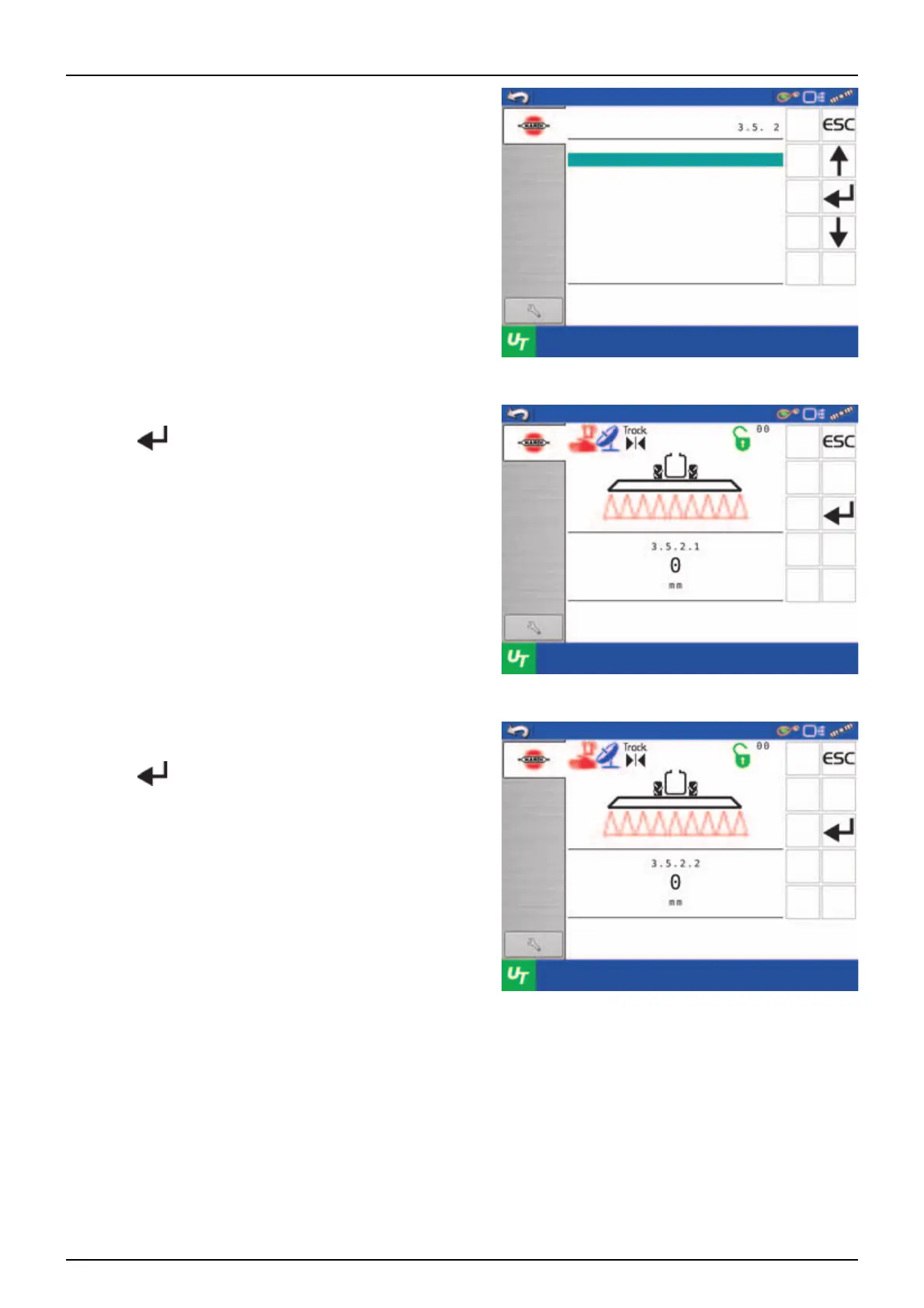
15. Select menu [3.5.2 Calibration of Tank gauge].
16. Menu [3.5.2.1 Water level] is entered.
17. Press .
18. Engage the pump and set PTO revolutions at 540 RPM or
1000 RPM (depending on pump model).
19. Press .
Tank gauge calibration
Menu
Adjustment of specific gravity
Calibration of Tank gauge
Select factory calibration
Calibrate if factory
calibration is not adequate.
Disable SafeTrack
Water level
Fill up the tank to the max
level, then press Enter
Water level
Level the sprayer, then press
Enter



 To Next Page
 Loading...