7 ODROID-XU4 USER MANUAL
eMMC Module
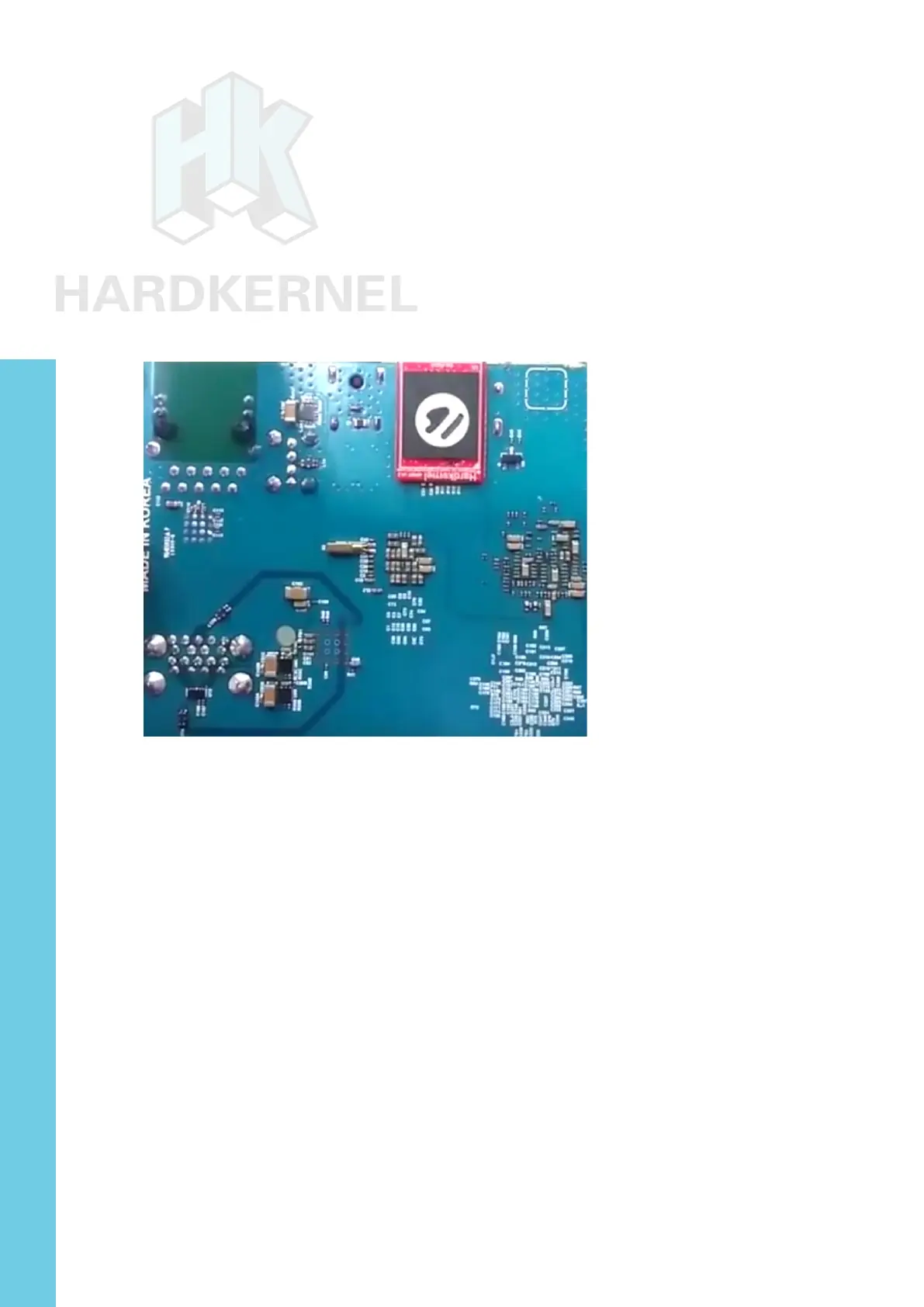
Align the eMMC module and the eMMC connector on the XU4
board, using the white rectangle on the PCB as a guide. The female
portion of the eMMC module should line up with the male connector
on the board. Slowly push it in until it clicks in place. Be gentle. If you
are unable to push it in, it may be misaligned. Recheck and turn the
eMMC module if you notice a wrong insertion direction. The writing on
the card will be exposed after insertion. The image below depicts how
the eMMC module appears after it is mounted.
XU4 closeup with eMMC module attached
LED status
The ODROID-XU4 includes several LED lights that indicate the
status of the device:
The red LED
• Is on when power is available
The blue LED
• Is on (solid light) when the bootloader is running
The blue LED
• Blinks slowly when the kernel is running, like a heartbeat
The blue LED
• Blinks quickly when the kernel is in panic mode
Chapter 1



 To Next Page