28 ODROID-XU4 USER MANUAL
create a new issue and post it on the forums at http://forum.odroid.
com
, then carefully read any feedback and follow the recommenda-
tions. Provide as many details as possible, indicating not only your
software and hardware environment, but also the exact steps to recre-
ate the issue.
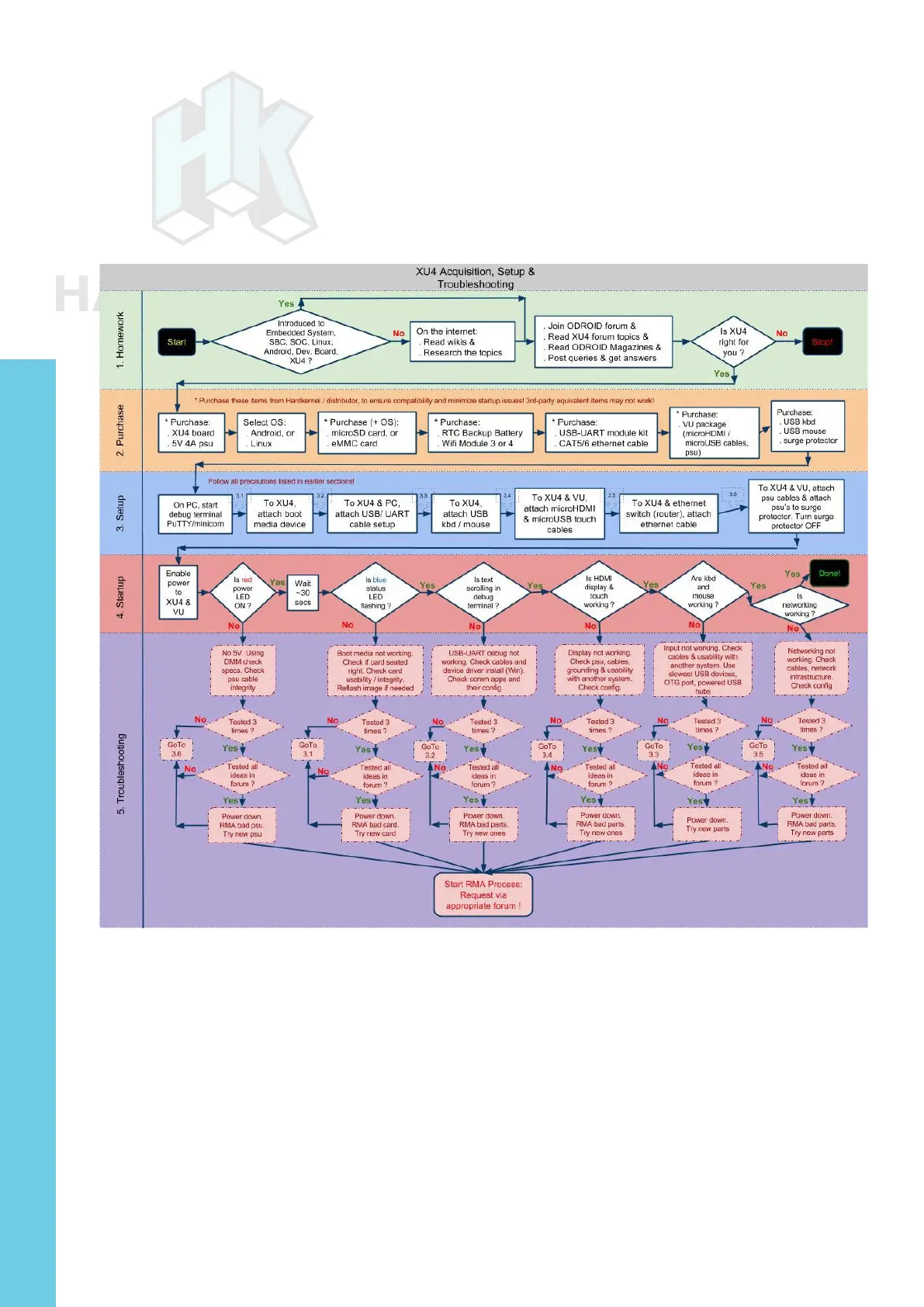
Acquisition, setup and troubleshooting
Conguring Linux
After booting the ODROID to a Linux desktop, run the included
ODROID Utility, which is linked on the desktop, and expand the le
system to have full use of the microSD card or eMMC module. Then,
run the ODROID-Utility again to update the system and reboot.
To update the HDMI resolution, edit the le /media/boot/boot.ini.
Update the section titled “Screen Conguration for HDMI” by un-com-
menting only one entry of the HDMI setting. For some older versions
of Linux, you may be able to use the ODROID Utility to update the
Chapter 2



 To Next Page