17 ODROID-XU4 USER MANUAL
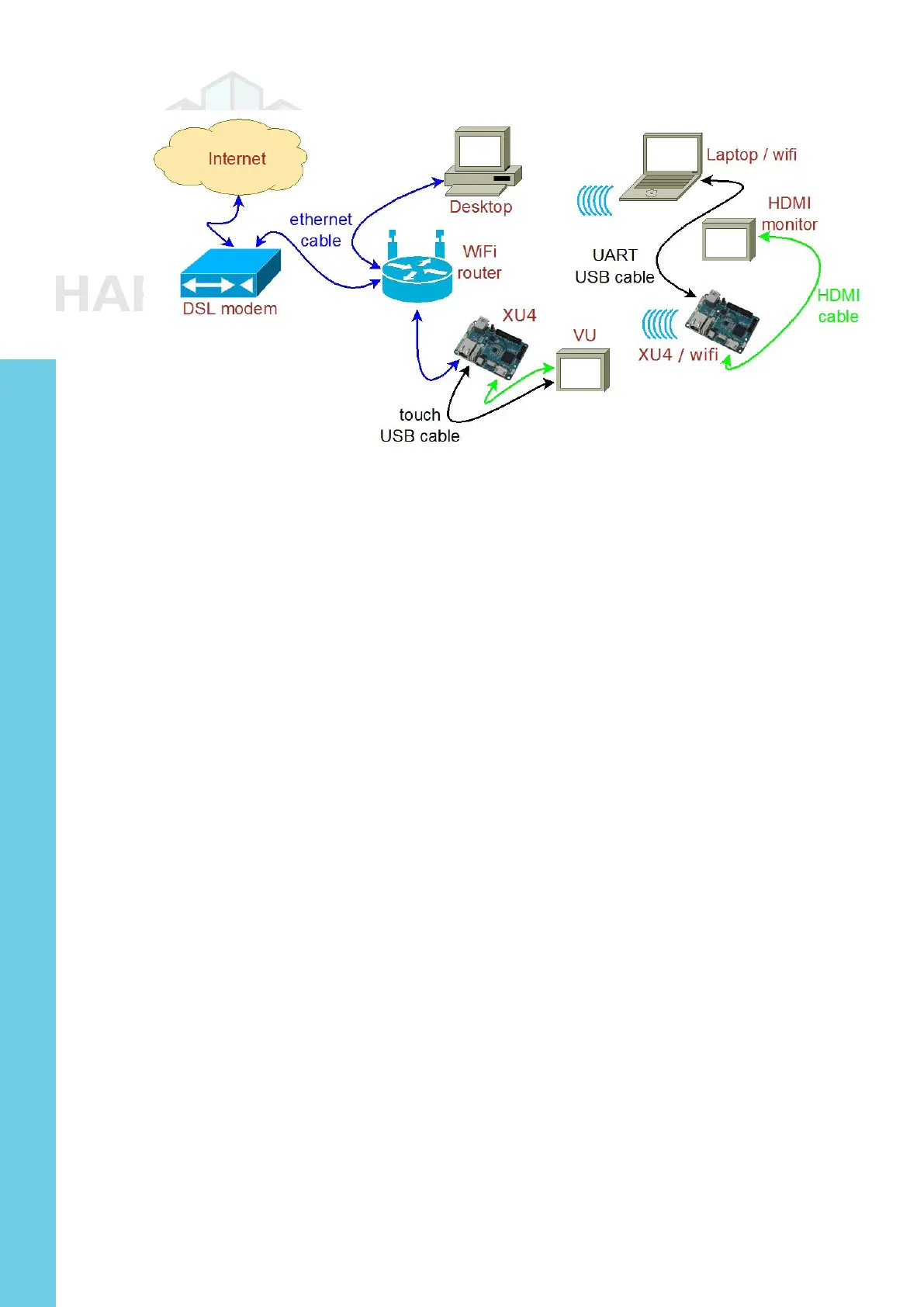
Typical home computing network
After preparing the boot media, it is theoretically possible to use
a XU4 in a network disconnected from the Internet. However, many
use cases require an always-ON functioning secure connection to the
Internet. In either case, it is presumed you have a fully functioning in-
tranet (i.e., the internal network within the home). There are numerous
online guides to setting up a secure network and as such, the setup of
such a network is beyond the scope of this guide.
Preparing the Work Area
Your work area should be similar to the following:
• A well-lit and ventilated area,
• A flat-top desk spanning at least 2m x 1m with a height of 1m or appro-
priate to optimize posture and minimize overall fatigue,
• A freely available area of non-conductive surface of at least 1m x 1m,
preferably covered by a well-grounded anti-static mat with you wearing
the grounding wristband/cable attached to the mat. This safeguards the
handling and placement of unprotected electronics such as XU4 board,
etc., on this area,
• A desktop with accessible monitor, keyboard/mouse or a laptop to prepare
the boot-media for the XU4 and debug the XU4 bringup process,
• If needed, a 4-port USB3 (USB2 compatible) hub attached to the com-
puter within the reach of the free area - for easy image flashing using a
USB-based SD/eMMC module reader/writer and attaching the USB UART
debug cable, and
• A well-grounded surge-protector with 6 or more outlets, within reach of
the free area.
The above criteria will go a long way in ensuring a safe workspace for
you and your projects involving boards such as the XU4.
Chapter 2



 To Next Page