41 ODROID-XU4 USER MANUAL
ODROID Utility and Updater
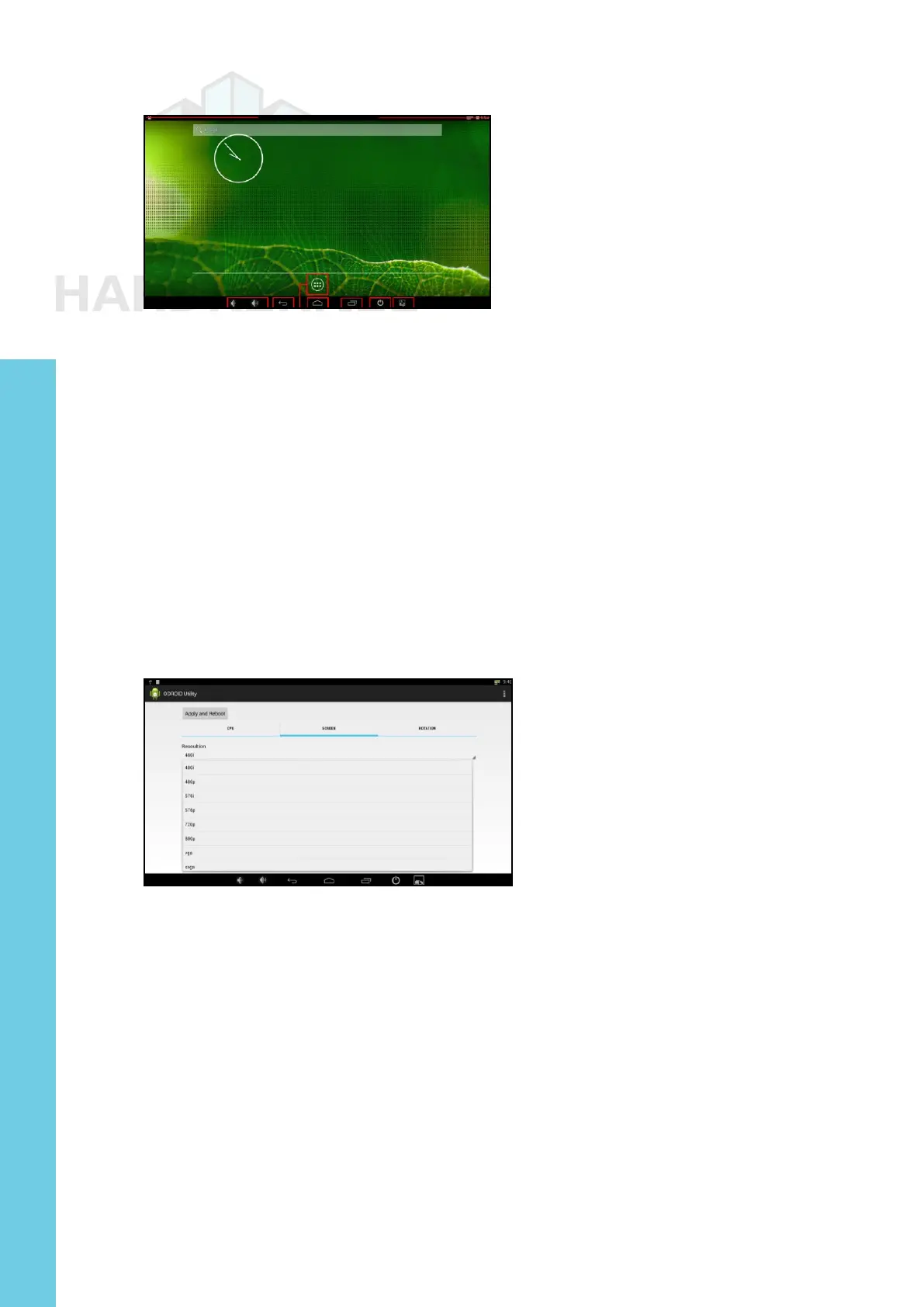
To run the ODROID Utility application, open the applications
menu and click on the ODROID Utility icon. When you start the
ODROID Utility for the rst time, it will ask for superuser permissions,
which should be conrmed. This application contains several tabs
which can be used to congure various aspects of the hardware:
CPU changes the CPU governor settings and can set the Kodi media
center to launch at system startup. The Performance governor will
give the best speed but consume the most power.
Screen allows you to change the resolution as well as stretch and
move the screen.
Rotation allows you to rotate the screen to either Portrait or Land-
scape mode.
Setting the Display Resolution
On the Screen tab of the ODROID Utility application, select the
preferred monitor resolution, then click on Apply and Reboot. The new
resolution will be active after the reboot has completed.
An overscan adjustment tool is also provided in the ODROID
Utility application. To adjust the screen, click on the Screen Tab. You
will then see a group of arrows that represents the four screen edges.
For the edges that you wish to adjust, click on the corresponding arrow
in order to set the number of offset pixels. After adjusting the settings,
click on the “Apply and Reboot” button.
Installing Google Play and applications
The ofcial Hardkernel Android image comes without any Goo-
Chapter 3



 To Next Page