64 ODROID-XU4 USER MANUAL
iProduct 3 ASM1051
iSerial 1 0123456789ABCDEF0124
bNumCongurations 1
…
Device can operate at Full Speed (12Mbps)
Device can operate at High Speed (480Mbps)
Device can operate at SuperSpeed (5Gbps)
bFunctionalitySupport 1
Lowest fully-functional device speed is Full Speed (12Mbps)
bU1DevExitLat 10 micro seconds
bU2DevExitLat 2047 micro seconds
…
The docking system uses the ASMedia‘s ASM1051E single-chip based
SuperSpeed USB (USB 3.0) to Serial ATA3 bridge, and the Bridge
Board uses a Genesys Logic bridge. Follow these steps to use it:
• Shutdown the XU4 and turn the power off
• Attach the docking system to the XU4 with the included USB3
cable
• Insert the SATA storage device (HDD/SSD) with its SATA inter-
face aligned with the receptacle in the docking system
• Gently press down the storage device so the SATA connectors
connect well and the storage device sits rmly in the docking system
• Turn on the power to the XU4 and let it complete the boot up
process.
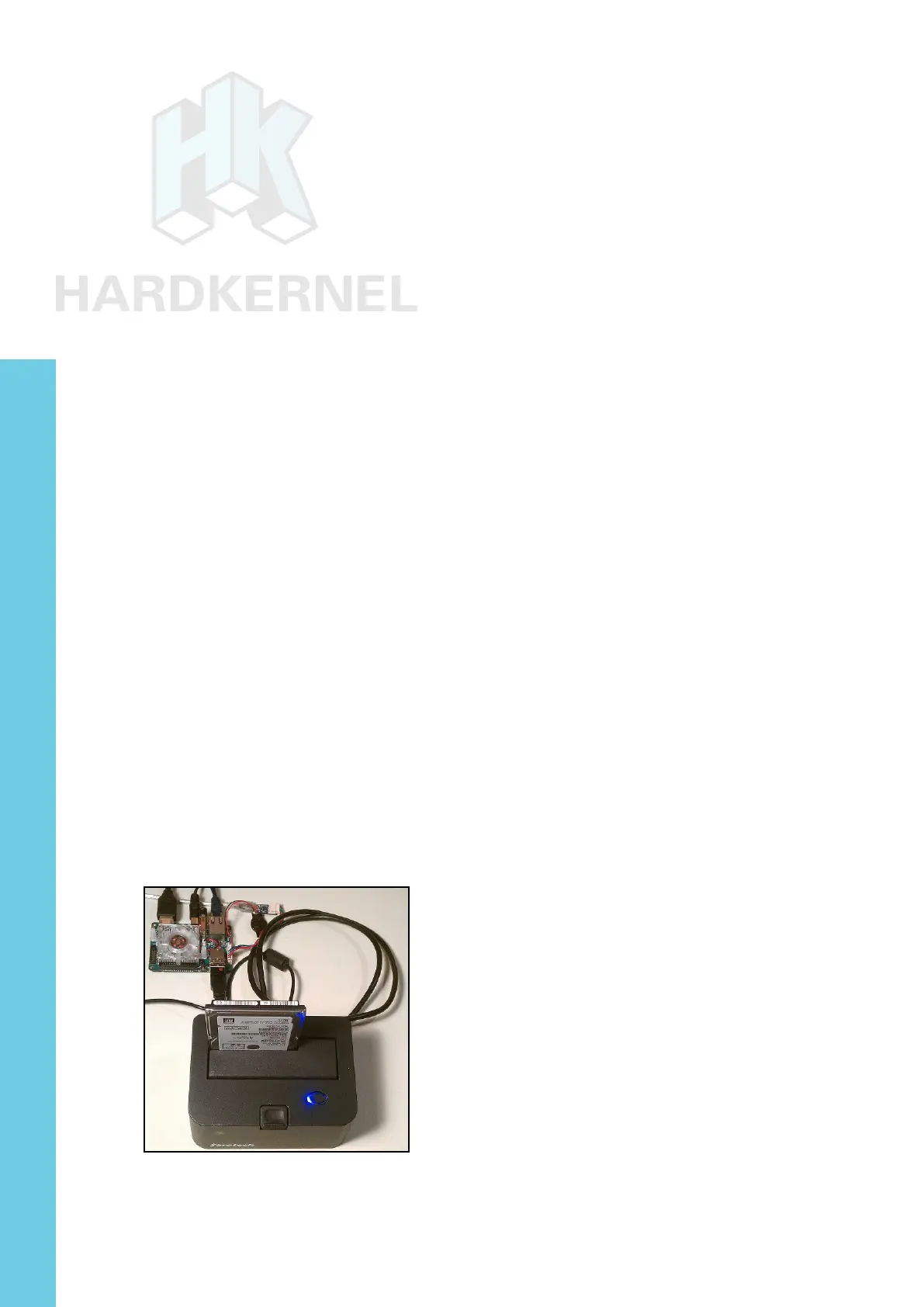
The image below shows the installation of new 1TB HGST Trav-
elstar 2.5” SATA3 HDD suitable for laptops. It worked well with SATA3
SSDs too, such as the PNY 240GB XLR8 model. Some older desktop
SATA2 desktop-class HDDs may also work.
Docking system with SATA HDD storage device attached to XU4
A brand new storage device, if unformatted, will not be automat-
Chapter 4



 To Next Page