Installation instructions, only for experts p. 26/48
8.2. Settings in the technician menu
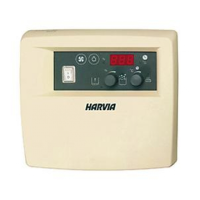
Opening the technician menu
Additional settings can be made in the technician menu. To access the technician
menu, perform the following steps:
1. Switch off the sauna control unit.
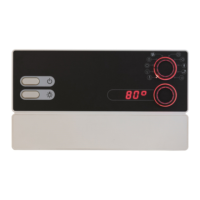
2. Press the bottom knob and the ON/OFF switch at the same time.
► In the top display, “SEtt” appears briey.
► The two knobs ash.
The settings are saved as soon as you close the technician menu
(see page 29).
Activating single-sensor mode
In single-sensor mode, the sauna control unit is operated with the heater sensor
with an excess temperature fuse (F1) only. The two-sensor mode is activated as
standard. If you wish to activate the single-sensor mode, perform the following
steps:
1. Open the technician menu (see 26).
2. Turn the top knob to the temperature symbol (position A – see point 9.2 on
page 30).
► The temperature symbol ashes.
► In the top display, “SEnB” appears.
► In the bottom display, “On” appears.
(“On” means that the two-sensor mode is activated.)
3. Turn the bottom knob to the left.
► In the bottom display, “OFF” appears.
► The single-sensor mode is activated.


 To Next Page